ElevenLabs Eleven Realtime: A Second OpenAI Realtime-Compatible Endpoint for Voice Agents, With WebSocket-Only Caveats
ElevenLabs launched Eleven Realtime v1 Mini and v1 Max, two complete voice-agent models. Its Realtime API uses OpenAI's Realtime wire protocol, so apps on OpenAI's SDK can switch by changing the endpoint and model name, as long as they connect over WebSocket.
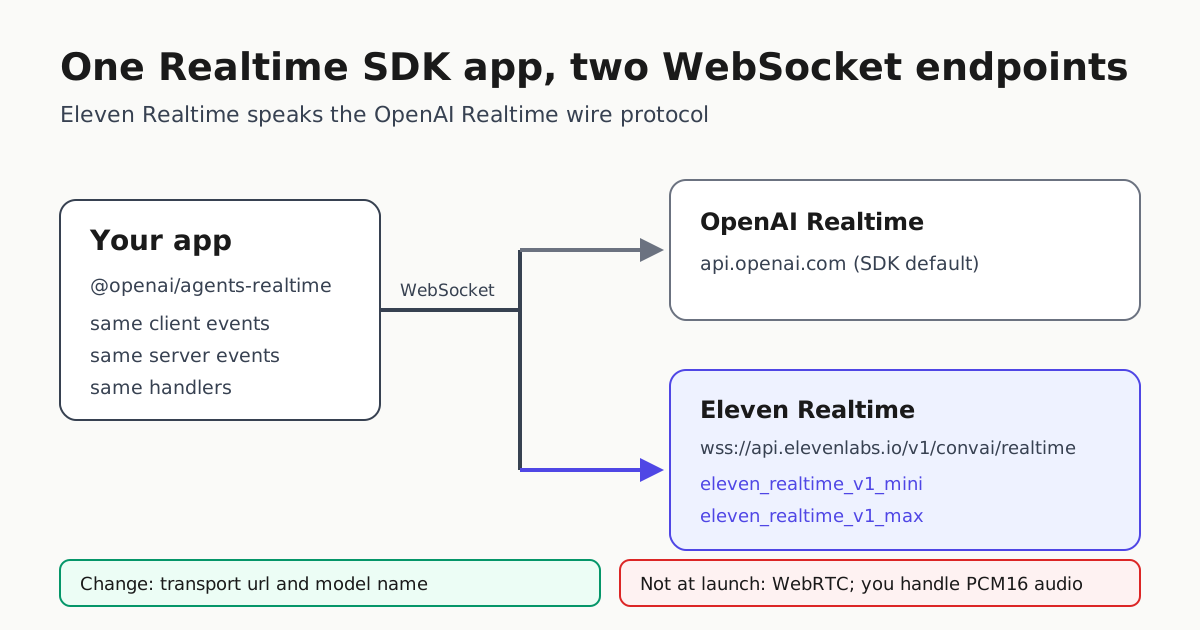
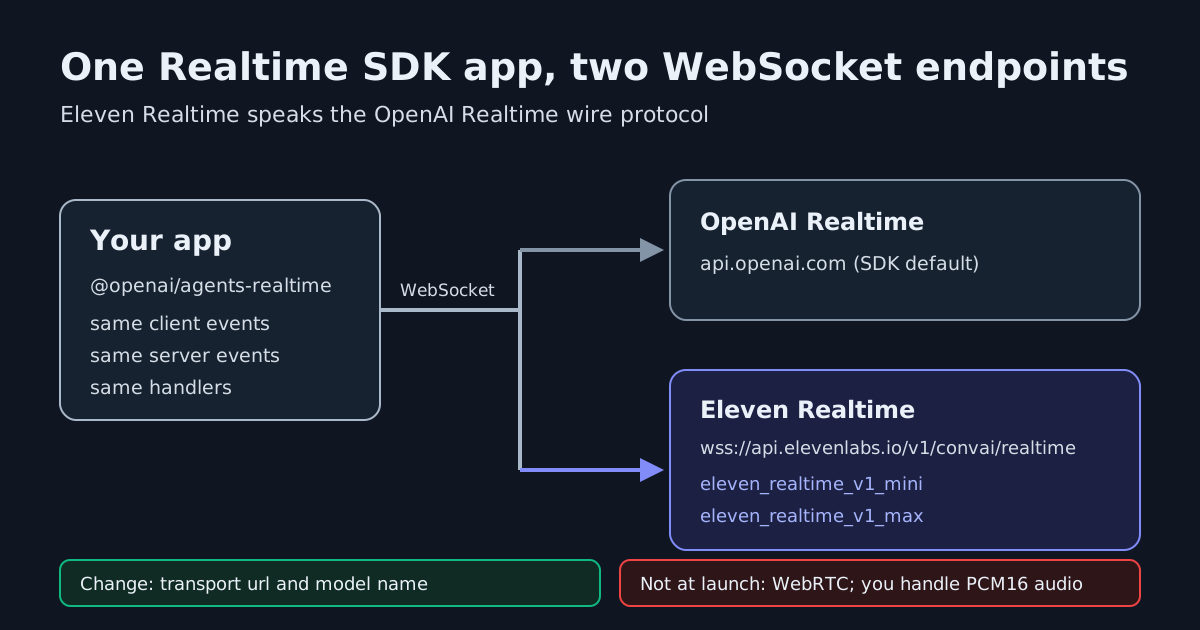
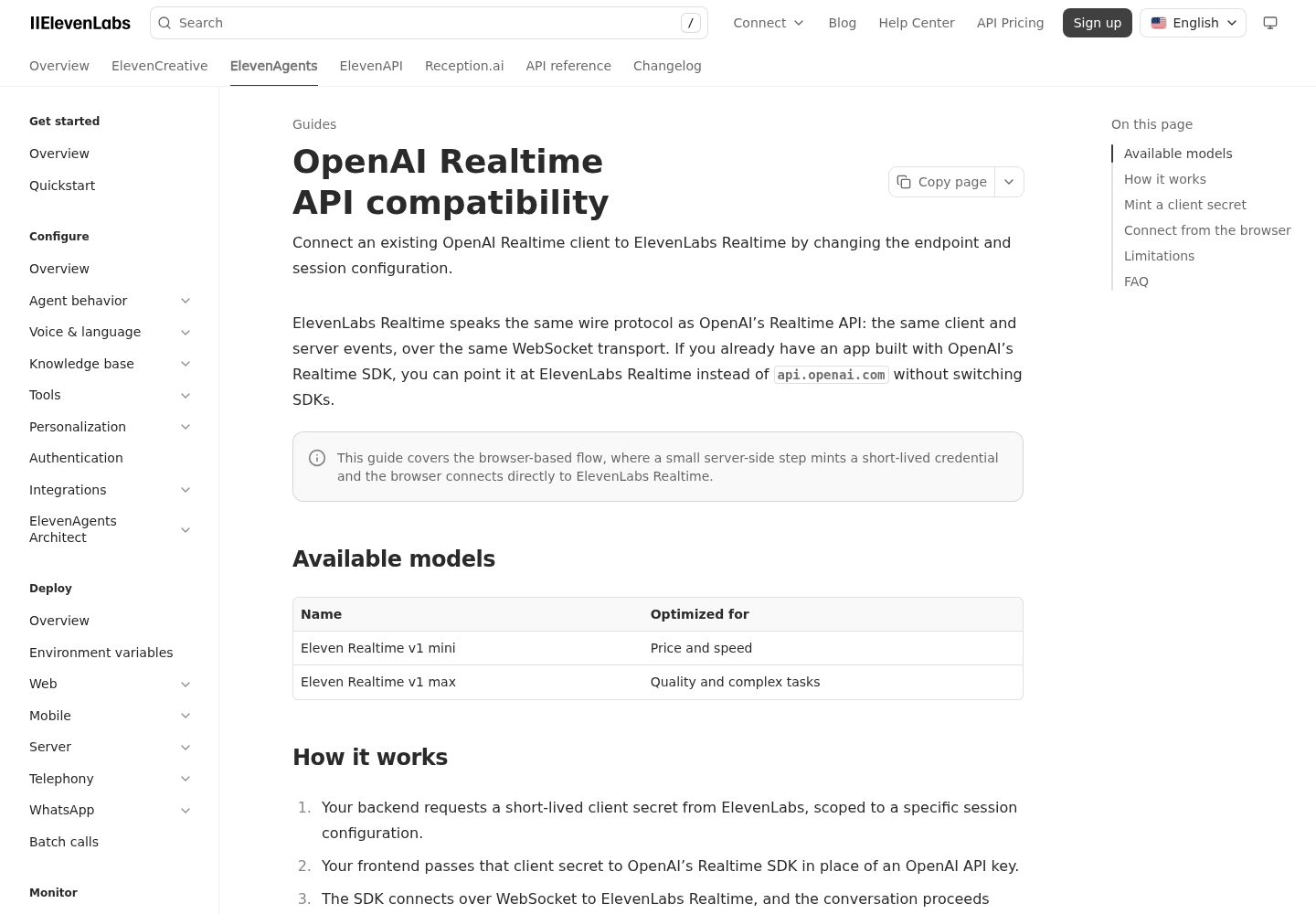
ElevenLabs announced Eleven Realtime on October 20. It ships as two speech-to-speech models, v1 Mini and v1 Max, and each one packages speech recognition, turn-taking, a language model and text-to-speech behind a single model choice. Another voice model on its own would not be news. What matters for builders is the interface. According to ElevenLabs’ compatibility guide, the new Realtime API “speaks the same wire protocol as OpenAI’s Realtime API: the same client and server events, over the same WebSocket transport.”
If your voice agent already runs on OpenAI’s Realtime SDK, you can now aim it at a second vendor by changing the WebSocket URL and the model name. That makes a price or quality comparison, or a failover lane, mostly a configuration job instead of a rewrite. There is one condition: your app has to connect over WebSocket.
What shipped
The Eleven Realtime product page pitches Mini for natural conversation (assistants, tutors, interactive characters) and Max for complex tasks such as customer support and lead qualification. The models overview lists the API IDs as eleven_realtime_v1_mini and eleven_realtime_v1_max. Both support 90+ languages. Tool calling is called out explicitly for Max.
The docs also say what these models are not. Each one uses a cascaded architecture: every component is a distinct model, tuned to work with the others. They are not a single fused audio model. ElevenLabs also says the specific underlying models “aren’t public,” so you are choosing a bundle you can’t inspect.
You can reach the models two ways. In ElevenAgents, you pick v1 Mini or v1 Max from the agent’s model dropdown, and existing agents stay the same unless you change them. Or you can use the standalone Realtime API.
The swap, in code
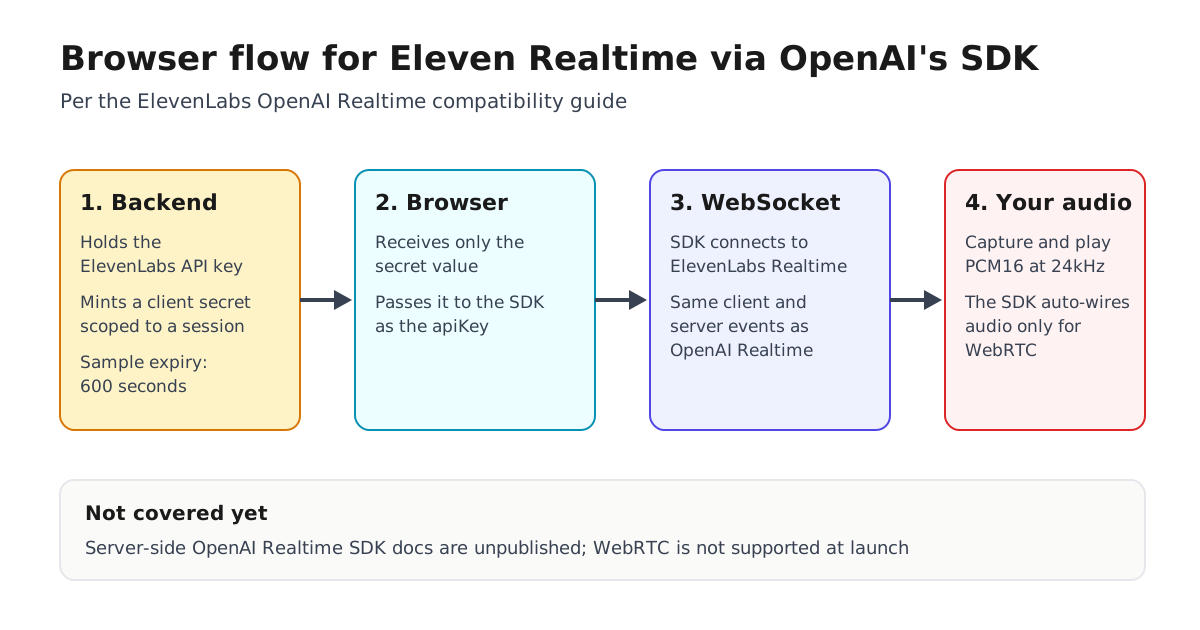
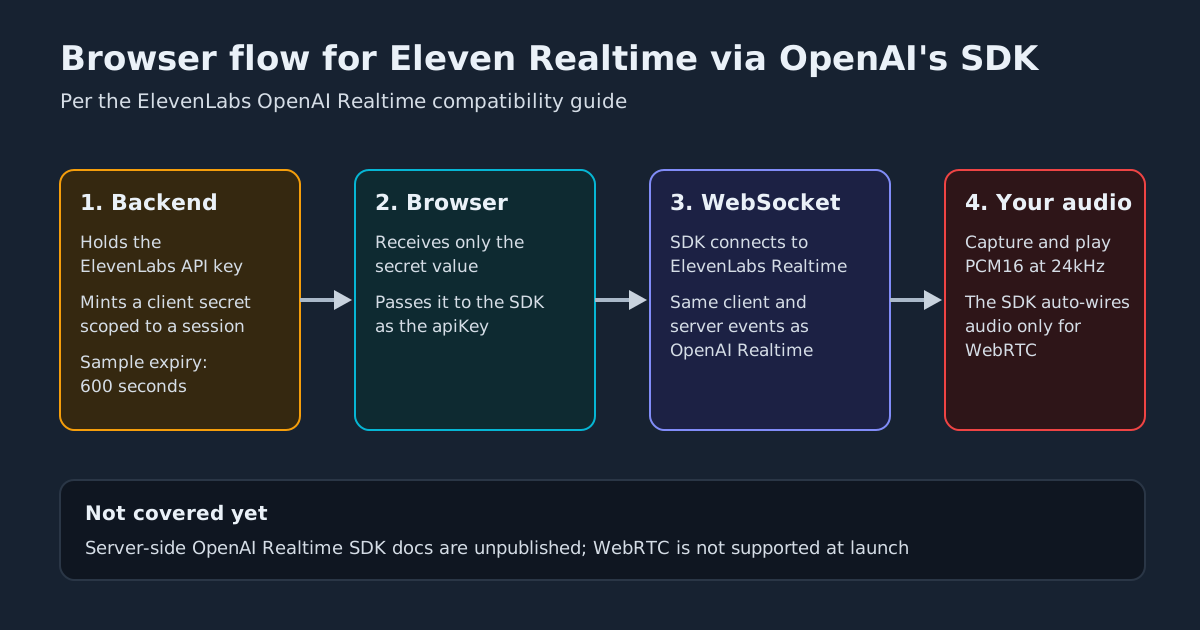
The guide documents a browser flow in three steps. Your backend mints a short-lived client secret tied to a session configuration. The browser passes that secret to OpenAI’s @openai/agents-realtime SDK in place of an OpenAI key. The SDK then connects to ElevenLabs over WebSocket.
On the client, only two values change from a standard OpenAI WebSocket setup:
const transport = new OpenAIRealtimeWebSocket({
  url: "wss://api.elevenlabs.io/v1/convai/realtime", // was OpenAI's default endpoint
});

const session = new RealtimeSession(agent, {
  transport,
  model: "eleven_realtime_v1_mini", // or eleven_realtime_v1_max
  config: { outputModalities: ["audio"], audio: { output: { voice: "brian" } } },
});

await session.connect({ apiKey: clientSecret }); // ElevenLabs client secret, not an OpenAI key
On the server, the Python example calls elevenlabs.conversational_ai.realtime.create_client_secret(...) with the model, instructions, PCM audio formats, semantic_vad turn detection and an expiry (600 seconds in the sample). It then sends only the returned value to the browser, so ELEVENLABS_API_KEY never reaches the client. The docs also note that the session configuration you send when minting the secret becomes the authoritative initial session for that credential.
What doesn’t carry over
“Two lines” is accurate for the transport and model. It does not describe everything a migration involves:
- No WebRTC at launch. The launch post says the Realtime API is WebSocket-only, so a WebRTC integration has to move to WebSocket first.
- You handle the audio. The guide warns that OpenAI’s SDK wires audio automatically only for its WebRTC transport. Over WebSocket, your app has to capture and play PCM16 audio at 24kHz itself.
- Browser-only docs for now. Documentation for server-side OpenAI Realtime SDKs “isn’t published yet,” which matters for telephony bridges and backend agents.
- The API runs separately from ElevenAgents. Phone, WhatsApp, contact-center channels, knowledge bases, guardrails, testing and monitoring belong to ElevenAgents, which ElevenLabs recommends if you are starting from scratch.
Mini or Max: the vendor’s numbers
ElevenLabs says Artificial Analysis evaluated both models independently. All of the figures below are ElevenLabs-reported, taken from its launch post:
| Metric | v1 Mini | v1 Max |
|---|---|---|
| Big Bench Audio (speech reasoning) | 75.9% | 98.8% |
| Avg. time to first audio (on Big Bench Audio) | 0.62 s | 0.57 s |
| Full-Duplex-Bench (turn-taking, interruptions) | 95.8% | 94.1% |
| Speech Agent Arena score | 988 | 998 |
| Tool-use task completion | 60.3% | 87.1% |
The tool-use gap is the number that should drive your choice. A Mini agent that calls tools completed 60.3% of tasks, against 87.1% for Max, and ElevenLabs itself recommends Max for heavy tool calling. Mini scores slightly higher on conversational dynamics. The Decoder relays ElevenLabs’ claim that no model on the Artificial Analysis leaderboard is currently both faster and more accurate than Max. That is still a vendor claim, and you should check it against your own call transcripts.
What it costs
On the Realtime API you pay per minute of connected audio plus tokens, and token prices are the same on every plan. The API pricing page lists:
| v1 Mini | v1 Max | |
|---|---|---|
| Connected audio, per additional minute | $0.080 | $0.080 |
| Input tokens, per 1M | $0.20 | $1.80 |
| Output tokens, per 1M | $6.00 | $9.00 |
| Burst audio above concurrency limit, per minute | $0.160 | $0.160 |
The audio meter is identical for both models. The difference is in tokens: Max costs 9x more for input and 1.5x more for output. Concurrent-call limits run from 4 to 40 depending on plan, and audio above that limit is billed at the burst rate. ElevenLabs says the included-minute figures are estimates that vary with conversation length and tool use. A per-minute sticker price won’t predict the bill, so measure cost per completed task. In ElevenAgents, Realtime models use standard per-minute agent pricing plus LLM tokens.
What to do with it
- If you’re on OpenAI Realtime over WebSocket: create a branch that changes only the transport URL and model, mint ElevenLabs secrets on your backend, and replay a fixed set of scripted calls against both vendors. Compare latency, task completion and tokens per call.
- If you’re on WebRTC: price out the move to WebSocket and handling PCM16 audio yourself before you count this as a cheap failover.
- Choose Max for agents that call tools. Treat Mini’s 60.3% tool-use completion as a reason to keep it on conversational work.
- Add it to your failover plan. Two endpoints that share a protocol fit the provider-cutoff drill. The event-level compatibility claim still deserves contract tests.
For a different approach to the same problem, see our coverage of Mistral’s Voxtral 3 voice-agent SDK.
Sources
- Eleven Realtime | Speech to Speech Voice Agents | ElevenLabs
- OpenAI Realtime API compatibility | ElevenLabs Documentation
- Models | ElevenLabs Documentation
- Introducing Eleven Realtime: a simpler way to build natural voice agents
- Elevenlabs releases two new speech-to-speech models designed for real-time AI conversations
- ElevenLabs on X: "Introducing Eleven Realtime, a new class of Speech to Speech models. Voice agents usually make you choose between quick replies or precise answers. Eleven Realtime gives you both. It starts talking in half a second and gets spoken reasoning questions right." / X
- ElevenAPI Pricing for creators and businesses of all sizes