Types of AI Agents, Explained With Real 2026 Examples
The five textbook types of agents in AI, then the 2026 taxonomy that matters: four axes, eight real tools mapped, and a straight answer about Copilot.

Go deeper. Build your own.
Two taxonomies, one useful
Search for the types of agent in AI and you get an answer from 1995: five classes descended from a famous textbook, faithfully recited by every page on the results screen. It is a fine answer — for an exam. If you run agents for a living, you need a second answer: an AI agent taxonomy that predicts supervision cost, blast radius, and where a tool fits in your stack.
This piece delivers both, in that order. First the classic five agent types, handled properly and quickly — they still explain the design lineage of everything that followed. Then the taxonomy practitioners actually use in 2026: four independent axes — autonomy, role, architecture, surface — on which every real product is a coordinate rather than a category.
Why bother with taxonomy at all? Because an agent’s type determines who watches it, what it can break, and what verification costs. That makes this a purchasing rubric, not trivia.
The classic five types of agents in AI
The textbook taxonomy comes from the Russell and Norvig lineage — Artificial Intelligence: A Modern Approach, the standard AI text — and it classifies agents by how they decide.
- Simple reflex agents — act on condition–action rules over the current percept only. A thermostat; a CI rule that auto-labels PRs by changed paths.
- Model-based reflex agents — keep internal state about what they cannot currently observe. A robot vacuum mapping rooms; a monitor tracking deploy state across services.
- Goal-based agents — choose actions by projecting them toward a goal. A coding agent working toward “tests green”; route planning in a navigation app.
- Utility-based agents — score competing outcomes on a utility function and pick the best. Ad-bidding systems; cloud cost optimizers.
- Learning agents — improve their own decision-making from experience. Recommender systems; models trained with RLHF.
Memorize those five lines and you have the exam answer. Now the honest part.
Why the textbook taxonomy fails in 2026
Run the classification against any modern LLM agent and it jams: the agent is all five types at once. It is reflexive where its instructions encode rules (“never commit on red”), model-based because its context window carries state, goal-based by construction, utility-shaped by its training, and learning-ish through the memory files it maintains. A taxonomy that files Claude Code, a support bot, and a thermostat under one heading has stopped discriminating — and a category that cannot separate tools cannot answer “which should I deploy.”
What the old taxonomy still explains is the reasoning machinery inside a single agent. Its classes map loosely onto phases of the agent loop: reflex rules live in the instructions, the world-model lives in context, and goals drive the plan.
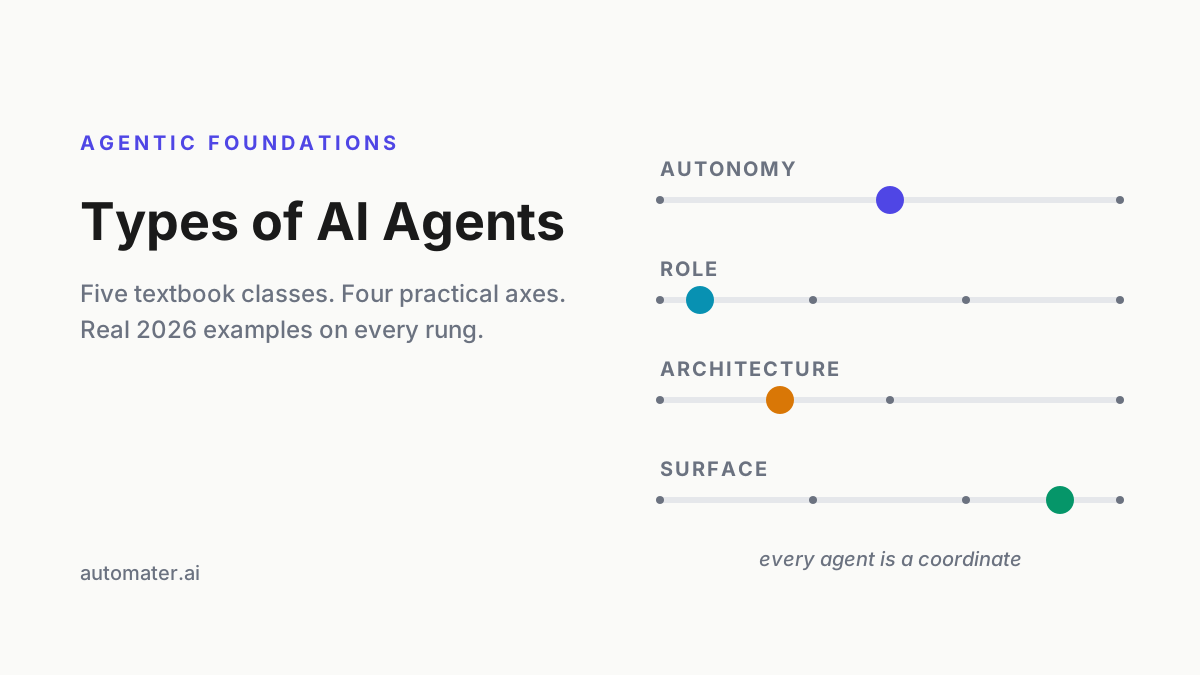
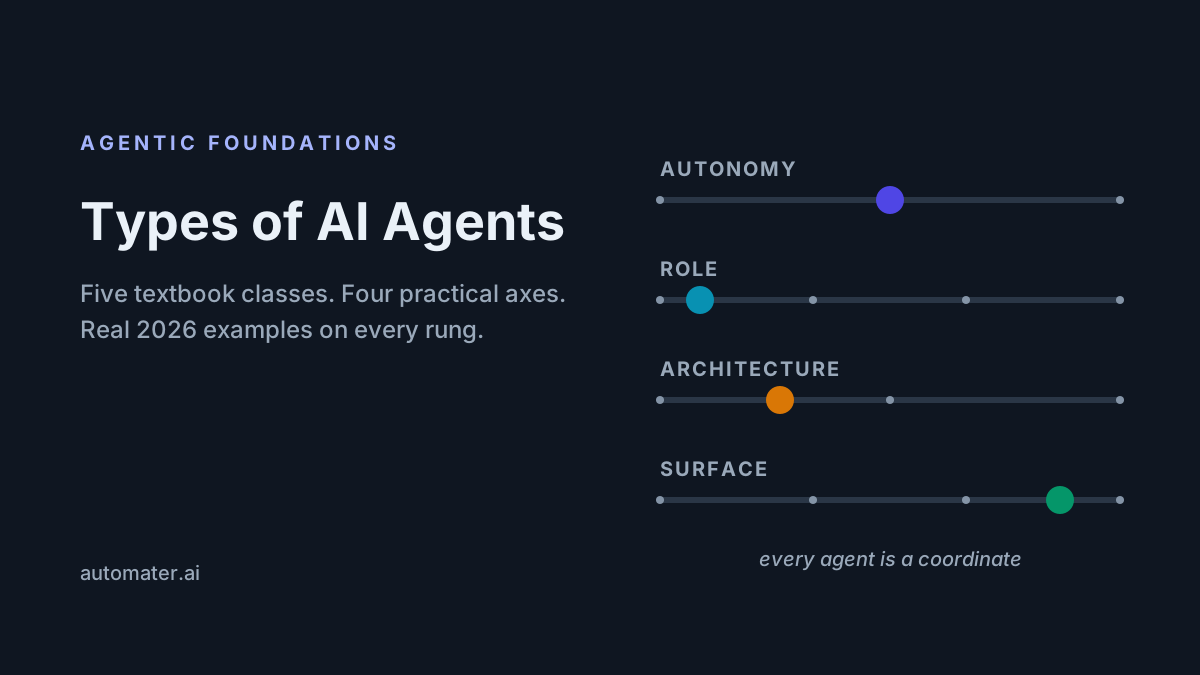
The replacement is not a better ladder but four independent axes:
- Autonomy — who executes, and who checks.
- Role — what job the agent is for.
- Architecture — one loop or many, and how they coordinate.
- Surface — where the agent lives and acts.
Every tool you will evaluate this year is a coordinate in that space. The next four sections walk the axes.
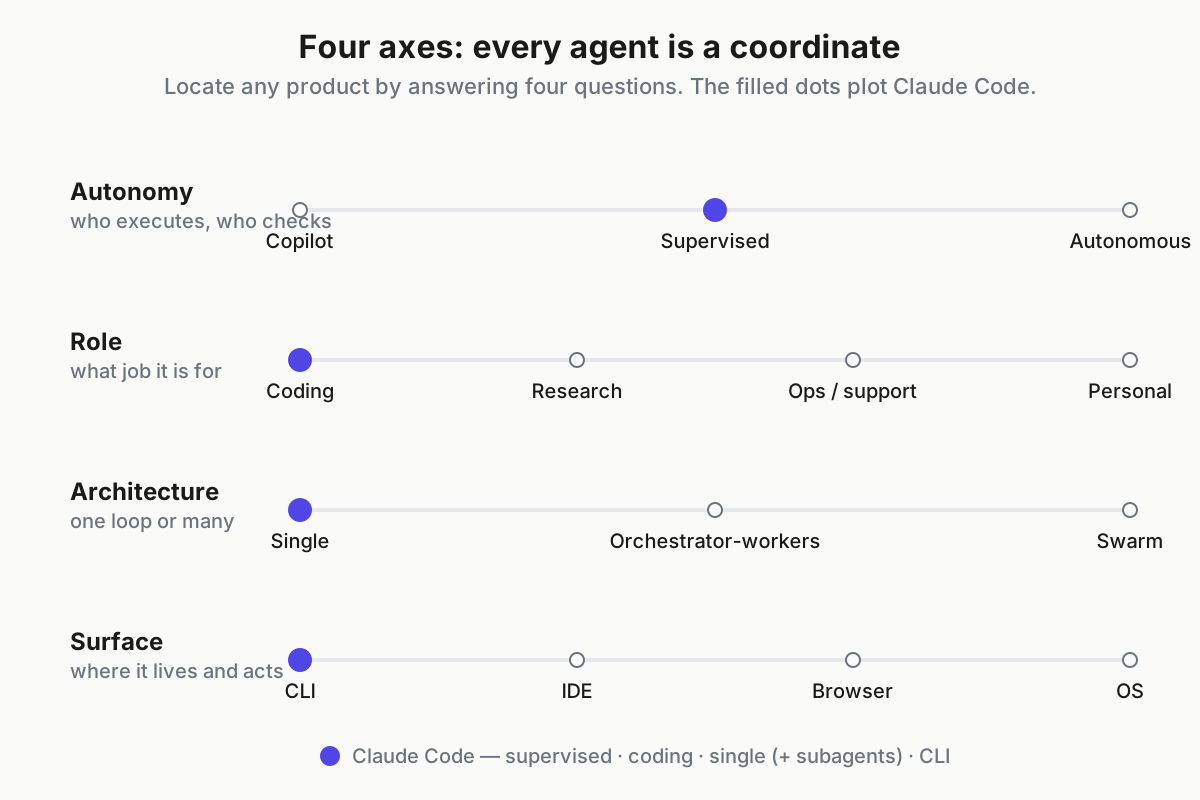
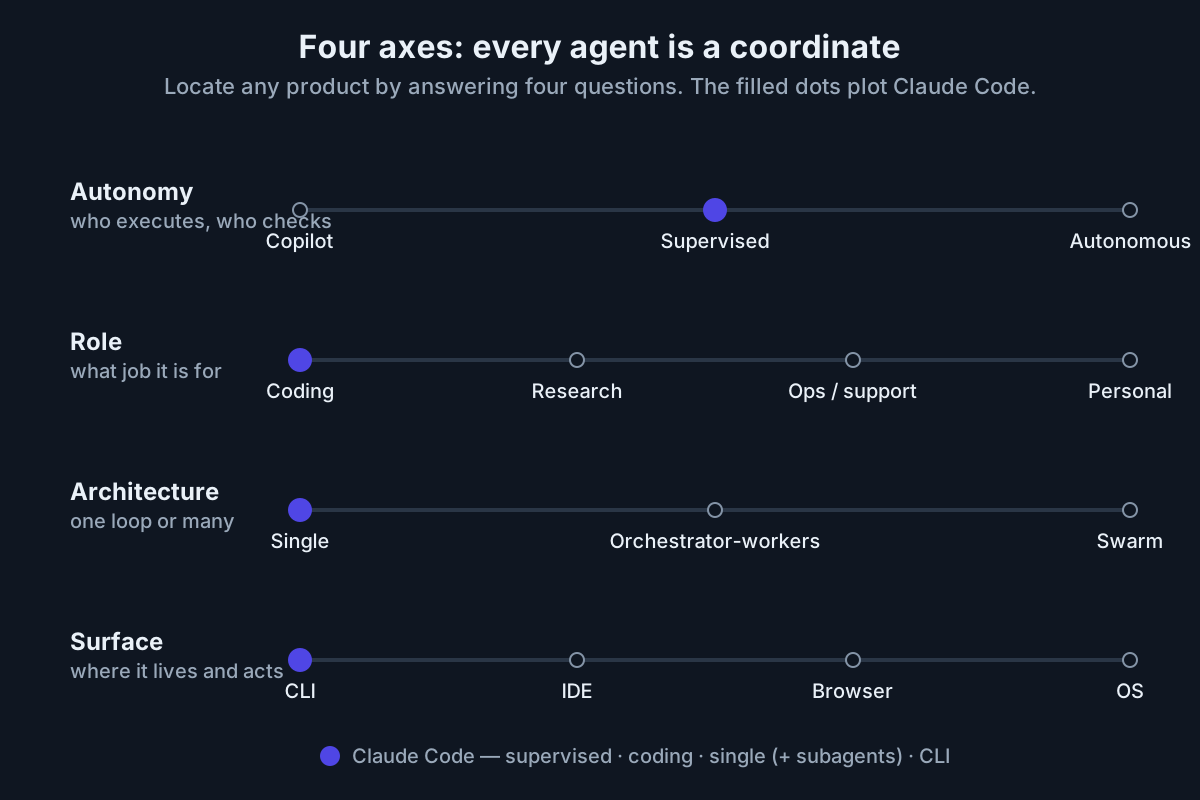 Four independent axes. Products are coordinates, not categories.
Axis 1 — autonomy: copilot, supervised agent, autonomous agent
This is the axis that sets your supervision bill.
- Copilot. Suggests; a human executes. Inline completion — GitHub Copilot autocomplete, Cursor Tab. Zero blast radius, constant attention: you verify everything, keystroke by keystroke.
- Supervised agent. Executes with human gates. Coding CLIs — Claude Code, Codex CLI, Antigravity CLI, OpenCode — pause at permission prompts, and everything lands in a reviewable diff or PR. You verify at checkpoints. This is the 2026 default for real work.
- Autonomous agent. Runs unattended toward a goal. Background coding agents — Devin, Codex cloud tasks, the GitHub Copilot coding agent working assigned issues — plus scheduled research and ops runs. You verify outcomes: the PR, the report, the gate the run must pass.
The trap is treating autonomy as a fixed property of a tool. It is a dial: the same CLI runs read-only in plan mode or full-auto behind a flag. The rule that keeps you out of trouble: supervision should track how cheaply output can be verified. Green tests are cheap to check, so coding chores earn autonomy early. A production migration is not, so it stays supervised no matter how good the model.
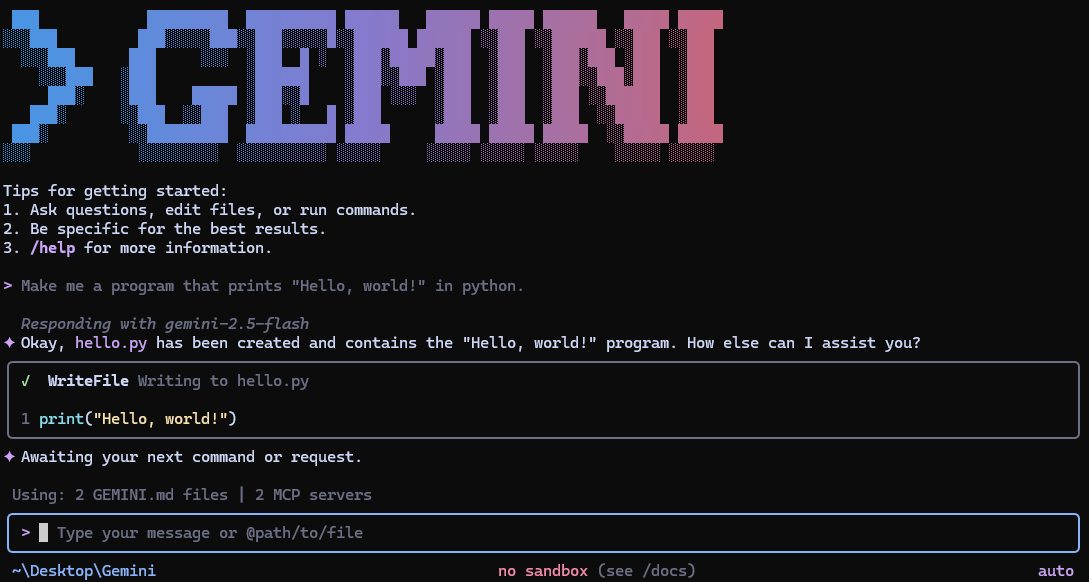
(A current-events footnote: Gemini CLI belonged on the supervised list until Google discontinued it in June 2026 in favor of the Antigravity CLI. Tool rosters age fast; the axes do not.)
Axis 2 — role: what the agent is for
- Coding. The most mature role by a wide margin: CLIs, IDE agents, review bots. Success metric: merged diffs and green suites — the most verifiable outputs in software, which is exactly why coding got working agents first.
- Research. Multi-source gathering and synthesis: the deep-research modes of the major assistants — ChatGPT, Claude, Gemini. Success metric: citation quality and coverage — did it find the right sources, and is every claim traceable.
- Operations and support. Ticket triage, invoice intake, incident summaries, CRM hygiene: workflow agents built in n8n-style builders, plus Fin- and Sierra-class support agents. Success metric: deflection and error rates against a human baseline.
- Personal. Scheduling, inbox, briefings. The thinnest tooling of the four today — plenty of demos, few daily drivers. That is the honest line.
One 2026 reality specific to this axis: agents that talk to people now carry disclosure duties. Since August 2, 2026, EU AI Act Article 50 requires AI systems interacting with humans to identify themselves as AI — which lands squarely on support and ops agents serving EU users.
The metrics matter more than the labels. A role is defined by what “it worked” means, and an agent you cannot score is an agent you cannot improve.
Axis 3 — architecture: single agent, orchestrator-workers, swarm
- Single agent. One loop, one context, many tools. The right default for bounded tasks, and what most CLI sessions actually are.
- Orchestrator-workers. A lead agent decomposes work and delegates to subagents with fresh contexts: the subagent features in coding CLIs (Claude Code’s are documented at docs.claude.com), and graph-style frameworks in the LangGraph mold. Built for work bigger than one context window — most of the real framework choice happens on this axis.
- Swarm. Peer agents coordinating without a fixed boss. Real in research and simulation; rare in production in 2026, whatever the conference talks imply.
The honest guidance: architecture follows context limits and parallelism needs, not ambition. Multi-agent multiplies coordination overhead, token cost, and failure surface before it multiplies capability. Max out a single agent first.
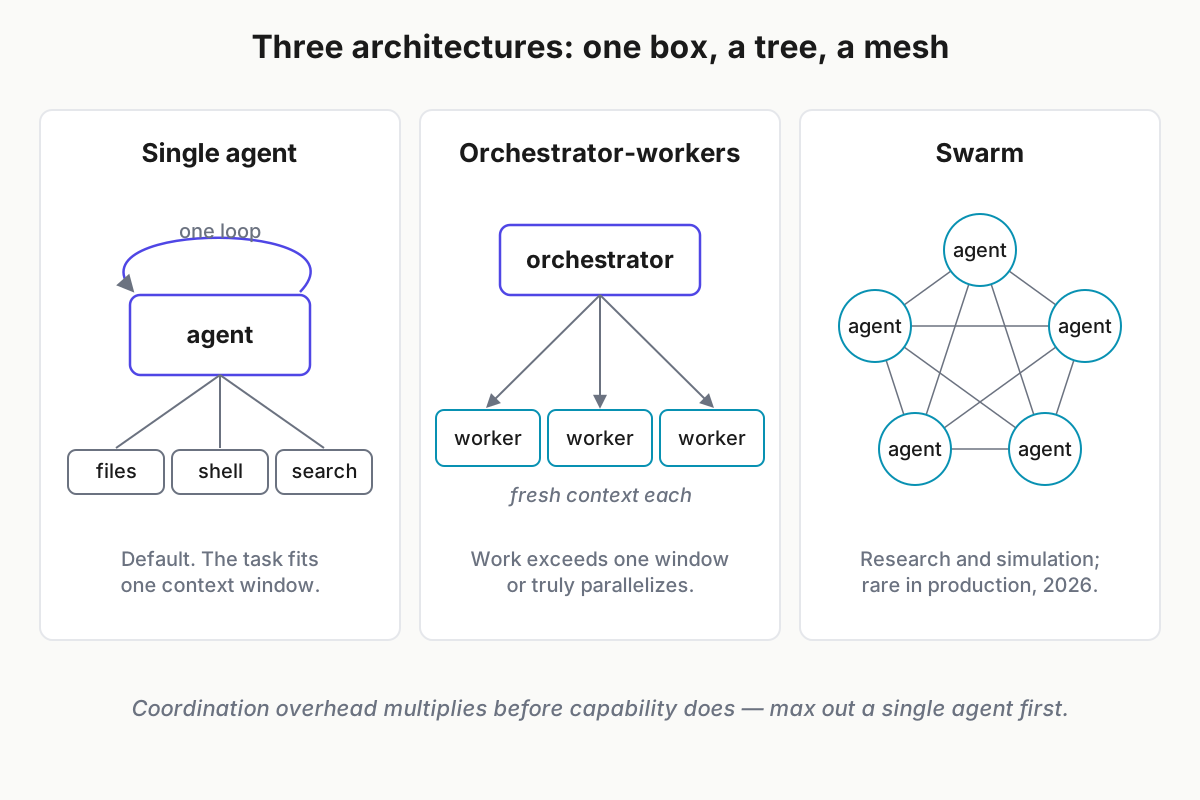
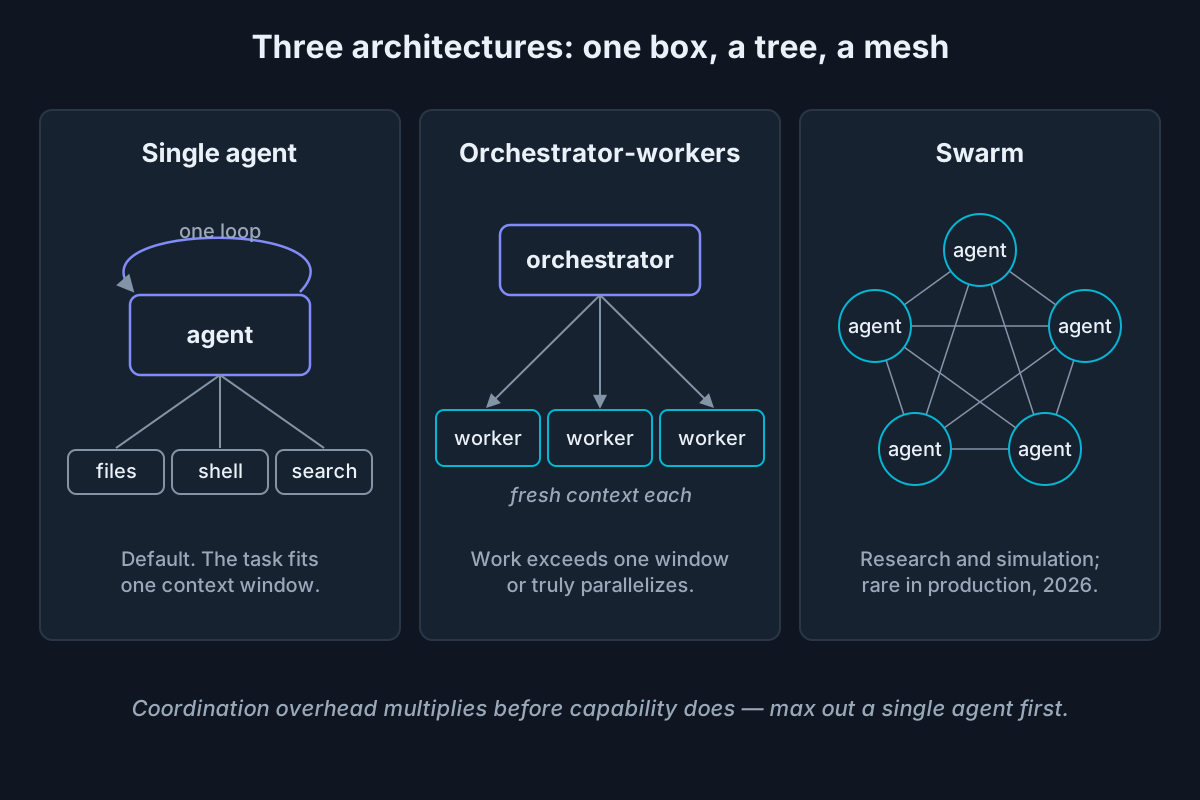 One box, a tree, a mesh — and a default: start with the box.
Axis 4 — surface: where the agent lives
- CLI. Terminal-native, scriptable, composable with everything you already pipe together — the power-user center of gravity (Claude Code, Codex CLI, Antigravity CLI, OpenCode). Superpower: automation and CI. Tax: you live in text.
- IDE. Agent panes inside editors — Cursor, Copilot in VS Code, Devin Desktop (formerly Windsurf). Superpower: the richest interactive coding experience. Tax: the weakest story for unattended automation.
- Browser. Agents that operate web apps directly — OpenAI’s Atlas, Perplexity’s Comet — for tasks with no API. Superpower: reach into the long tail of the web. Tax: the prompt-injection problem, which OpenAI’s own security lead concedes “may never be solved.”
- OS-level computer use. Screen reading, clicking, and typing across any application. Superpower: the widest reach there is. Tax: the widest blast radius there is — permissioning matters most exactly here.
Surface choice often decides a purchase before any capability comparison starts. Teams that live in terminals buy CLIs; teams that live in browsers buy the other thing.
Types of AI agents with examples: the mapping table
Put the axes together and products stop being arguable categories and become readable coordinates.
| Tool | Autonomy | Role | Architecture | Surface |
|---|---|---|---|---|
| Claude Code | Supervised (dial to full-auto) | Coding | Single + subagents | CLI |
| Codex CLI / Codex cloud | Supervised; autonomous cloud tasks | Coding | Single | CLI + cloud |
| GitHub Copilot | Copilot up to autonomous (coding agent) | Coding | Single | IDE + cloud |
| Devin | Autonomous, managed | Coding | Orchestrated | Cloud + browser UI |
| ChatGPT deep research | Bounded-autonomous | Research | Orchestrator-workers | Chat |
| n8n agent workflow | Supervised | Ops | Orchestrated graph | Visual builder |
| OpenAI Atlas | Supervised | Web tasks | Single | Browser |
| Claude computer use | Supervised | General | Single | OS |
Two takeaways. First, “is X an agent?” dissolves into four smaller, answerable questions: where does X sit on each axis. Second, no cell above required charitable rounding — each placement is defensible from public docs, and where a product spans an axis (Copilot, Codex), the span is the accurate answer. For tool-by-tool reviews behind this table, see the best agentic AI tools in 2026.
Is Microsoft Copilot agentic AI?
Partly — because Microsoft Copilot is a brand, not a single system. Copilot’s autocomplete and chat surfaces are generative AI: they suggest, you act. The GitHub Copilot coding agent (assign it an issue, it opens a PR) and custom agents built with Copilot Studio are genuinely agentic: they loop, call tools, and complete goals.
Untangle the brand and most of the confusion evaporates:
- Microsoft 365 Copilot — chat and drafting across Office apps: a generative assistant, autonomy rung one.
- GitHub Copilot inline completion — the original autocomplete: the literal definition of the copilot rung.
- GitHub Copilot Chat — Q&A in the editor: generative, with tool-augmented context.
- GitHub Copilot coding agent — assigned a GitHub issue, works in a cloud sandbox, opens a PR: an autonomous agent, full stop.
- Copilot Studio — build-your-own agents with tools and triggers for business workflows: agentic by construction.
Since June 1, 2026, GitHub Copilot also bills through usage-based “AI credits” — pricing that itself tracks the autonomy axis, because agentic modes burn multiples of what autocomplete does.
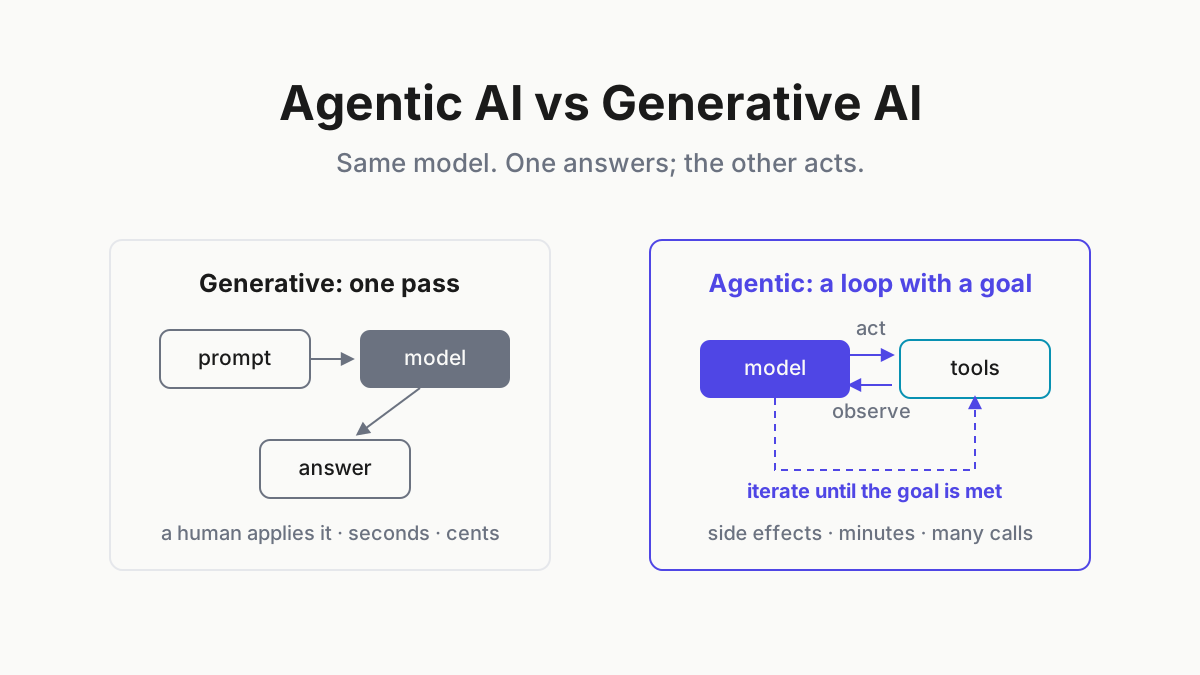
Here is the teachable part. “Copilot” the category means autonomy rung one: suggestions a human executes. Copilot the brand now spans all three rungs. That vocabulary collision explains half the market’s confusion, and it hands you a portable test for any product: does it loop, call tools, and complete goals without per-step prompting? If yes, it is an agent — whatever the marketing calls it.
How the types combine in practice
Stack the axes and you can read any real setup like a spec sheet. A Claude Code session on a refactor is a goal-based, tool-using, supervised, single-agent, CLI-surface system — five labels, one product. Assign the Copilot coding agent an issue and you are running a goal-based, autonomous, sandboxed, cloud-surface system before lunch.
Which is the actual 2026 condition: nobody runs one type. A normal power-user day is a copilot in the editor, one or two supervised CLIs on active work, a background agent on chores, and occasionally a research agent — several types, concurrently, daily. The mid-2026 CLI field map counts a dozen-plus actively maintained coding CLIs alone, before you add anything IDE- or cloud-shaped.
The mixed fleet has consequences the brochures skip:
- Different types demand different supervision rhythms — per-keystroke, per-checkpoint, per-outcome — and you context-switch between all three.
- Transcripts scatter across incompatible formats in a half-dozen local directories and clouds.
- Nothing gives you one view of what ran, what stalled, and what spent; per-provider bills never say which agent burned the tokens.
Our recommendation, stated generically: treat the fleet as a fleet. One view of agent health, one searchable archive across every tool’s sessions, per-provider cost visibility. Running multiple coding agents without the chaos is a discipline of its own.
Product note: A mixed fleet is the normal condition now. Automater Lite watches every installed AI CLI (live health, stall alerts) and consolidates sessions from 10+ providers into one searchable local archive with token metering. Free on automater.ai.
Choosing the right agent type for the job
The axes convert into a selection procedure you can run in five minutes.
- Pick autonomy by verifiability. Cheap-to-check output — tests, diffs, dry runs — earns more autonomy. Expensive-to-check output keeps a human at the checkpoint.
- Pick role by the job — and by whether you can score it. If you cannot state the success metric, you are not ready to deploy the agent.
- Pick architecture by context size and parallelism. One task that fits one window: single agent. Genuinely parallel or window-busting work: orchestrator-workers. Swarms: almost never, yet.
- Pick surface by where the work already lives. Meet the work; do not relocate it.
Three worked one-liners:
- Nightly dependency-bump chores → autonomous coding agent behind test gates.
- An ambiguous refactor with taste involved → supervised CLI, human at every checkpoint.
- Form-filling in a legacy web app with no API → browser or computer-use agent with tight permissions and nothing else on the machine.
And the anti-patterns we see most often: granting autonomy before evals exist, going multi-agent before one agent is maxed out, and using computer-use where an API exists. Once the type is settled, the tool roundup ranks the candidates within it.
Taxonomy as a tool, not trivia
The textbook five answer exam questions, and they still name the reasoning machinery inside a modern agent. The four axes answer deployment questions: they locate every product you will evaluate this year, and they compress to one carryable rule — supervision should track verifiability, and every new rung of autonomy must be earned with evidence, not vibes.
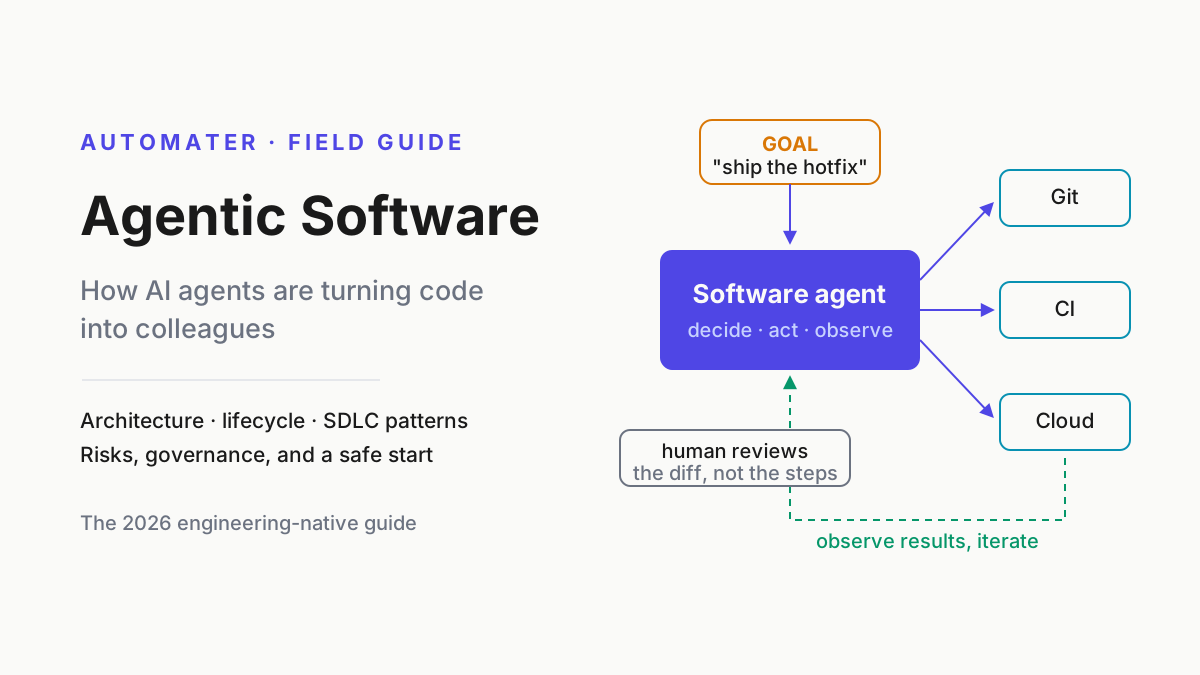
Remember the fleet reality, too. You will not pick one type; you will run several at once, and managing the mix is the actual skill. For the machinery inside each loop, read how AI agents actually work; for the discipline around all of it, start with agentic software.
FAQ: types of AI agents
What are the 5 types of agents in AI?
The textbook five: simple reflex agents (condition–action rules), model-based reflex agents (internal state), goal-based agents (project actions toward goals), utility-based agents (score outcomes on a utility function), and learning agents (improve from experience). The classification comes from the Russell and Norvig lineage and describes decision mechanisms, not products.
What type of AI agent is ChatGPT?
It depends on the mode. Plain chat is a generative assistant: one pass, no tools, you act on the answer. Agent mode and deep research are bounded autonomous agents — they plan, browse, call tools, and work multi-step toward a goal before reporting back.
Is Microsoft Copilot an AI agent?
Partly. Copilot autocomplete and chat are generative — they suggest while you execute. The GitHub Copilot coding agent, which takes assigned issues and opens PRs from a cloud sandbox, and Copilot Studio custom agents are true agents: they loop, use tools, and finish goals without per-step prompting.
What is the most common type of AI agent in 2026?
No public census exists, so hedge accordingly: by visible daily use among developers, supervised coding agents — CLI and IDE agents that execute with human checkpoints — are the clear center of gravity, with autonomous background coding agents the fastest-growing tier behind them.
What is the difference between single-agent and multi-agent systems?
A single-agent system is one loop with one context and many tools; a multi-agent system coordinates several loops, each with its own context. Single wins on cost and debuggability for bounded tasks. Multi-agent wins when work exceeds one context window or genuinely runs in parallel.
Sources
- Russell and Norvig — Artificial Intelligence: A Modern Approach (official book site)
- GitHub Docs — GitHub Copilot documentation
- GitHub — Copilot is moving to usage-based billing
- Anthropic — Claude documentation (subagents and agent capabilities)
- TechTimes — Gemini CLI shutdown takes effect; Go-based Antigravity CLI arrives
- CyberScoop — OpenAI on browser-agent prompt injection: it “may never be solved”
- n8n — workflow automation platform
- EU AI Act — Article 50 transparency rules
- dev.to — Coding CLIs in mid-2026: the engineer’s map