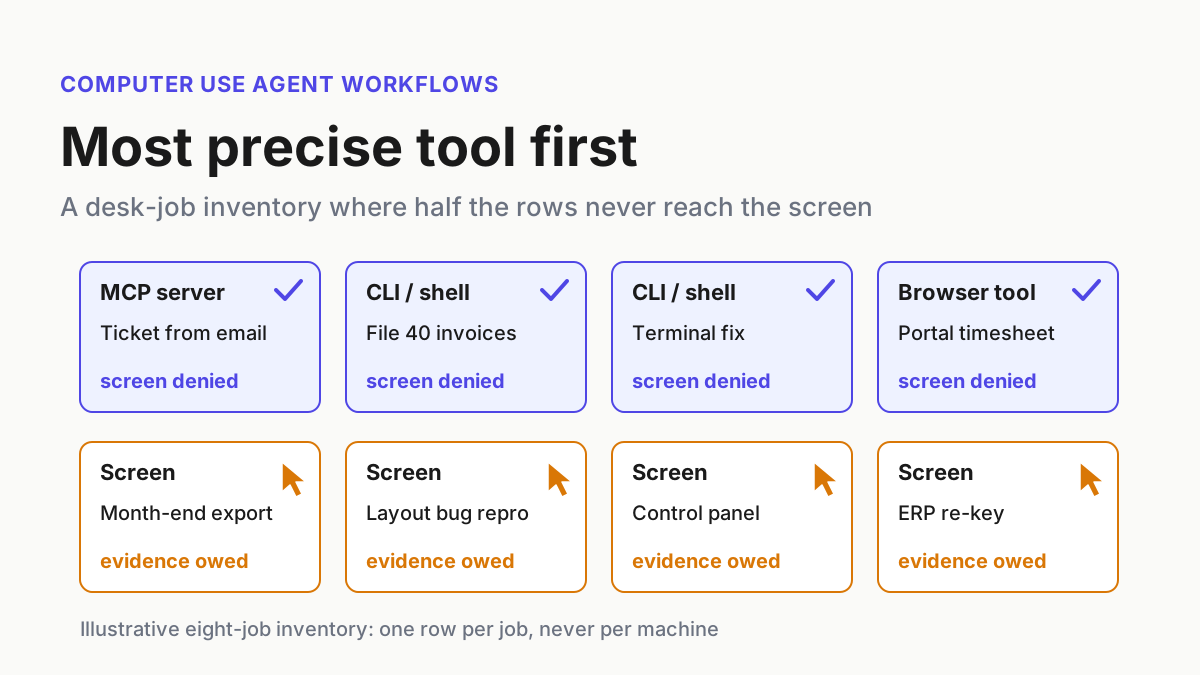
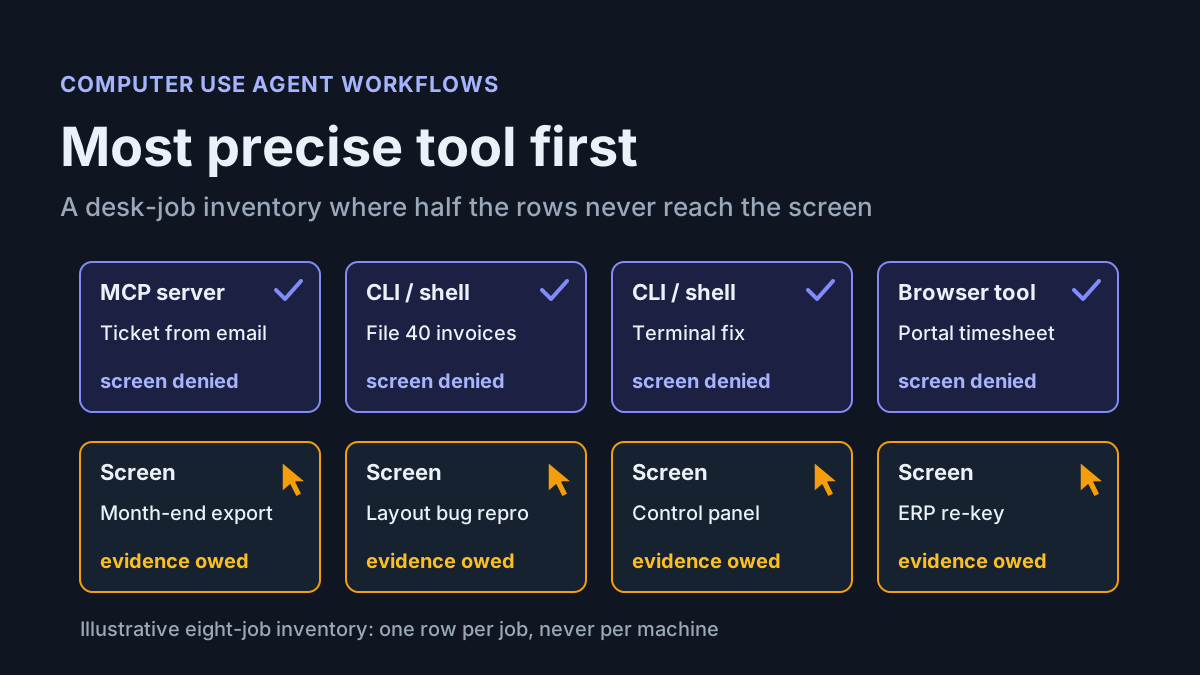
The Standing Brief: Run a Read-Only Channel Agent on an Observability MCP Server
Anthropic gave a Slack channel a standing job and a Datadog MCP server. Start a rung lower: a read-only brief with owner, toolsets, evidence and a kill switch.

Go deeper. Build your own.
Anthropic ran its two-week claude.ai performance sprint out of one Slack channel, and the agent in that channel started from a single standing instruction and a connection to Datadog’s observability MCP server. It did not stop at reading dashboards. It built benchmarks, opened pull requests, shipped changes behind feature flags and watched every deploy, with at least one human approving each PR.
You can copy the shape without copying the scope. The first rung is a standing brief: a scheduled channel job that reads telemetry through an observability MCP server, posts what changed, and holds no write permission anywhere. This playbook gives you the one-page contract for that job (owner, channel, cadence, toolsets, allowed and forbidden outputs, evidence, spend cap, kill switch) and the gate a brief has to pass before anyone hands it write scope.
One framing note before the steps. The read-only rung is our proposal, not Anthropic’s practice. Anthropic’s sprint sits a rung higher, on owner-approved pull requests, and this piece treats it that way.
What Anthropic’s Datadog MCP channel actually did (Sep 23, 2026)
On Sep 23, 2026, Anthropic engineers Raymond Wang, Sam Attard and Issac G. published How we made claude.ai 3x faster in two weeks on claude.dev. Before the August sprint they created a Slack channel and posted standing instructions that open with “@Claude Your job is to facilitate all things related to the performance of the claude.ai website and desktop app.” The duties listed include “monitoring deploys for performance regressions” and “proactively implementing solutions for observed issues and low-hanging fruit.” The next paragraph is the line that matters here: “We asked Claude to analyze usage data through the Datadog MCP server.”
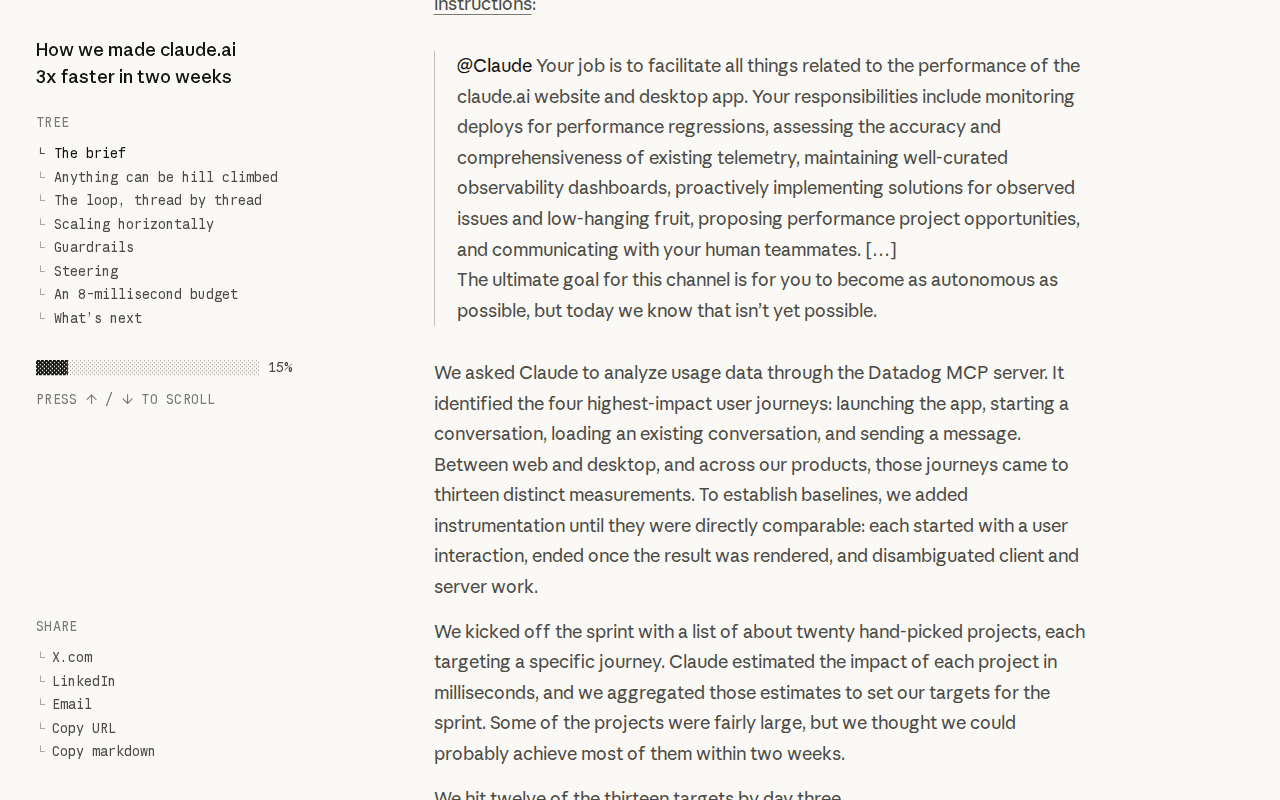 Screenshot: claude.dev, “How we made claude.ai 3x faster in two weeks” (Sep 23, 2026), captured Oct 5, 2026.
The results are company-reported. The post’s headline rounds to “about 3x”; its own summary line is “Thirteen measurements across four journeys, before and after: 3.1x faster on average (geometric mean),” and it says the team merged more than three thousand changes “without a single customer-facing incident or rollback” and introduced nearly two hundred feature flags along the way. RuntimeWire repeats the 3.1x figure and stresses that it is “company-reported.” Read it as a description of a working loop, not a benchmark you can hold a vendor to.
For this playbook the guardrails matter more than the speedup. “Every PR went through automated review with at least one human approval,” anything user-visible shipped behind a short-lived flag, and “Every thread had a named human owner.” The authors state the limit plainly: “The loop was productive, but it wasn’t autonomous.”
The vendor half of the loop is documented. Datadog made its MCP server generally available on Mar 9, 2026, naming Claude Code, Cursor, Codex, GitHub Copilot, Cognition and VS Code as clients. The Datadog MCP Server docs say the server forwards the authenticated user’s own credentials and “cannot grant a user access beyond what that user already has.” Write operations need a permission such as monitors_write, checked on each tool call, and “A read-only user’s call to a write-enabled tool is rejected.” Every call lands in Audit Trail with “the tool name, arguments, user identity, and the MCP client used.”
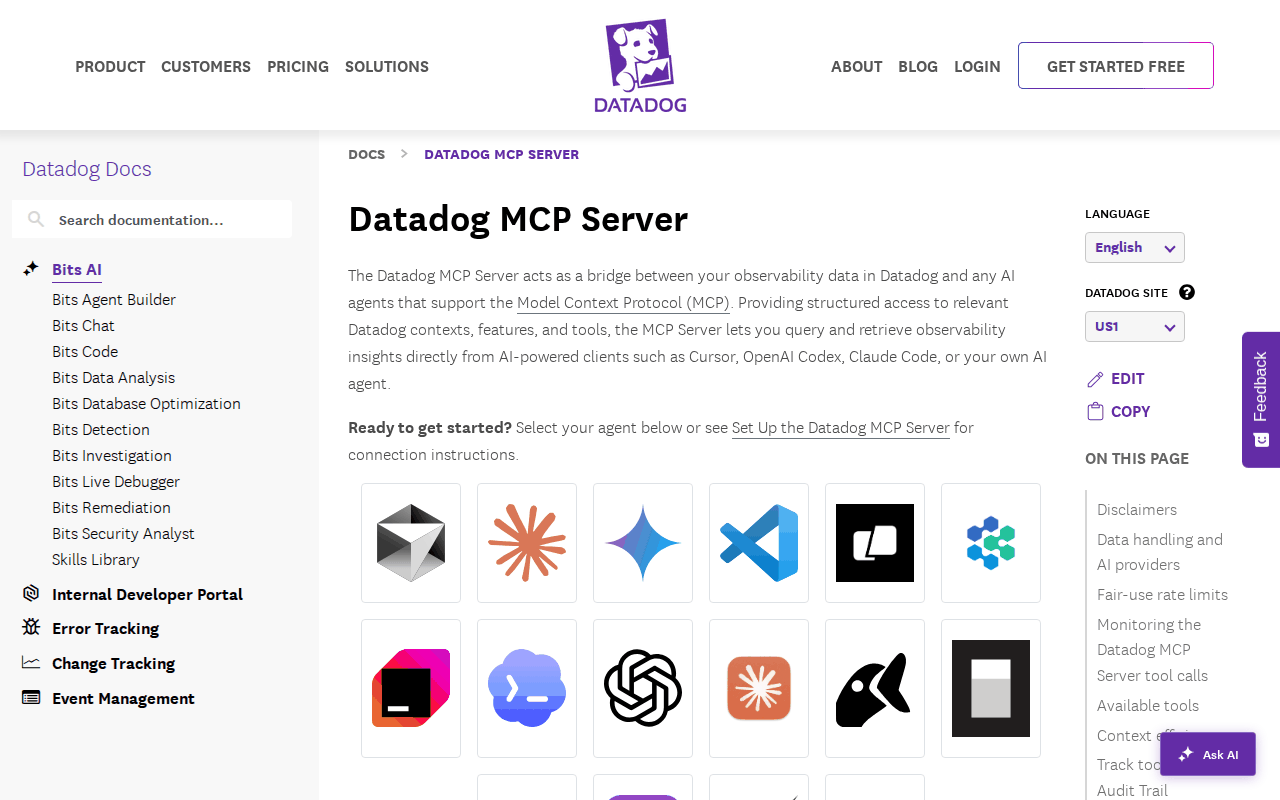 Screenshot: Datadog Docs, “Datadog MCP Server” (living docs page, undated), captured Oct 5, 2026.
On the Slack side the agent is Claude Tag, in beta for Team and Enterprise since Jun 23, 2026. Admins attach tools per channel and set spend limits for the organization and for individual channels. Anthropic’s Sep 24 post on personal connectors draws the line this playbook depends on: “Personal connectors don’t run unattended. Scheduled routines, and anything Claude starts on its own, use the connectors an admin attached to the channel.”
Why a scheduled channel job needs its own permission answer
A typed request has a person in the thread when it runs. A routine that fires at 16:00 UTC has nobody there. Claude Tag’s routine docs say a job “runs with the channel’s connections, the same as an interactive request,” that anyone in the channel can list, pause or stop the channel’s routines, and that routines keep running after the person who set them up leaves.
So the identity behind the channel’s Datadog connection is the entire permission story for an unattended brief. If that identity can mute a host, so can the morning job. The read/write split for AWS’s MCP server already argues for separate identities, configs and gates for diagnosis and change; this playbook applies it and keeps only the read half.
The standing-brief contract, one page per channel agent
Write the contract before anyone types the routine. It fits on one page, and every field maps to a setting you can check.
| Field | What you write | Example (illustrative) |
|---|---|---|
| Owner | One named human who reads every brief and answers for it | The checkout-web tech lead |
| Channel | One channel, public to the team that owns the service | #checkout-web-perf |
| Question | The one question the brief answers | “Did checkout-web get slower or noisier since yesterday, and why?” |
| Cadence | Daily schedule plus an on-deploy pass, timezone named | Weekdays 09:00 Pacific; check against last state every two hours |
| Identity | Service account behind the channel connection, read permissions only | Datadog role with mcp_read and resource reads, no mcp_write |
| Toolsets mounted | The smallest list that answers the question | core minus the two notebook write tools |
| Allowed outputs | What the brief may post | The brief; ticket text drafted in the thread for a human to file |
| Forbidden outputs | What it may never do | PRs, monitor edits, host mutes, flag flips, notebooks, direct messages |
| Evidence per brief | The three records you keep | Brief text, Audit Trail rows for the run, the routine’s row |
| Spend cap | Per-channel limit in the agent product | Channel limit set below the org default |
| Kill switch | Three levels and who pulls each | Pause the routine, detach the connection, revoke the role |
| Review date | When the owner re-signs or retires it | Every 30 days |
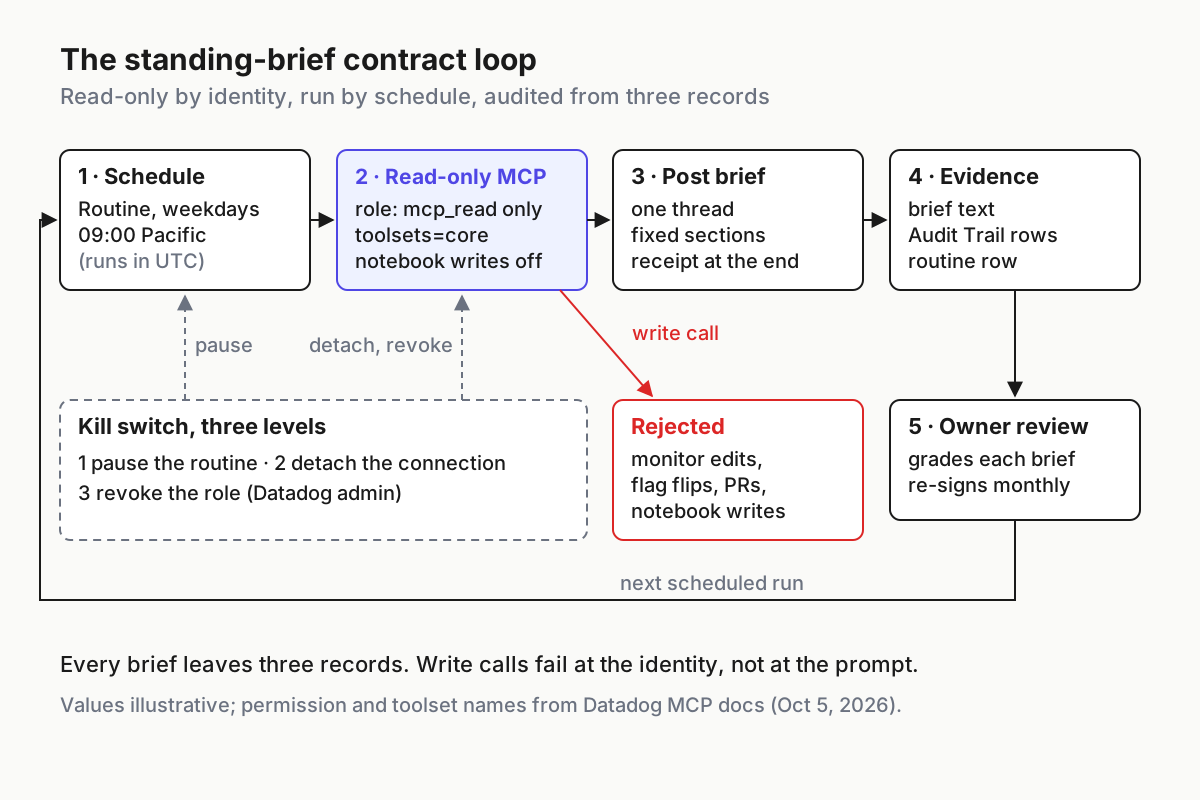
 The contract as a loop: every brief leaves three records, write calls fail at the identity, and the kill switch has three levels.
Runbook: stand up a read-only brief on an observability MCP server
1. Name one owner and one question
Pick the person who would have read the dashboards anyway. A brief without an owner turns into channel wallpaper, and Anthropic’s own answer to that risk was a named human on every thread.
Then write one question. “Facilitate all things related to performance” is a job description for an agent with write scope; it invites the brief to propose and then pursue work. “Did checkout-web get slower or noisier since yesterday, and why?” gives the agent a finish line and gives the owner something to grade.
2. Build the read-only identity before the prompt
The prompt is a request. The identity is the boundary. Datadog’s setup docs name two MCP permissions, mcp_read and mcp_write, on top of the normal resource permissions, and they note that the Datadog Standard Role carries both by default. A service account cloned from Standard is a write-capable brief.
- Create a custom role for the brief’s service account:
mcp_readplus the read permissions the question needs (monitors, dashboards, APM, RUM, logs and timeseries reads, under the names your Datadog role editor shows). - Leave out
mcp_writeand every resource write permission. - Restrict log access with Datadog’s data access controls if the brief has no business reading payment or auth logs.
- Attach the account as the channel’s connection in Claude Tag, set by an admin. A personal connector cannot run the routine anyway.
- Record the role name and the account email in the contract. You will filter Audit Trail on that email.
The same docs say organization administrators manage global MCP access and write capabilities from Datadog’s organization settings. That switch is org-wide, so it backs up the role rather than replacing it.
3. Mount the smallest toolset list
Datadog lets you narrow tools at connection time with toolsets and omit_tools. The default core toolset covers logs, metrics, traces, dashboards, monitors, incidents, hosts, services, events and notebooks, and two of its tools write: create_datadog_notebook and edit_datadog_notebook. Datadog’s own example of omitting write tools names exactly those two. The connection URL for the brief’s channel looks like this (parameter names from Datadog’s MCP setup docs; the endpoint is your site’s, and the toolset choice is illustrative):
<YOUR_MCP_SERVER_ENDPOINT>?toolsets=core&omit_tools=create_datadog_notebook,edit_datadog_notebookTreat this as the first of two locks. The toolset list decides which tools the agent sees; the role decides which calls succeed. Map every forbidden output to both.
| Forbidden output | Leave off the connection | Withhold on the role |
|---|---|---|
| Monitor edits | alerting toolset (it carries create_datadog_monitor) |
monitors_write |
| Flag flips | feature-flags toolset (creates and updates flags) |
flag write permissions |
| Notebook writes | omit_tools=create_datadog_notebook,edit_datadog_notebook |
Notebooks Write |
| Any MCP write | nothing extra | mcp_write |
| Pull requests | no repositories granted to the agent in this channel | no GitHub App grant on the brief’s scope |
The same check applies on other vendors’ servers, and you have to do it by hand. Grafana’s Cloud MCP server went GA on Jul 28, 2026 as a managed endpoint with user-scoped access across metrics, logs, traces, alerts and incidents; the GA note doesn’t say whether any tool writes, so list its tools before you mount it. New Relic’s AI MCP Server entered public preview on Nov 4, 2025 with read and action capabilities. Read “action” as a write surface until you’ve listed every tool.
4. Write the standing instruction as a contract
Anthropic’s instruction gave the agent an implementation duty. Yours gives it a reporting duty and a list of things it may not do. Put the limits in the channel instructions, which Claude reads in every session in that channel, and keep the routine message short.
Channel instructions (illustrative)

You write one telemetry brief for checkout-web. You read telemetry; you change nothing.
Allowed: post the brief in this channel; draft ticket text in the brief's thread for a human to file.
Forbidden: opening pull requests, creating or editing monitors, muting hosts, changing feature flags,
creating notebooks, messaging people directly, posting into other channels.
If a fix looks obvious, write it as a proposal with evidence links and tag the owner.
End every brief with a receipt: the time window you read, the tools you called, any data gaps.
@Claude every weekday at 9am Pacific, read the checkout-web dashboards, monitors and RUM journeys
through this channel's Datadog connection and post one brief here in the format from the channel
instructions. If nothing moved, post "no change" with the receipt.The “no change” line is deliberate. A brief that only posts when something moves looks identical to a brief that stopped running.
One more setting protects the limits. Claude Tag’s permissions table lets any channel member set the channel’s instructions from the Configure link unless the scope’s Channel member edits setting is Block, and a named channel manager can edit them even then. For a brief channel, set it to Block and keep the manager list short, or the forbidden list is one edit away from gone.
5. Fix the brief’s format so the owner can grade it
Same sections, same order, every day. The owner should be able to tell at a glance whether the brief is right, and you should be able to diff two briefs.
Brief: checkout-web, 2026-10-06, window 24h ending 09:00 PT   (illustrative)
1. Headline: the largest change, its size, and the journey it hit
2. Journeys: p75 per journey against its 7-day median
3. Deploys in window: anything that moved within 60 minutes of each deploy
4. Monitors: new alerts, flapping monitors, current mutes
5. Proposals for the owner (max 3), each with evidence links
6. Ticket drafts (text only, not filed)
7. Receipt: window read, tool calls made, data gaps
6. Add the on-deploy pass without a deploy trigger
Claude Tag routines come in three kinds: schedules, channel watches and single pull-request subscriptions. The docs say you can’t set up a routine from Slack that fires on other repository events, so there is no “every deploy” trigger to wire.
- Add a short-interval routine that checks the deploy and monitor state against the last state and posts only on change. Claude Tag’s monitor recipe uses every two hours.
- For risky deploys, the deploy owner tags
@Claudein the deploy thread and asks for a post-deploy read. - Don’t let deploy bots or alert webhooks start agent work in this channel. That is an inbound telemetry path, and it belongs on rung three’s register, not in a brief.
7. Keep three records for every brief
The brief’s evidence is three rows you can pull without asking the agent anything.
| Record | Where it lives | What the owner checks |
|---|---|---|
| Brief text | The Slack thread | Headline matches the dashboards; the receipt is present |
| Tool-call rows | Datadog Audit Trail, filtered to MCP actions and the service account | Every tool name is a read; call count is in its usual range; client is the channel agent |
| Routine row | Claude Tag Activity page, Scheduled work tab (Owners), or @Claude !routines in the channel |
Schedule, status, Created by |
Don’t lean on the agent product for the per-action record. The June launch post said admins “can view a log of everything that @Claude has done, along with who requested each task.” Claude Tag’s current audit docs say the Activity page covers routines, memory and network events, that “There is no per-action log of every task and who asked,” and that each action appears under the service account in the connected tool’s own audit log. For a Datadog brief, that log is Audit Trail.
Once a week, chart the brief’s tool calls. Datadog’s docs give this query for calls by user:
count:datadog.mcp.tool.usage{*} by {user_email}.as_count()Narrow it to the brief’s account and group by tool (illustrative; take the tag names from the metric’s own tags):
count:datadog.mcp.tool.usage{user_email:<brief-service-account>} by {tool_name}.as_count()8. Cap the spend and drill the kill switch
Set the channel’s spend limit in Claude Tag below the organization default, so a runaway brief hits its own ceiling first. Then budget tool calls: Datadog lists fair-use limits of 50 requests per 10 seconds and 100,000 tool calls a month, and marks them subject to change. A brief that re-queries the same dashboard in a loop spends that allowance for nothing.
The kill switch has three levels. Write down who pulls each one and test all three once a month.
| Level | Action | Who can pull it | What it stops |
|---|---|---|---|
| Pause | Ask the channel to disable the morning brief, or Pause on the Scheduled work tab | Anyone in the channel; Owners on the Activity page | Future runs of that routine |
| Detach | Remove the Datadog connection from the channel’s scope | Claude Tag Owner or admin | Every channel session’s Datadog access |
| Revoke | Remove mcp_read from the role, or turn off MCP access in Datadog’s organization settings |
Datadog admin | Every call from that account, from any client |
The drill passes when the next scheduled run doesn’t post and Audit Trail shows no rows for the service account after the pull time.
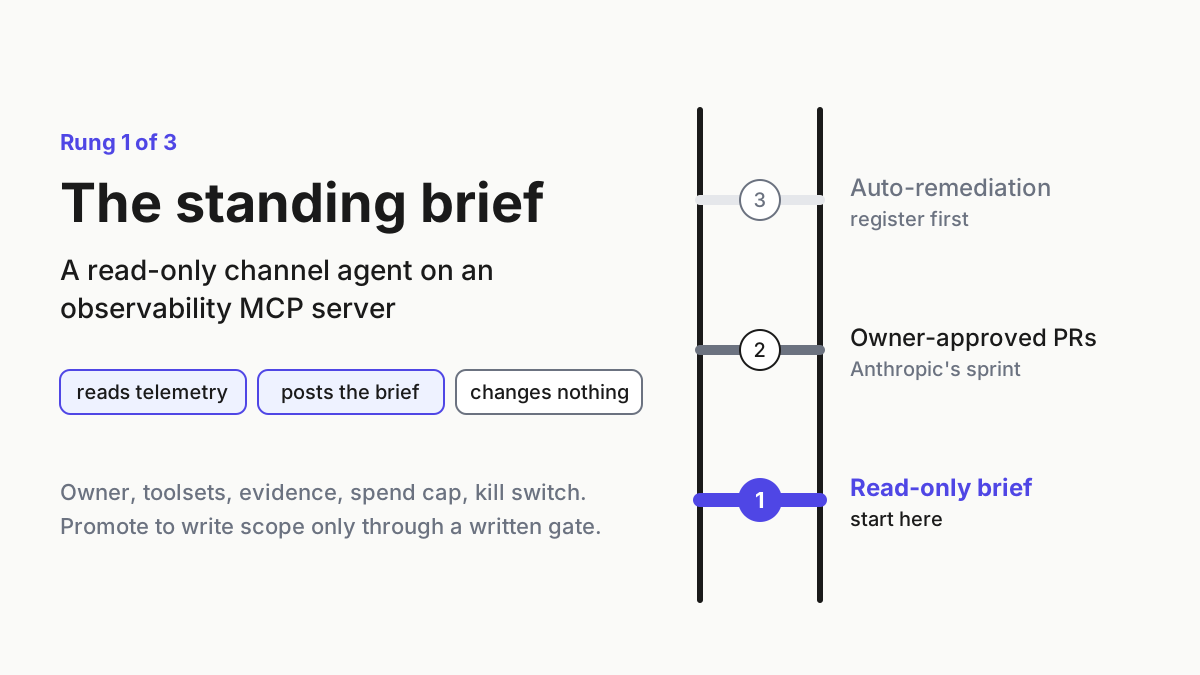
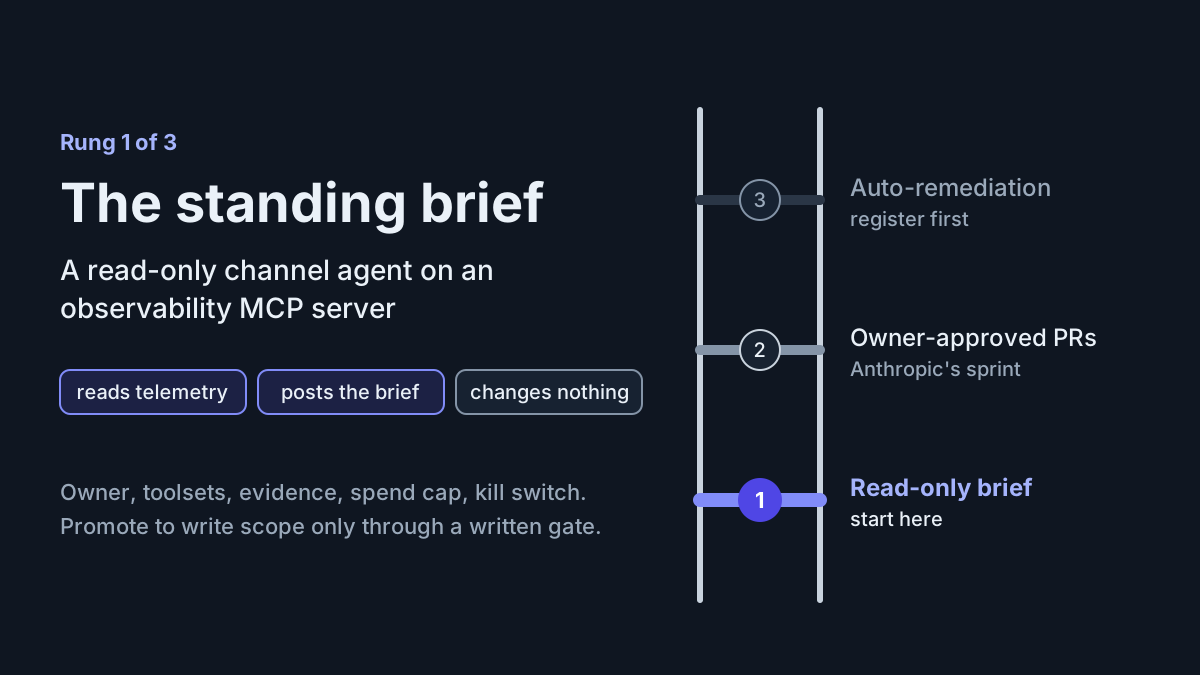
The three-rung ladder: when a standing brief earns write scope
The brief is rung one. Anthropic’s channel ran on rung two. Rung three is a different system with its own controls.
| Rung | Reads | Posts | Changes | Human gate |
|---|---|---|---|---|
| 1. Standing brief (this playbook) | Telemetry through read-only toolsets | The brief; ticket drafts | Nothing | Owner reads and grades each brief |
| 2. Owner-approved PRs (Anthropic’s sprint) | Telemetry and code | PRs, benchmarks, flag cleanup | Code behind flags, after approval | Automated review plus at least one human approval per PR; named owner per thread |
| 3. Auto-remediation | Telemetry and inbound events | Fixes | Code or config without a per-change approval | A register entry and a canary per path |
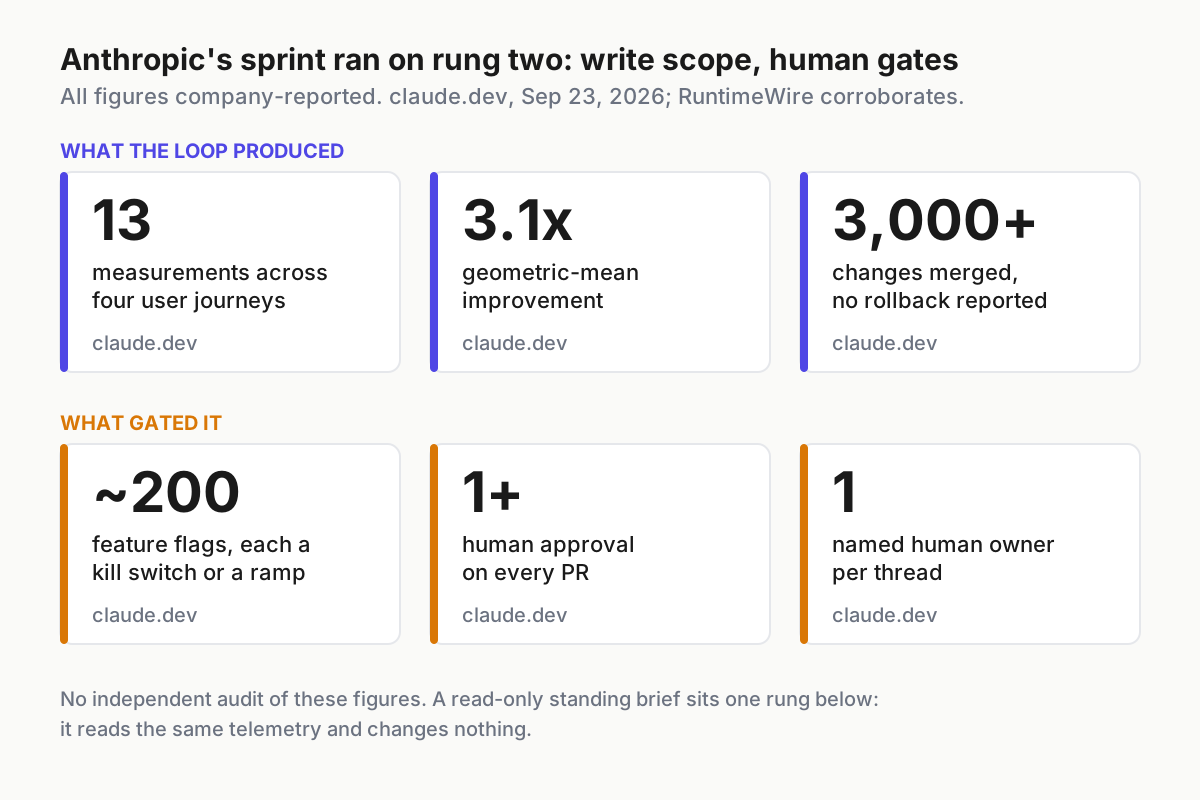
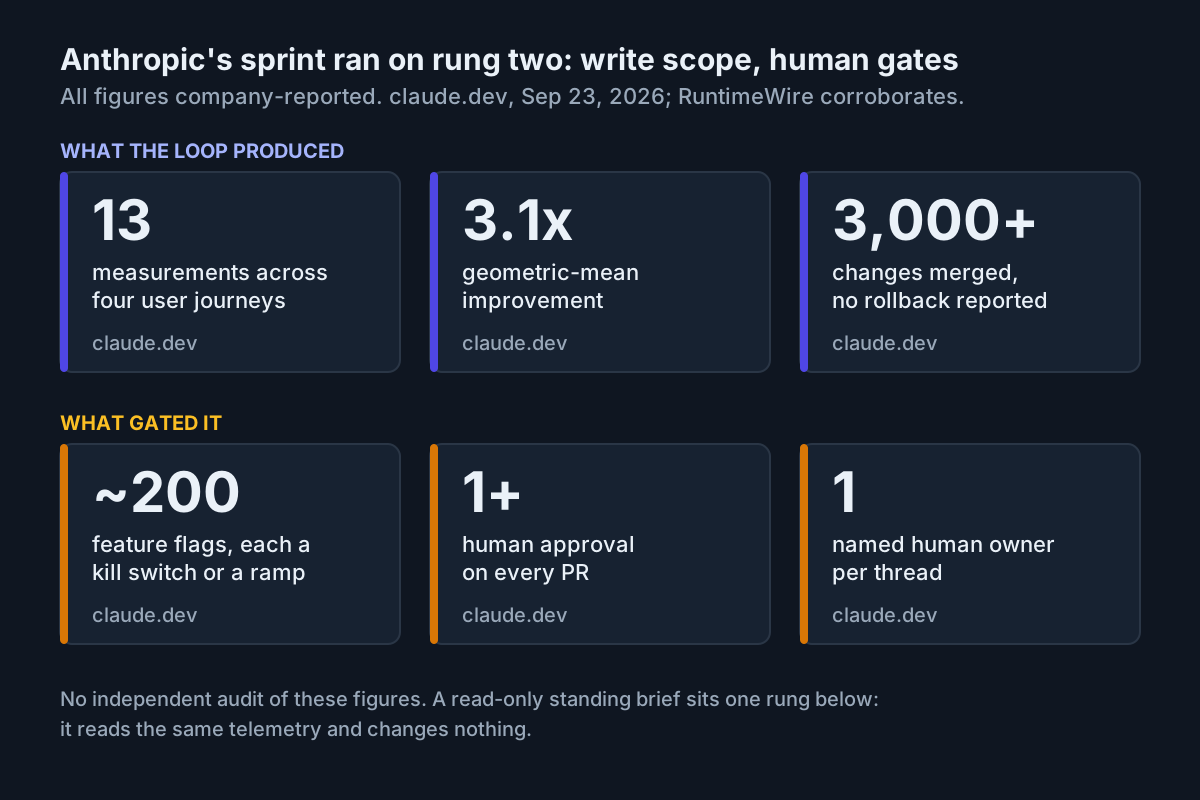 Anthropic’s sprint ran on rung two: the output came with write scope and human gates, and every figure is company-reported.
Promote a brief from rung one to rung two only through a written gate:
- The owner has graded at least 20 consecutive briefs with no factual correction (threshold illustrative; set yours).
- The owner can name the proposals they would have approved, with the evidence the brief linked.
- Writes get a second identity and a second connection. Never add
mcp_writeto the brief’s role; the brief stays read-only and keeps running. - Code changes go through the review rule Anthropic used: automated review, at least one human approval, user-visible changes behind a flag.
- The kill switch drill passes for both identities.
Rung three starts when telemetry can start a change without a human approving that change. Don’t extend the brief into it. Register each path first, as the auto-remediation register lays out, because a log line an attacker can write is now an input to code.
Failure modes of a standing Slack brief, and the signal for each
| Failure | The signal | First fix |
|---|---|---|
| Scope creep through the instruction | The brief starts offering to “go ahead” with fixes, or a write-tool name shows up in Audit Trail | Rewrite the channel instructions to the reporting duty; re-read the forbidden list |
| Write permission arrives through the role | The service account’s role includes mcp_write, often because it was cloned from Standard |
Rebuild the role from scratch; re-run the drill |
| Toolset drift | A new toolset appears on the connection, or toolsets=all replaces core |
Diff the connection URL against the contract weekly |
| Orphaned routine | Created by names someone who left; the owner field is stale | Reassign the owner or delete the routine; anyone in the channel can disable it |
| Silence mistaken for health | No post for a day and no “no change” line | List the routine with @Claude !routines and check it on the Scheduled work tab; the setter gets a failure notice if their Slack is linked |
| Clock drift | The brief lands an hour early after US clocks go back on Nov 1 | Schedules run in UTC; reschedule in local time after each change |
| Personal-connector bleed | A follow-up in the thread cites data the channel connection can’t reach | Expected for a member’s own request; keep it out of the brief’s format and receipt |
| Injected text in telemetry | The brief quotes instructions from a log line or ticket body | Keep the brief read-only; report the event; never promote that channel to rung three |
| Call burn | Tool calls per brief climb week over week | Tighten the question and the toolset list; check for re-query loops |
Most of these are visible from the three records. That is the point of keeping them: you can audit a brief from Slack, Audit Trail and the routine row without asking the agent to explain itself.
Where the standing brief sits in your agent fleet
A standing brief is one more unattended worker, and it belongs on the same roster as your coding agents and CI bots: owner, identity, schedule, outputs, kill switch. If your fleet view can’t list the brief with those five fields, it can’t tell you when the brief is the thing that went wrong. The AgentOps model and the one-boss command center both start from that roster.
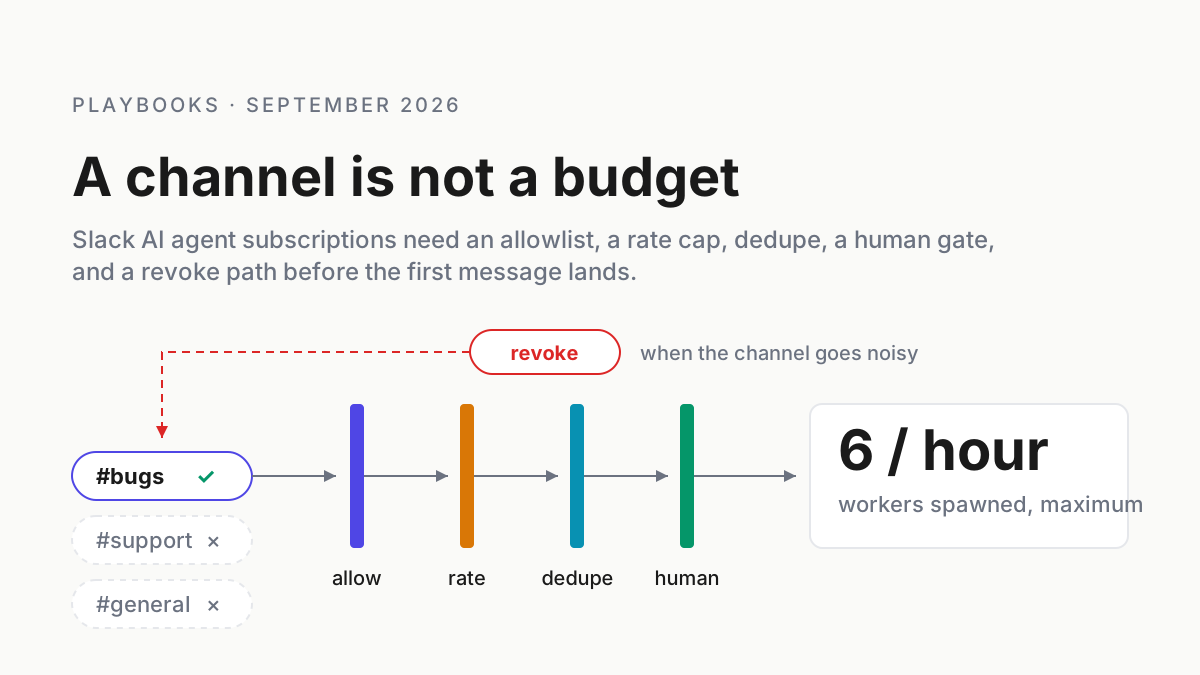
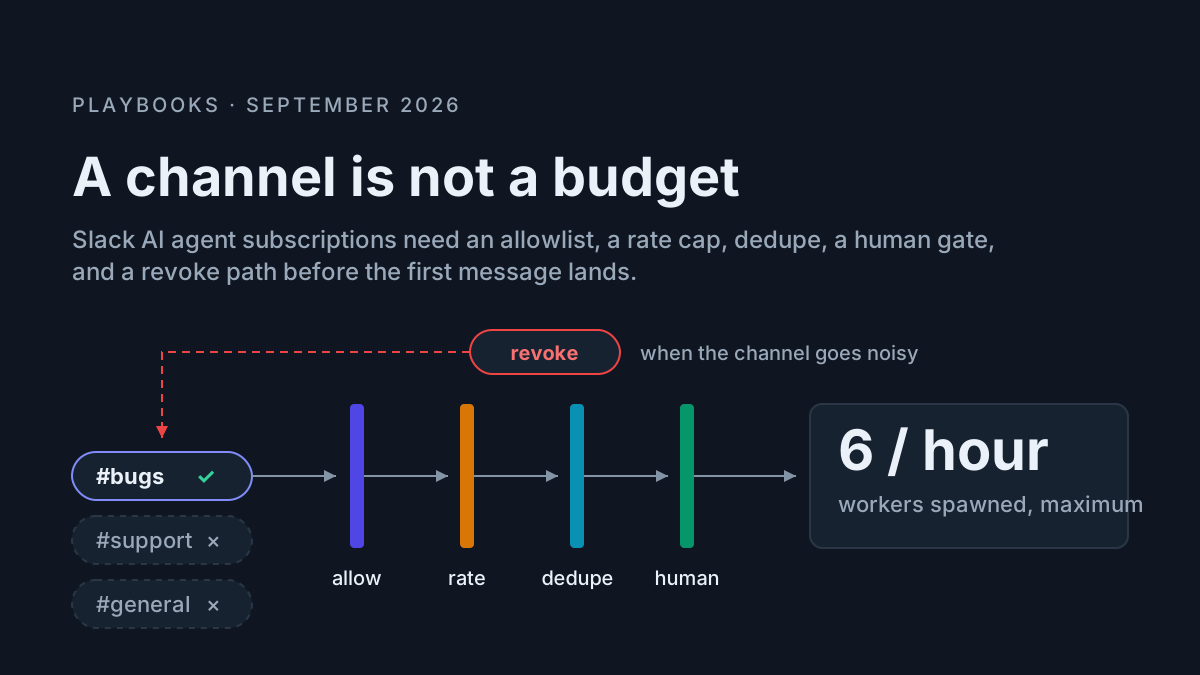
Three neighboring pieces keep the brief honest. The channel itself needs an owner and an allowlist, which the Slack agent subscriptions policy covers. The brief’s data path also follows the first-rung rule from the official-connector access ladder: a vendor’s MCP server with an audit trail beats scraping dashboards through a logged-in session. And when the same team runs Claude Code with in-process extensions, the per-machine mods manifest is the matching inventory on the developer side.
FAQ
What does an observability MCP server give a Slack agent?
It gives the agent tools to query metrics, logs, traces, monitors and incidents through the vendor’s own API, under an identity you control. Datadog’s server forwards the user’s credentials, rejects write calls from read-only users and records each tool call in Audit Trail, which makes a scheduled brief auditable.
Can a Datadog MCP Slack agent run without write access?
Yes. Give the channel’s service account a role with mcp_read and resource read permissions only, connect with the core toolset minus its two notebook write tools, and keep alerting and feature-flags off the connection. Datadog rejects a read-only user’s call to a write-enabled tool on every attempt.
Is this the same thing as AI agent observability?
No. Searches for AI agent observability mostly mean tracing and evaluating the agents themselves. A standing brief is the reverse: an agent reading your production telemetry and reporting on it. You still want the agent observed, which is what the three records per brief and the weekly tool-call chart provide.
Sources
- How we made claude.ai 3x faster in two weeks, Anthropic, claude.dev, Sep 23, 2026
- Anthropic says Claude made its apps 3.1x faster across 13 measurements, RuntimeWire, Sep 23, 2026
- Datadog MCP Server documentation, Datadog, fetched Oct 5, 2026
- Datadog launches MCP Server (general availability), Datadog, Mar 9, 2026
- Introducing Claude Tag, Anthropic, Jun 23, 2026
- Claude Tag now supports personal connectors in channels, Anthropic, Sep 24, 2026
- Restrict where Claude Tag operates, Claude docs, fetched Oct 5, 2026
- Cloud MCP server: connect your agents to Grafana Cloud with a single URL, Grafana Labs, Jul 28, 2026
- New Relic AI MCP Server launch, New Relic, Nov 4, 2025