Untrusted Telemetry In, Agent Code Out: Register Every Auto-Remediation Path
Auto-remediation lets error events, incidents and bot comments start coding agents. Register every path, gate the code-writing lanes, then drill with a canary.

Go deeper. Build your own.
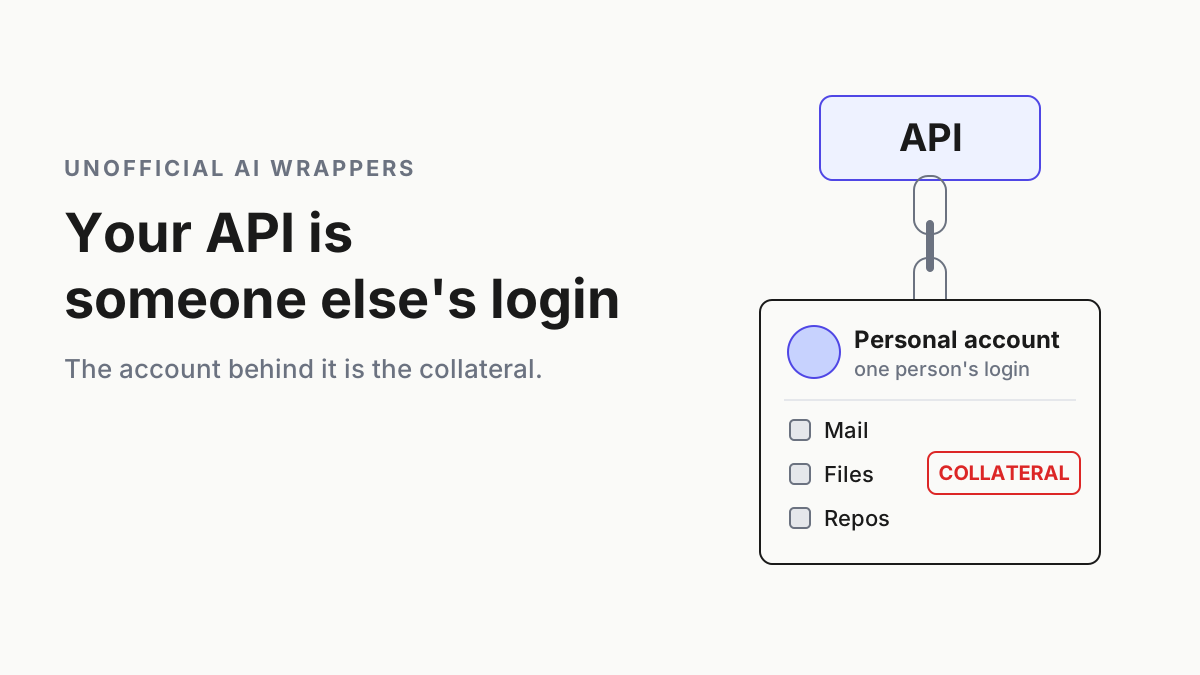
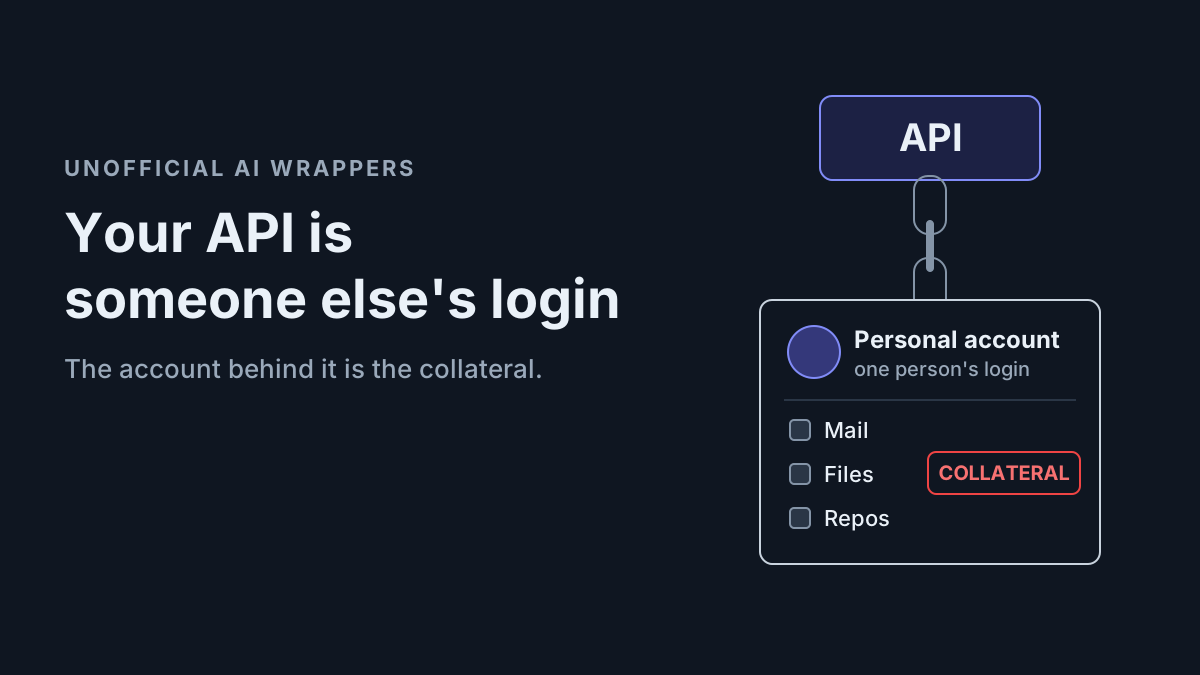
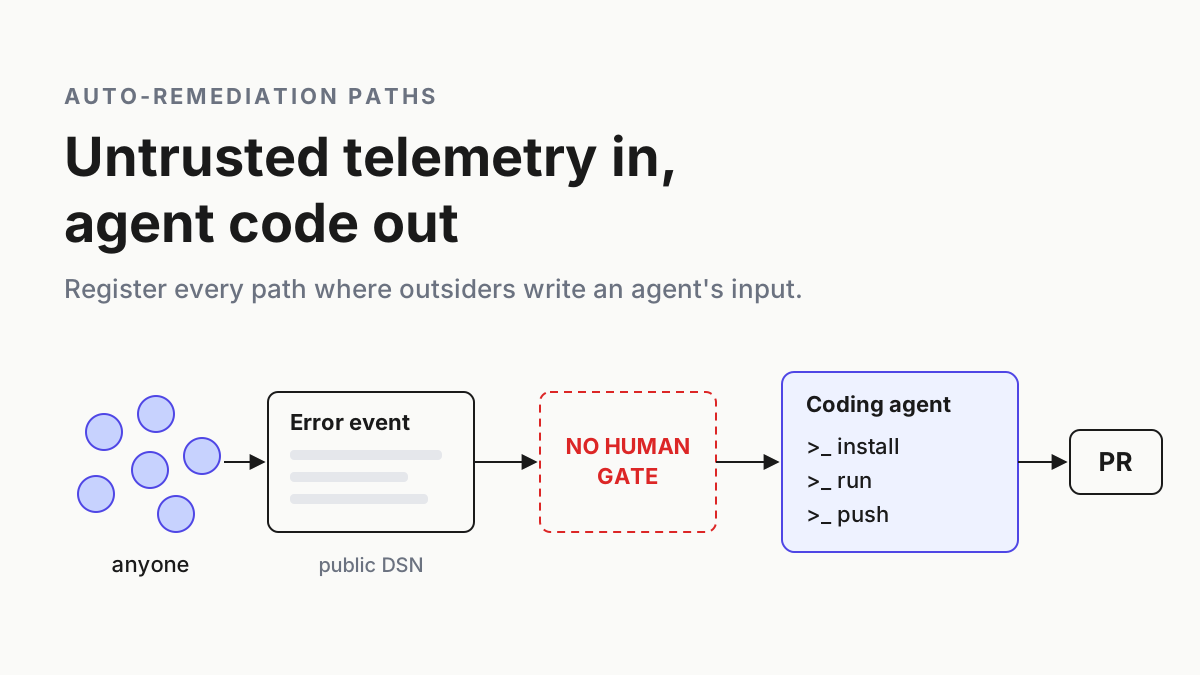
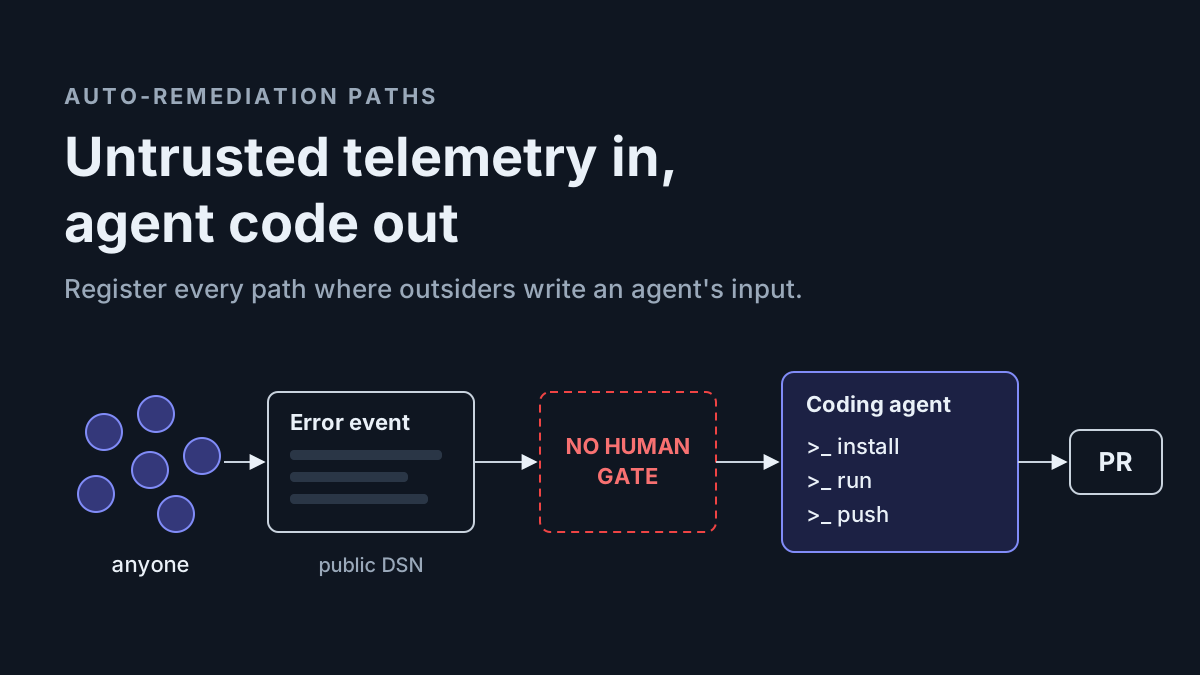
A browser error report needs no password. Sentry front-end projects commonly expose a public DSN so visitors’ browsers can submit exceptions, which means anyone on the internet can write into that stream. On Sep 16, CERT/CC described what happens when the stream feeds auto-remediation: attacker-written event fields became a coding agent’s instructions, and the agent downloaded and ran the attacker’s package before anyone reviewed a pull request.
The note names one product, but the shape is wider. Error trackers, incident tools and code scanners now start agents on their own. Each of those paths has the same three parts: a source someone outside your team can write, a trigger nobody watches and an agent that can act.
So the move for Tuesday is a register. List every path where outside-written data reaches an agent with no human in between, write down who can write each source and what the agent can touch, then apply one rule: sources anyone can write feed analysis-only lanes. This is a warning with an inventory attached. You’ll find no payloads here and nothing about abusing a DSN.
Sep 16: CERT/CC traces a public error feed into an agent’s prompt
VU#212479, tracked as CVE-2026-90999 and credited to Nikita Benkovich and Vitalii Valkov of agyn, describes a conditional bug. It exists “when the system is configured to automatically hand issues to a coding agent for remediation”, so it applies to teams that turned on automatic handoff, not to every Sentry user.
CERT’s workflow runs seven steps, and the middle one is the lesson. Sentry ingests events sent through the public DSN. Seer judges the issue eligible for automated remediation and builds a root-cause analysis from “exception messages, stack traces, source context, and breadcrumbs”, all of them fields the attacker wrote. Then: “The generated analysis is embedded directly into the initial prompt provided to the coding agent.”
The agent takes that analysis as a true account of the codebase. “During its investigation, the coding agent downloads and executes a package controlled by the attacker,” and the package runs “prior to any human review of a pull request.”
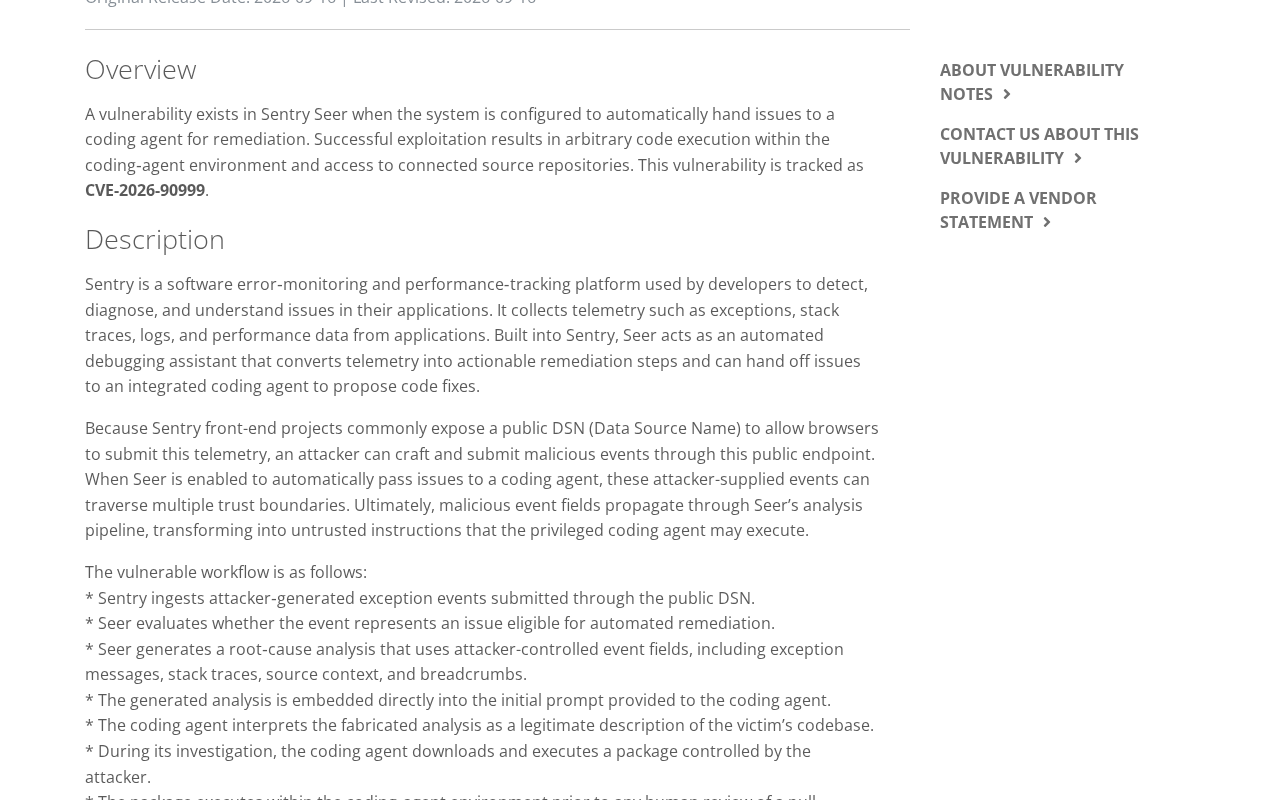 Screenshot: CERT/CC, “VU#212479 - Sentry Seer vulnerability allows attacker-controlled input to be executed in a privileged environment” (Sep 16, 2026), captured Sep 28, 2026.
CERT notified the vendor, listed as Functional Software, Inc. (Sentry’s company name), on Aug 13. Its status is Unknown, the statement field reads “We have not received a statement from the vendor,” and CERT’s wording is “At the time of this writing, no vendor‑supplied patch information has been provided.” That isn’t “Sentry refused to fix it”, and when we checked at 21:18 UTC on Sep 28, the note was still revision 1 and neither its vendor field nor Sentry’s changelog carried a statement on the CVE. The CVE record lists the affected version as “Web site”: Seer is hosted, so there’s nothing on your side to upgrade.
The 9.8 Critical score travelling with the CVE isn’t CERT’s. It comes from CISA’s Vulnrichment enrichment on Sep 18, which rates exploitation “none”, automatable “yes” and technical impact “total”. NVD lists the record as Deferred. Neither CERT nor CISA reports use in the wild, so keep “actively exploited” out of your incident notes.
CERT lists four mitigations, not the two most summaries repeat: “Mitigations may include disabling automated remediation flows, restricting coding‑agent package installation, or disabling Seer handoff until a fix is available. Additional defensive filtering of telemetry content before Seer analysis may also reduce risk.”
One switch looks like the fix and isn’t. Sentry’s Autofix docs say that turning off Seer’s own code generation stops Sentry from opening PRs or pushing code, but “does not affect workflows involving your own coding agent”. CERT’s path runs through exactly that agent.
The Seer overview names the handoff targets as “Claude Code, Cursor Cloud Agents, and GitHub Copilot”, and the Autofix page adds: “Coding agent handoff only works with GitHub.” Automatic runs have gates: automation on in the project’s Seer settings, plus an issue with “10 or more events” that “occurred within the last 14 days” and has “a sufficient fixability score”. Our inference, not Sentry’s: ten events is no barrier for someone holding your public DSN.
Five days after CERT’s note, Sentry widened Seer’s autonomy. Its Sep 21 changelog says Seer now iterates on the pull requests it opens: follow-up commits, fixes for failing CI (“Automatic attempts are capped so it can’t loop forever”) and review summaries and inline comments picked up with no @sentry mention. Human reviewers need write access, and bot reviews count when they include inline comments. It’s GitHub-only, covers PRs Seer opened and never mentions the CVE or handoff agents; putting the two dates side by side is our framing, not Sentry’s.
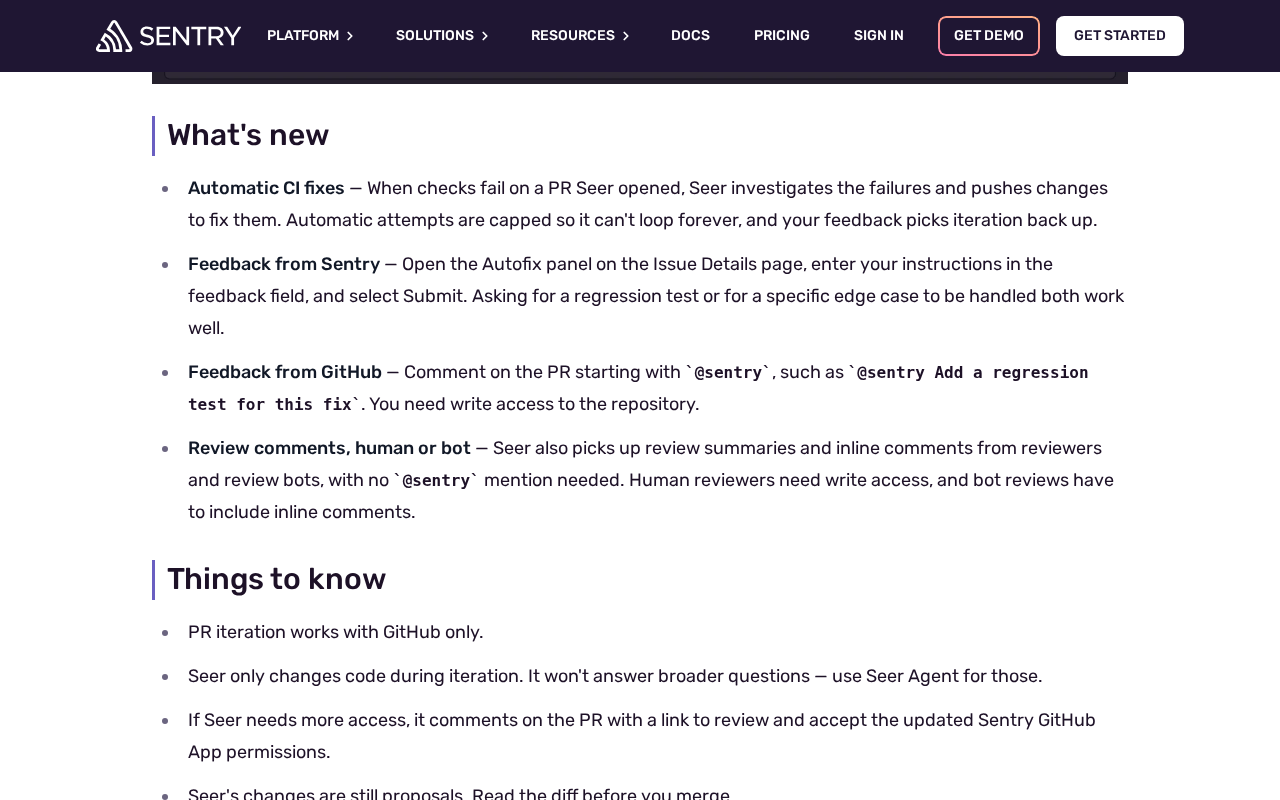 Screenshot: Sentry, “Seer now iterates on the pull requests it opens | Sentry Changelog” (Sep 21, 2026), captured Sep 28, 2026.
June’s fake-alert attacks are background, and a separate case. On Jun 4 and 5, developers on X warned about fake bug alerts, sent through public DSNs, that tried to talk coding agents into running a package. One post shared what it called a Sentry security notice; we know that notice only from the posts.
Tenet’s “Agentjacking” research, published Jun 17, covers a third path: a developer asks an agent to look at Sentry issues, and it reads them through the Sentry MCP server. Its summary of the class belongs above any integration review: “Any MCP tool integration that returns externally-influenced data to AI agents creates the same vulnerability class.”
Why an acting agent turns a forged error into a code change
A dashboard that summarizes a forged error wastes someone’s morning. An agent that reads the same error with package installs, network egress and repo credentials turns it into a code change, and CERT’s proof shows the damage landing before anyone reviews a pull request. The gate most teams trust, a human reading the diff, sits after the part that hurt. Chatbots suggest; agents act.
The inputs changed jobs too. Error events, incident text, log lines and review-bot comments used to be read by people who knew a stack trace can lie. Now they’re prompt material. Seer’s pipeline adds one twist worth remembering: it rewrites the attacker’s text into its own analysis, so by the time the agent reads it, the text arrives in Seer’s voice.
Step 1: Find every auto-remediation path that starts outside your team
A path belongs in the register when three things are true: outside-written data reaches an agent, a trigger fires without a person choosing to run it, and the agent can do more than post a comment. Sweep five source classes: error events, logs, incidents, public issues and review-bot comments. Add MCP read paths too, where a person asks an agent to read one of those sources, because Tenet’s point covers them.
Then walk the products that start agents on their own. Three are documented, on undated pages we checked Sep 28:
- Sentry Seer. In each project’s Seer settings, check whether automation is on, which stopping point it uses (“Stop after Root Cause”, “Stop after Plan” or “Stop after PR Drafted”), whether “Allow Root Cause Analysis to create PRs by Default” is set, and which coding agent receives handoffs. Sentry’s Cursor integration docs add: “You can trigger Cursor Cloud Agents automatically via Seer Automation.”
- Cursor Automations. Cursor’s docs list Sentry triggers (“Issue created”, “Issue updated”, “Any issue event”), PagerDuty incident triggers, Linear, Slack, source control, schedules and webhooks. PR creation is “enabled by default for every automation”, and computer use and memories are on by default too. The webhook trigger is a private endpoint behind an API key, so it isn’t an anyone-can-write source by itself. What matters is who feeds it.
- Datadog Bits Code automations. Datadog’s docs start sessions from product findings such as “an Error Tracking issue” or “a new APM Recommendation, a flaky test, or a Code Security finding”, and deliver “a pull or merge request or a Slack notification”. New automations are Active by default. The page doesn’t say whether Error Tracking accepts events from public browser keys, so don’t assume Sentry’s DSN exposure carries over. Check your own intake.
Your own bots count as well: the CI job that asks an agent to fix whatever a scanner reported, or the chat subscription that turns an incident message into a branch. If it reads outside text and can push, it gets a row.
Step 2: Write one register row per path, starting with who can write the source
One row per path, eight columns. “Who can write it” decides every other cell, so fill it first and fill it honestly. A public DSN means anyone. Classify by the original writer, not the last hop: a PagerDuty incident whose description quotes an error message is as writable as the error.
The rows below are illustrative, for a team running all three products; the default-on cells come from the vendors’ docs.
| Source | Who can write it | Trigger | Agent | Tools, egress, installs | Credentials | Output | Human gate |
|---|---|---|---|---|---|---|---|
| Sentry browser project | Anyone: the public DSN ships in your page source | Seer automation on an issue past the auto-run gates | Handoff to Claude Code, a Cursor Cloud Agent or a Copilot cloud agent | Sentry doesn’t document them; the agent’s own config decides | The integration’s own repo access | Branch and PR | None before the agent runs |
| Seer PR iteration (since Sep 21) | Reviewers with write access; review bots that leave inline comments | Failing CI or a review comment on a PR Seer opened | Seer | Follow-up commits; capped CI fixes | Seer’s own GitHub access | Commits on the same PR | Merge review only |
| Cursor Automation, Sentry trigger | Anyone who can create an event in that project | “Any issue event” | Cursor cloud agent | Computer use on by default, plus every tool of any MCP server you connected | The creator, or a per-automation service account | PR, on by default | None unless you add one |
| Cursor Automation, PagerDuty trigger | Whatever can raise an incident: monitors, integrations, people | “Incident triggered” | Cursor cloud agent | Same defaults | Same | PR, on by default | None unless you add one |
| Datadog Bits Code, Error Tracking | Whatever reports errors into your Datadog org | A new Error Tracking issue | Bits Code session | The docs do not say | The session creator, or datadog[bot] as PR author if the org setting is on |
PR/MR or Slack | Draft PR option, then merge review |
| Agent reading issues over MCP | Anyone who can write the issue | A developer’s request | Local or cloud agent | Whatever the harness allows | The developer’s session | Local changes | The developer, if they read the tool output |
Keep the register as a file beside your runbooks, so a diff shows when a row changes. The entry below is illustrative, the field names are ours, and it shows the Sentry row after steps 3 and 4 are applied.
# auto-remediation-register.yaml (illustrative shape; field names are ours)
- id: web-checkout-seer
  source: Sentry project web-checkout (browser SDK)
  who_can_write: anyone              # the public DSN ships in page source
  source_class: anyone
  trigger: Seer automation on issues past the auto-run gates
  agent: none; handoff disabled until a vendor fix is published
  lane_mode: analysis-only           # analysis-only | code-after-go
  stop_after: root cause
  tools: [read issue, post comment]
  egress: model API only
  package_installs: false
  credentials: none in the lane
  output: root-cause comment on the issue
  human_gate: on-call engineer opens any fix task by hand, from the raw event
  gate_failure: canary drill flags any new agent session on this project
  owner: platform-oncall
  last_audited: 2026-09-28
  reaudit_on: [sentry changelog, new sentry project, new agent integration]
Step 3: Sort every source into a class, and give each class its lane
Four classes cover every row. Sources anyone can write feed analysis-only lanes, and any lane that writes code needs a human go first. Whatever the class, a register lane gets no package installs, no egress beyond the model API it runs on and no secrets.
| Source class | Examples | Lane mode | Output ceiling | Human gate |
|---|---|---|---|---|
| Anyone can write it | Public-DSN error events, public issue trackers, comments from accounts outside your org | Analysis only | A comment or a summary | None needed, because nothing gets written; a person starts any fix separately |
| A connected system forwards it | Incidents, webhook payloads, scanner findings, review-bot inline comments | Analysis only if any field quotes outside text; otherwise code after a go | A draft PR | A named human reads the source itself, not the summary, and says go |
| People with write access wrote it | Your team’s issues and review comments | Code after a go | A PR for normal review | The same go, logged against the row |
| You can’t tell | Anything you couldn’t classify in ten minutes | Treat as anyone | A comment | As for anyone |
Once every row has a class, score each lane on the three legs of the Rule of Two lane split. This register finds the lanes; that piece scores and splits them.
Step 4: Put the human go before the agent runs, not before the merge
A merge review comes too late for this gate: CERT’s package ran before any human reviewed a PR, with whatever the agent’s runtime held. The go has to sit between the analysis and the agent session.
For Seer rows, CERT’s four mitigations map onto register columns. Apply them today on every project where automatic handoff is on:
- Disable automated remediation flows. Trigger column: automation off, or held at root cause with a canary proving nothing downstream starts.
- Restrict coding-agent package installation. Installs column: none, enforced in the agent’s runtime rather than its prompt.
- Disable Seer handoff until a fix is available. Agent column: none, with the date you’ll revisit it.
- Filter telemetry before Seer analyzes it. Source column: note what you strip or drop at intake. Treat it as a layer, not a gate; a filter that knows the attack’s words is always one rewording behind.
The go needs its own rule: the approver reads the raw event, not the analysis. Seer builds its analysis from the attacker’s fields, so approving the summary approves the attacker’s framing. Install-by-prompt is the same failure in a different costume, text that tells an agent to fetch and run something, and the answer is the same: config decides installs, never what the agent read.
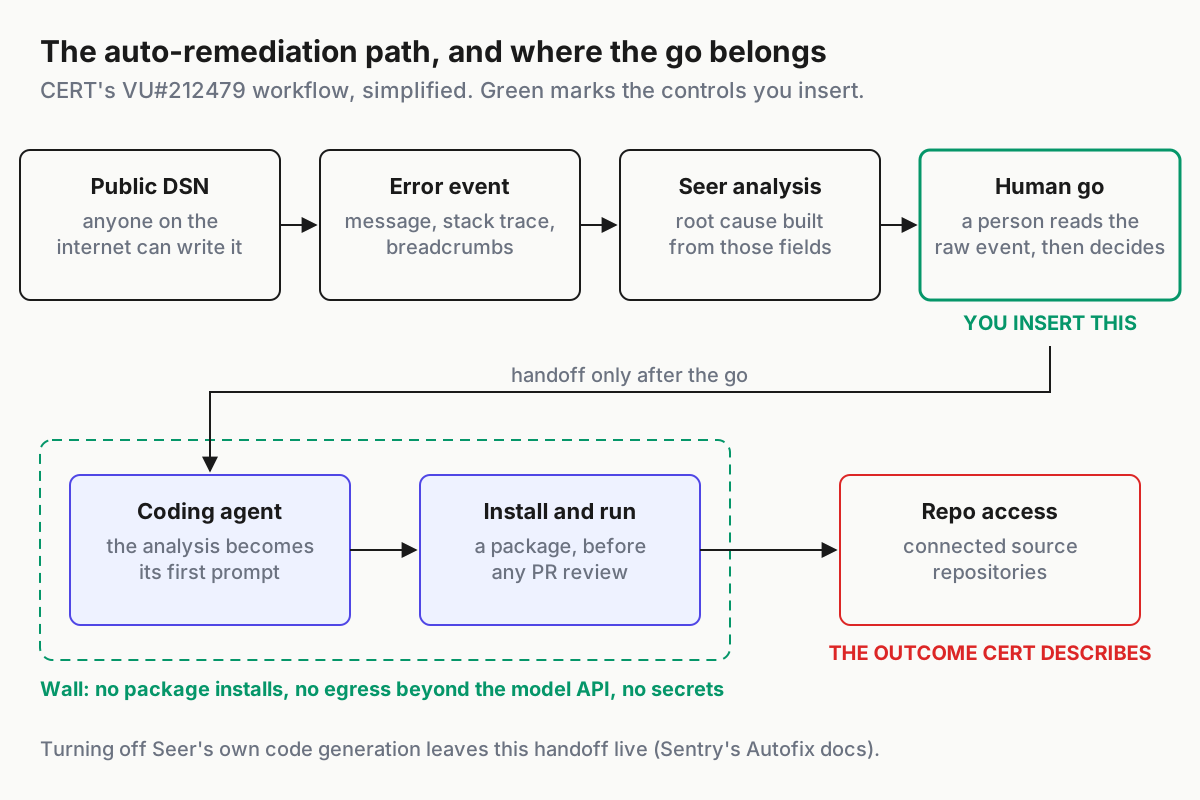
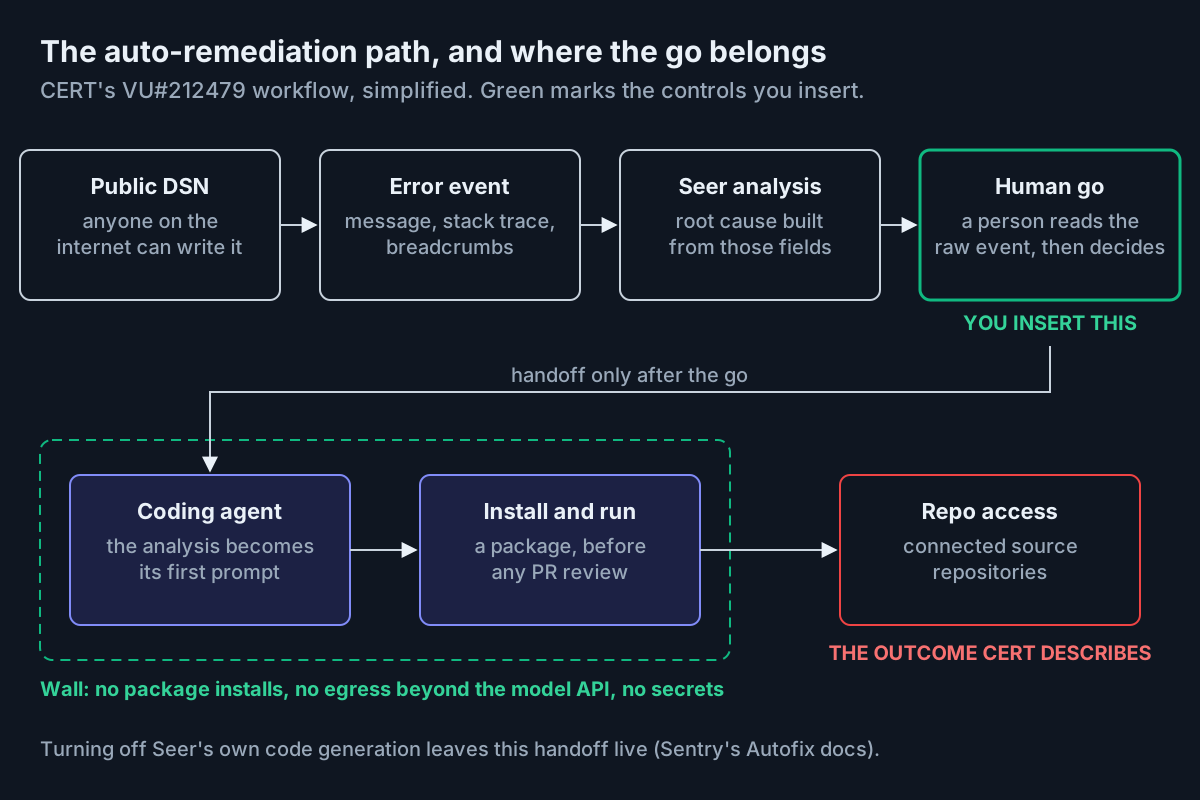 The go belongs before the handoff. The wall catches what the go misses.
Plan for the gate failing. A gate is a setting, and settings drift: a new project inherits defaults, a teammate re-enables automation to clear a backlog, a vendor adds a trigger. So keep a wall behind the go: every register lane runs where the package registry isn’t reachable and no secret is mounted, so if the go fails open, an injected install fails closed. Then take away what the agent identity can start on its own; the trigger allowlist maps which workflows an agent’s write access can launch.
Step 5: Drill it with a harmless canary through your own DSN
Send one inert event through your own DSN and trace everything it touches. The canary carries a unique marker and nothing else: no instructions, no URLs, no commands. A single event won’t pass Seer’s auto-run gates, and that’s fine, because the drill’s first job is the map: which systems subscribe to the stream, and which of them can start an agent. The steps below are illustrative.
# canary drill (illustrative): an inert marker in your own staging project
marker: CANARY-13-2026-09-28-A    # no instructions, no URLs, no commands

1. From a staging build, capture one error with the SDK's normal call.
   The message is the marker and nothing else.
2. Find the issue in the tracker. Record its ID and the time.
3. List every subscriber to the project: Seer automation and handoff,
   Cursor or Datadog automations, webhooks, chat and incident bridges.
4. After 30 minutes, search for the marker in agent session logs,
   branch names, PR titles and bodies, chat channels and memory stores.
5. For every hit, record the lane, its egress, installs and credentials.
6. Pass: the marker appears only in analysis-only lanes and comments.
   Fail: any branch, PR, commit, package install or session holding secrets.
7. File every hit that has no register row as a new row before you close.
A hit outside the register means the drill worked. Search memory stores on purpose, because an agent that learned something from the canary may have written it down for other agents. Seer’s Copilot handoff runs a Copilot cloud agent, and that agent is one of the features that read and write Copilot Memory. Whether a Seer-started task touches memory isn’t documented, so the chain is our inference; the memory-provenance runbook covers that surface.
Run the drill quarterly, our illustrative cadence, and again after every trigger in step 6.
Step 6: Re-audit whenever a vendor adds autonomy
A register is correct on the day you write it, and vendors edit it for you afterwards. Sentry’s Sep 21 change is the worked example: review comments, including review bots’ inline comments, became a new source feeding an existing row.
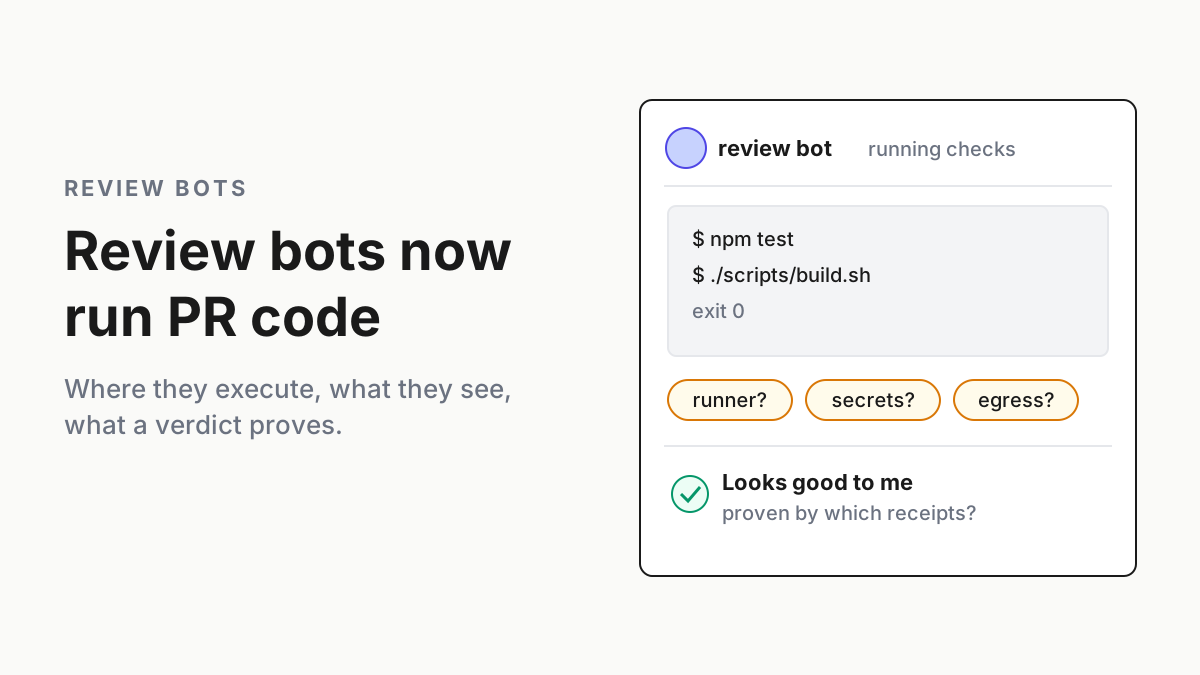
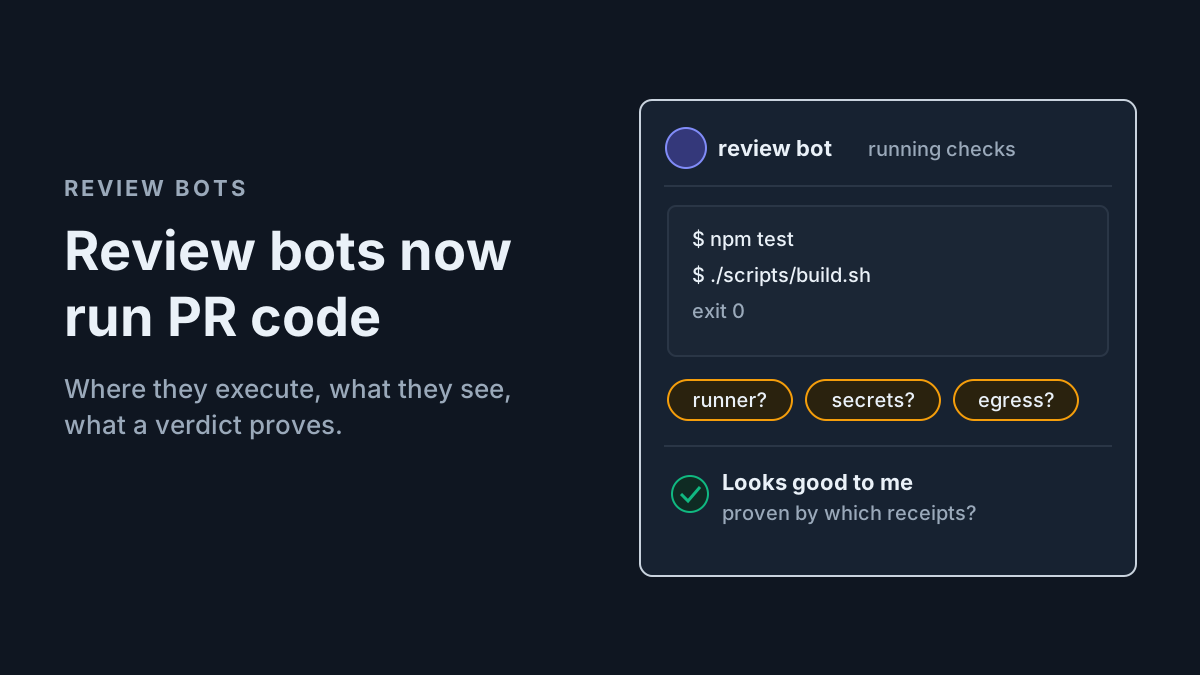
Human comments need write access, which is a real gate. Bot comments only need to be inline, which says nothing about who can make the bot write one. A review bot that quotes PR text in an inline comment is forwarding someone else’s words into Seer, and review bots now run PR code as well. Add the row and classify it by the original writer.
The cap on automatic CI fixes handles thrash, not input; loop guards stop retries without asking who wrote the failure being fixed.
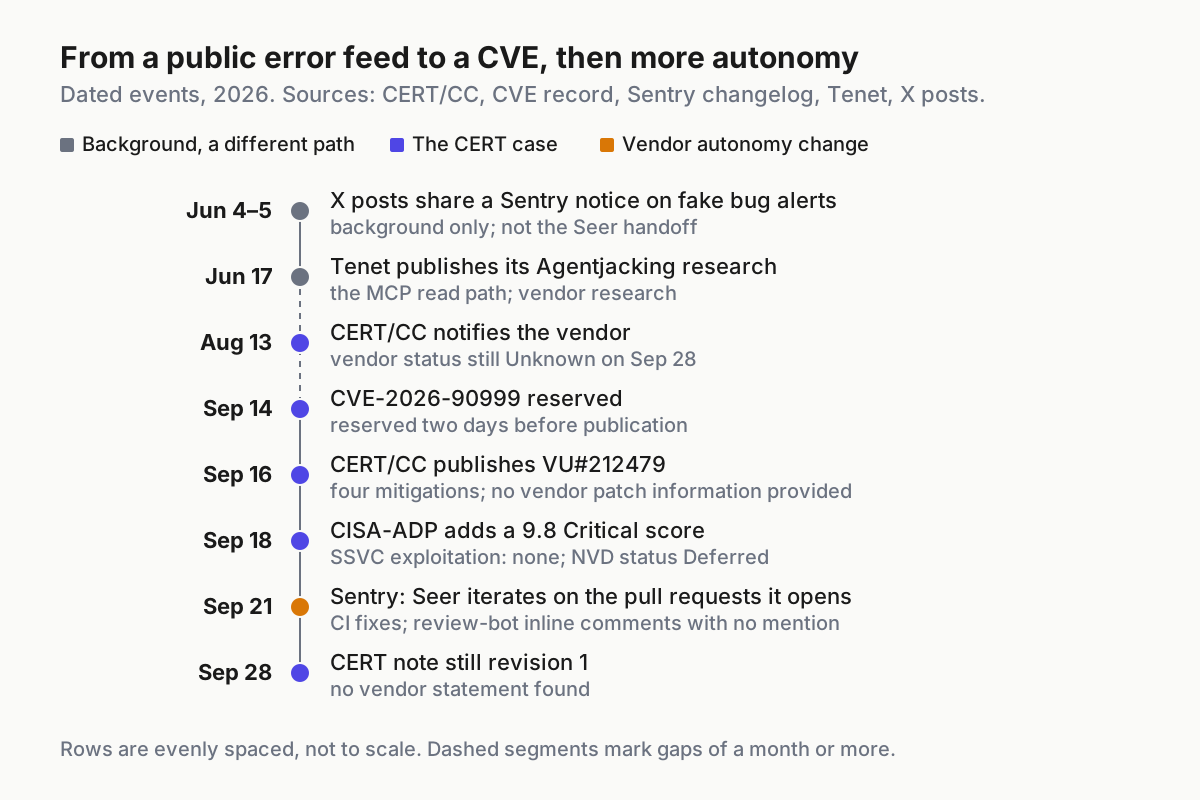
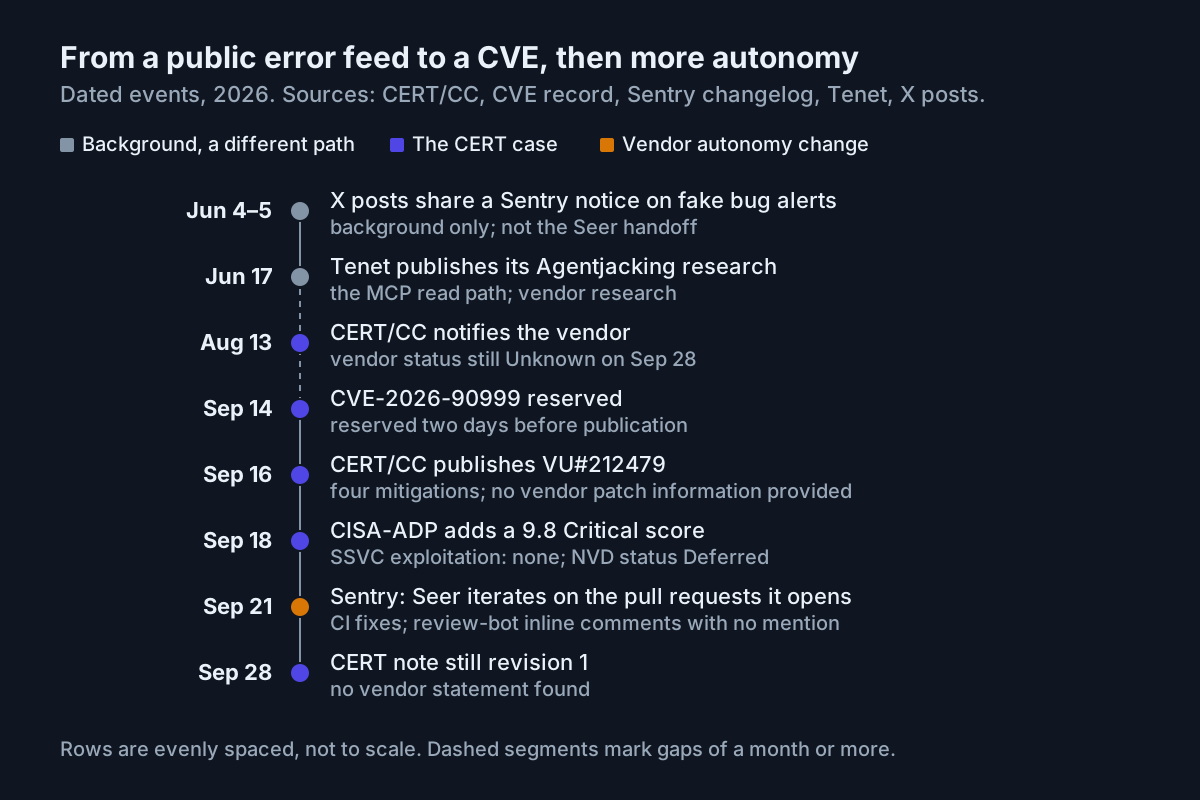 Dates from CERT/CC, the CVE record, Sentry’s changelog, Tenet and two X posts. The June items are a different path, shown as background.
Re-audit on four triggers:
- A changelog entry that adds a trigger, a tool, a default or an input source. Sentry and Cursor publish changelogs. Cursor’s and Datadog’s docs pages carry no dates, so diff them instead of waiting for an announcement.
- A new project, workspace or org that inherits the defaults above.
- A new agent integration or handoff target, including any MCP server added to an agent that reads outside data.
- A drill hit with no row.
Each re-audit ends the same way: the row updated, the date in last_audited, and a canary sent through the changed path.
How an auto-remediation register goes stale, and the signal for each
| Failure | Signal | First move |
|---|---|---|
| A new project inherits automation defaults | The canary finds a subscriber with no row | Add the row; switch automation off until it’s classified |
| Seer’s code generation is off, but handoff is still on | Agent sessions or PRs still trace back to Sentry issues | Turn off the automation or handoff itself, then re-run the canary |
| A vendor adds an input source, as on Sep 21 | Commits on agent-opened PRs that no human asked for | A new row for the new source, classified by its original writer |
| The go is approved from the summary | Approval records with no link to the raw event | Require the raw-event link in every approval |
| The agent runtime can reach a package registry | Install lines in the logs of sessions that telemetry started | Cut the egress, then review that session as an incident |
| An MCP read path sits outside the register | A developer’s session shows issue text followed by an install | Add MCP rows; give outside-data servers read-only tools |
| A row is classified by its last hop | An incident or webhook payload that quotes an error message | Reclassify by the original writer |
Most of these signals sit in logs you already keep: agent session records, PR history, package-manager output. The register tells you which of those logs belong to a lane that outsiders can steer, so somebody actually reads them.
Intake paths belong on the fleet map, beside the kill switch
Fleet inventories usually start from the agents: which CLIs, which models, who pays. Auto-remediation turns the question around to who can start one. An error tracker, an incident tool and a code scanner are all dispatchers now, and none of them shows up in a list of agents.
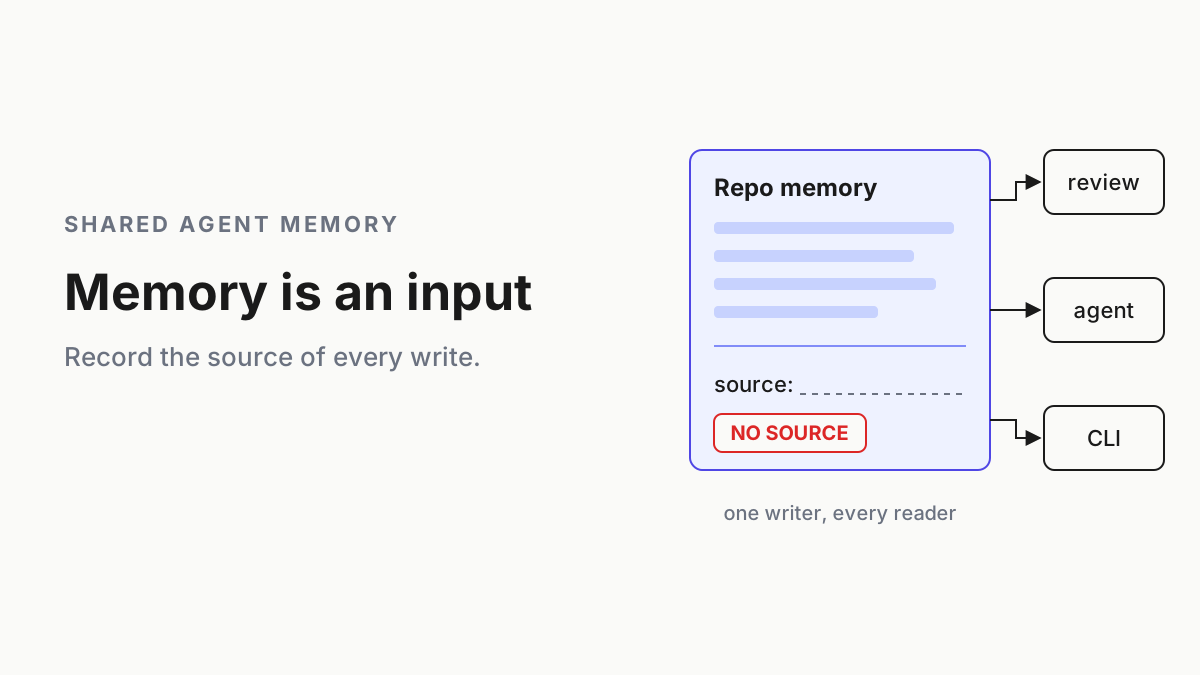
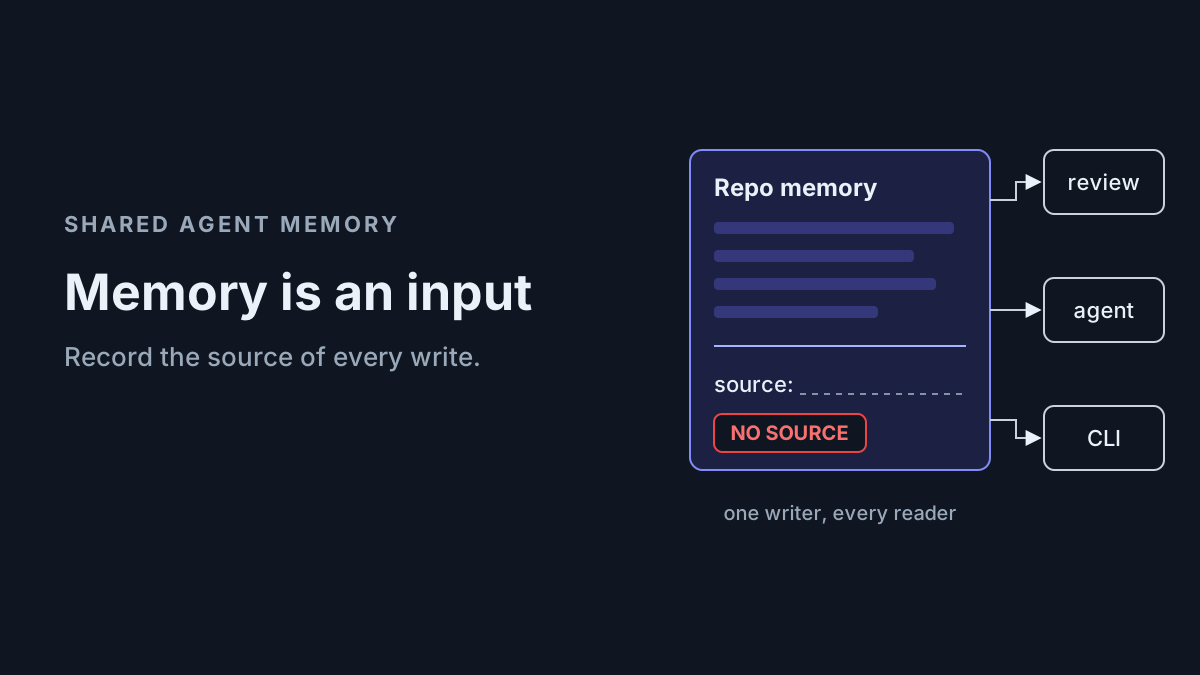
An AgentOps practice runs on an inventory where every lane has an owner, a meter, a kill switch and evidence. This register adds the column that decides the rest: who wrote the work order.
The kill switch for these lanes lives in someone else’s product, as a Seer setting, a Cursor toggle or a Datadog status. That’s why it belongs in your register rather than their dashboard. When a vendor ships more autonomy five days after a CVE, the register is where you notice.
FAQ
Is the Sentry Seer vulnerability CVE-2026-90999 patched?
CERT’s note, still revision 1 on Sep 28, says no vendor-supplied patch information has been provided, and Sentry’s status is Unknown. Seer is hosted, so there’s nothing to upgrade locally. Until Sentry says otherwise, disable automatic remediation or handoff, restrict agent package installs and filter telemetry before analysis.
Does turning off Seer code generation stop the coding agent handoff?
No. Sentry’s docs say disabling it stops Sentry from creating PRs or pushing code, but it “does not affect workflows involving your own coding agent”. CERT’s path runs through that handoff, so switch off the automation or the handoff itself, then send a harmless canary event to confirm nothing starts.
Is a Sentry DSN a secret?
For browser projects, no. CERT notes that Sentry front-end projects commonly expose a public DSN so browsers can submit telemetry. Treat everything arriving through it as written by a stranger, and keep it in analysis-only lanes that can’t install packages, reach the network or hold secrets.
Sources
- CERT/CC VU#212479 — the Seer note for CVE-2026-90999, four mitigations, vendor status Unknown (Sep 16, 2026)
- NVD: CVE-2026-90999 — status Deferred; CISA-ADP’s 9.8 score with SSVC exploitation “none” (Sep 18, 2026)
- Sentry changelog: Seer now iterates on the pull requests it opens — CI fixes, review-bot comments, GitHub only (Sep 21, 2026)
- Sentry docs: Autofix — auto-run gates, stopping points, handoff and the code-generation setting
- Sentry docs: Seer — supported handoff agents
- Sentry docs: Cursor integration — Cursor Cloud Agents triggered by Seer Automation
- Cursor docs: Automations — triggers and on-by-default tools (undated)
- Datadog docs: Bits Code automations — product-finding triggers, PR/MR or Slack output, Active by default (undated)
- Tenet: Agentjacking — the MCP path, vendor research (Jun 17, 2026; background)