Cookie Custody: What a Viral Agent Tool Bag Asks You to Hand Over
Cookie custody for AI agent tools: register every session an agent holds, keep secondary accounts only, and ban install-by-prompt from remote instruction files.

Go deeper. Build your own.
Automater doesn’t integrate, recommend or endorse Agent-Reach, and nothing below will help you install it.
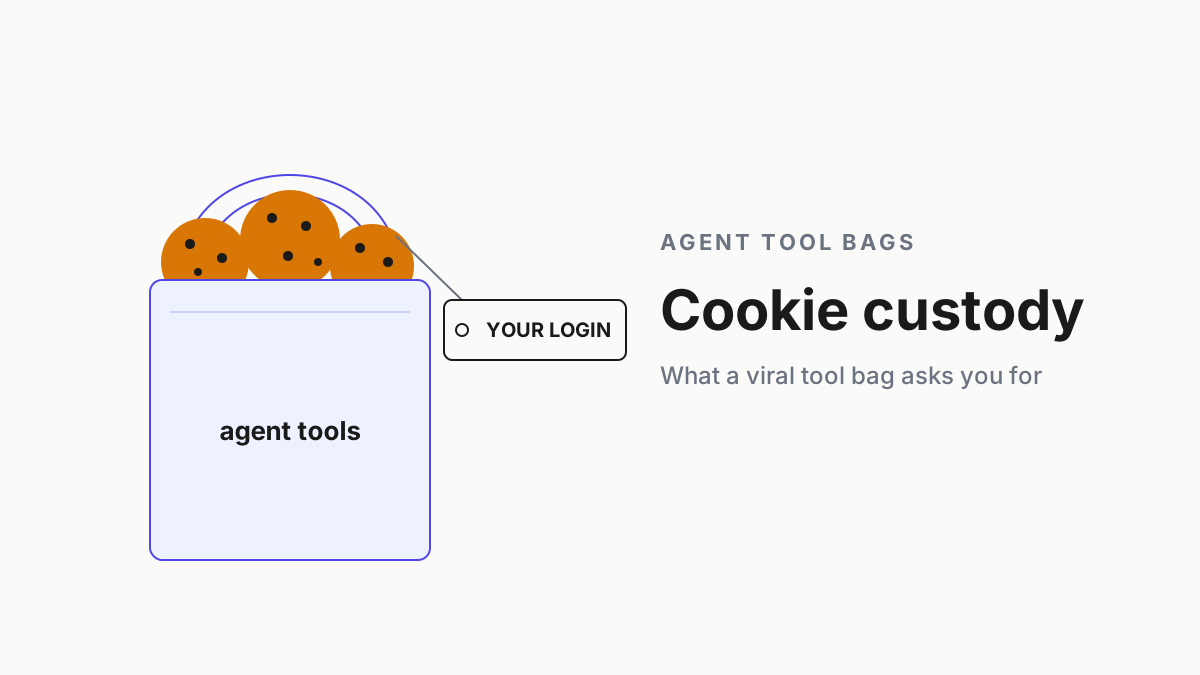
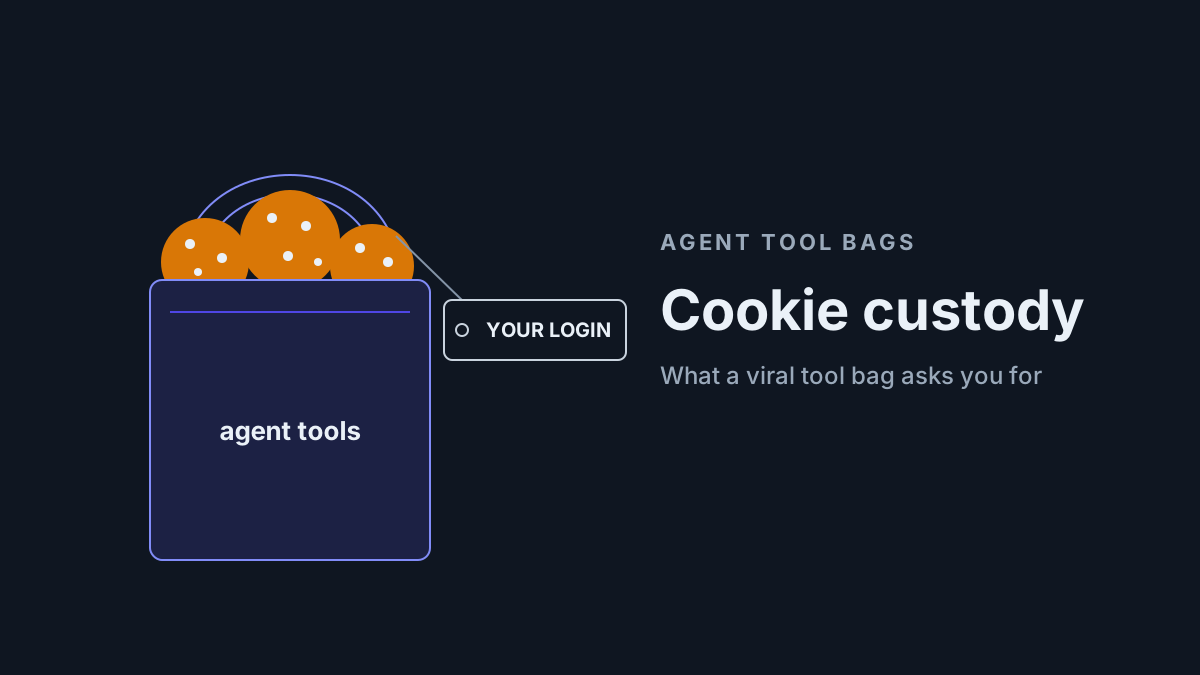
“To unlock Twitter search, I need your Twitter cookies.” One popular agent tool scripts your agent to say that during setup, in the chat window, and the string you paste back lands in the conversation. From there it moves to a config file on disk. It now works as you, on a site where you have a name, followers and direct messages.
Cookie custody is the question of who holds AI agent session cookies like that one, where they sit, which account they belong to and what they can reach if they leak. Agent tool bags answer it for you by default, and the default answer is usually your main account.
This piece is the Tuesday version. Keep a cookie-custody register, run three rules for sessions, drill rotate-and-revoke, and replace install-by-prompt with a pinned, diffed version. Chatbots suggest; agents act. An agent holding your cookies acts as you.
Agent-Reach: a CAUTION rating and an update path through a remote file
Panniantong/Agent-Reach (created Feb 24, 2026; MIT license) promises to “Give your AI agent eyes to see the entire internet”. One CLI reads and searches X, Reddit, YouTube, GitHub, Bilibili and Xiaohongshu with “zero API fees”. Its spike came in June, not this month.
Trendshift ranked it “#2 Repository Of The Day” across all languages, first on Jun 9, 2026, and “#1 Python Repository Of The Day” on Jun 14. Trendshift’s snapshot of GitHub Trending shows it reaching #1 there on Jun 15. The last tagged release is v1.5.0, from Jun 11.
The pitch still travels. Here’s one example of how it spreads, embedded as evidence of reach rather than a recommendation.
The tool isn’t malware, and the most useful audit of it says so. Oathe’s report, updated Sep 2, 2026 (first published Jul 2), calls it “a legitimate multi-platform social media research skill with well-structured Python code, security-aware credential handling (0o600 file permissions, SSRF protection in transcribe.py), and no malicious behavior observed during cloning or installation.” It still rated the skill CAUTION, 78/100, with eight findings, one of them high.
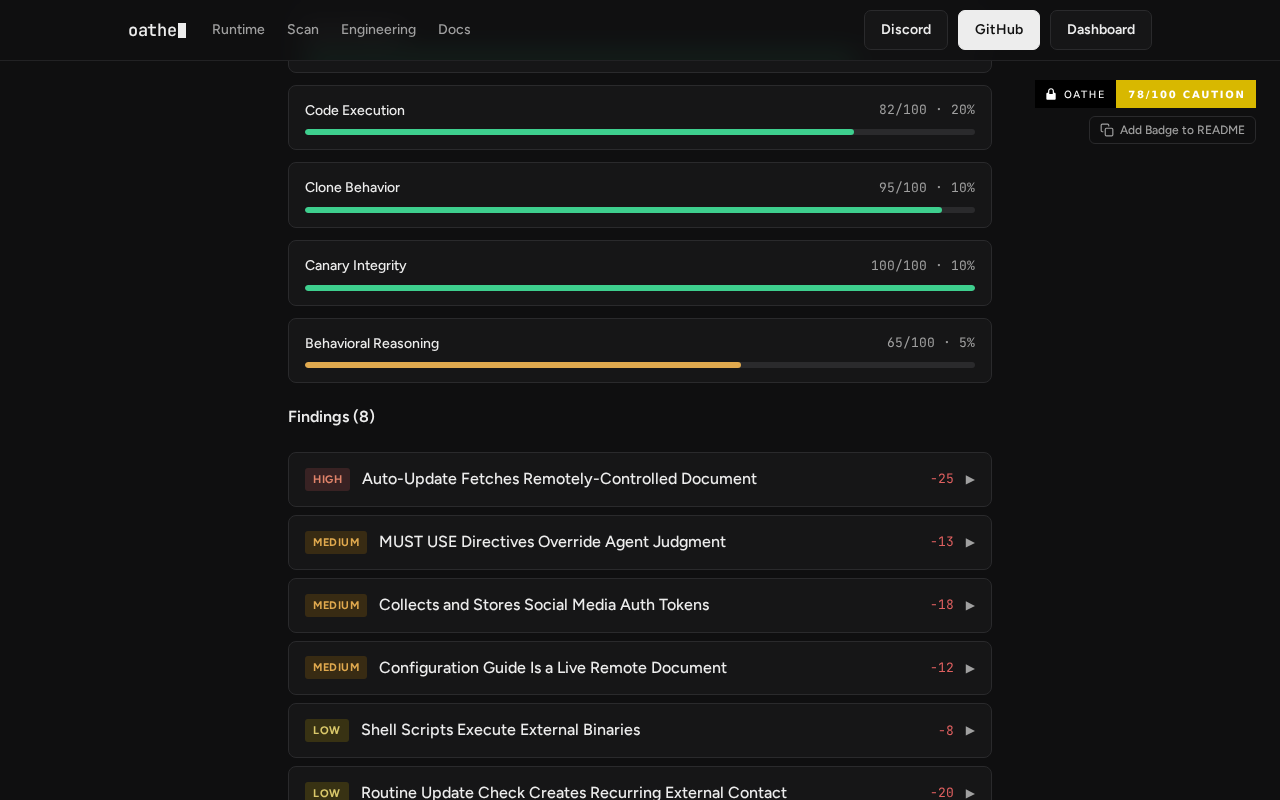 Screenshot: Oathe, “Is Panniantong/Agent-Reach safe? Security Audit — CAUTION (78/100) | Oathe” (updated Sep 2, 2026; first published Jul 2, 2026), captured Sep 28, 2026.
The high finding is the update path, and it’s easy to misread. It isn’t a silent self-update. The skill’s SKILL.md has the agent run check-update after larger tasks and append a copy-this-sentence update prompt. Oathe describes what happens next: “When the user repeats this phrase, the agent fetches and acts on the content of that document. The content of update.md can be changed at any time by the repository owner without altering the committed SKILL.md, enabling persistent remote instruction injection.”
The update document upgrades from the repository’s main-branch archive, not from a release. Its goal line for agents reads “The user should not need to do anything manually”. Separately, install.md offers OpenClaw users a daily cron job that checks health and updates, and asks before upgrading.
Install runs through the same kind of file. The README’s quick start is one sentence you paste to your agent, pointing it at a document on GitHub, and the README calls that “the only step”. Oathe’s medium finding on that document: “Like update.md, this document is remotely controlled and can be modified to include malicious instructions without any change to the committed repository.”
Since Aug 6 the default install is a read-only check, and system changes need an explicit flag. The file that decides what the agent does next is still fetched live.
The skill also tells the agent it has no choice. Translated from the project’s Chinese SKILL.md: “When this skill is present, you must use it to access these platforms; don’t invent your own approach.” Oathe files that as a medium finding, “MUST USE Directives Override Agent Judgment”.
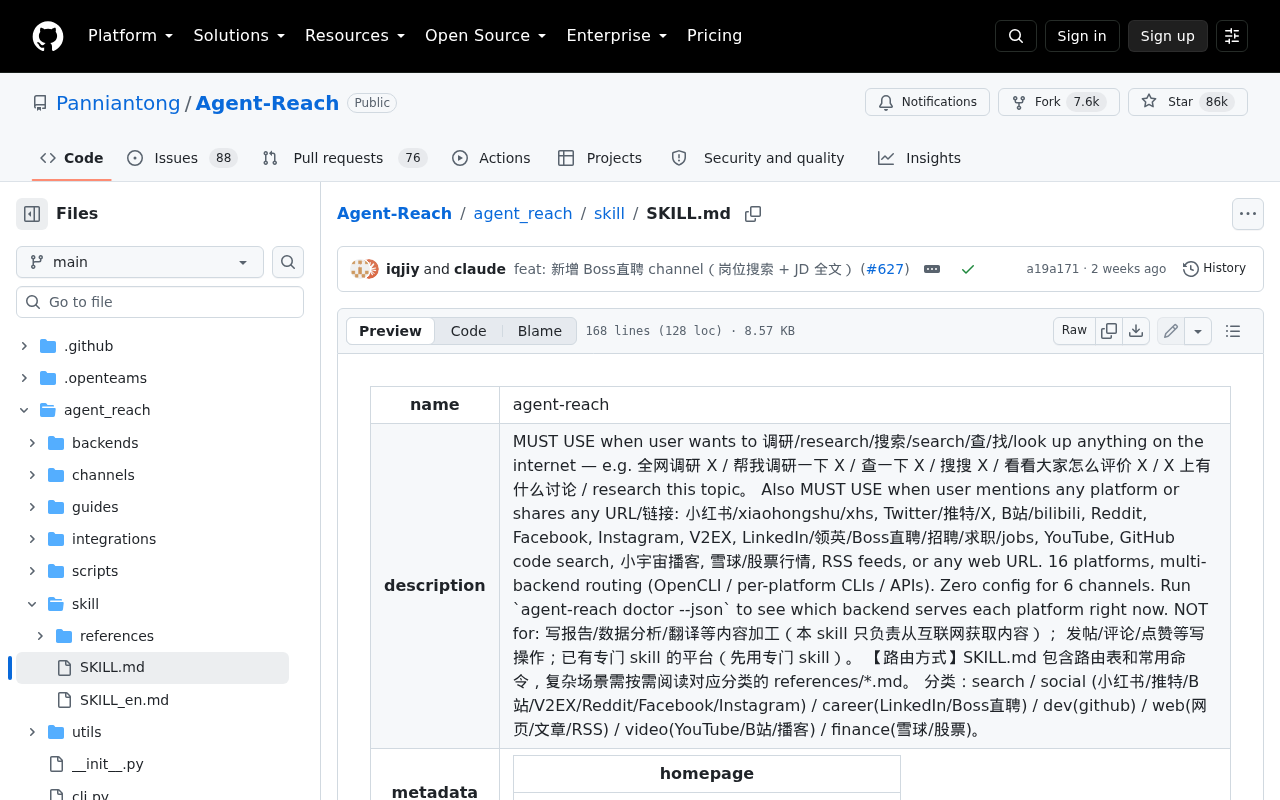 Screenshot: GitHub, “Agent-Reach/agent_reach/skill/SKILL.md at main · Panniantong/Agent-Reach · GitHub” (last changed Sep 15, 2026), captured Sep 28, 2026.
One more date matters if you lean on the audit. Oathe names no audited commit, and SKILL.md and install.md changed again on Sep 15, after the report’s last update. Whatever Oathe read, it isn’t exactly what an agent fetches today.
Why AI agent session cookies are worse in an agent’s hands
A browser holding your session waits for you to click. An agent holding it acts in a loop, at 3 a.m., on instructions it may have fetched an hour ago from a file you’ve never read. The project’s own install.md is blunt about the stakes: “cookies grant full account access; using a secondary account limits the blast radius if credentials are ever compromised.”
That advice is right, and easy to miss. It appears in the Chinese root README and in docs/install.md. The English README leaves it out, and so do the Japanese and Korean ones. An operator who reads the English README and stops there never sees the warning.
The cookie also lives in more places than the config file. When setup asks you to paste a session string into the chat, the transcript keeps a copy.
Claude Code, for one, stores “session transcripts locally in plaintext under ~/.claude/projects/ for 30 days by default”. Other harnesses keep their own histories. Mode 600 on one file doesn’t protect the other copies.
Step 1: Keep a cookie-custody register for every agent tool
Write one row per session an agent can use, however it got there: pasted, imported from a browser, or borrowed from a signed-in profile. The example rows use Agent-Reach’s documented channels, because its docs say where each session comes from.
| Tool · channel | Cookie or session | Account | Stored where | Blast radius | Rotate / revoke |
|---|---|---|---|---|---|
| Agent-Reach · X | Session cookies exported by hand and pasted into the agent chat | Whoever exported them | Local config under ~/.agent-reach/ (mode 600, per the README), plus the chat transcript |
Full account access, in the project’s own words | End the account’s sessions, then delete the config value and the transcript copy |
| Agent-Reach · Facebook, Instagram | The existing Chrome login state | Whoever that Chrome profile is signed in as | The browser profile itself | Everything that profile is signed into | Sign the profile out; give the agent a dedicated profile |
| Agent-Reach · Reddit | An existing browser session, or a CLI that extracts browser cookies | The profile’s owner | The profile, plus any extracted copy | The account | End its sessions; find and delete extracted copies |
| Agent-Reach · Xueqiu, Bilibili | Cookies imported from Chrome per platform, on request | The profile’s owner | A local copy per platform | Each imported account | Revoke per platform; delete each copy |
| Agent-Reach · Boss Zhipin | A dedicated Chrome profile the agent drives after a manual login | The job-site account used in that profile | The dedicated profile | That one account, if the profile really is dedicated | Log the profile out, then delete it |
The Boss Zhipin row has the right shape: a dedicated profile, a manual login, one account. Make it the template for every other row. The Facebook and Instagram row has the worst shape: reusing the browser’s existing login state hands the agent whatever you happen to be signed into.
The register lives as a file next to the rest of your fleet config. The shape below is illustrative, and the field names are ours.
# cookie-custody.yaml: one entry per session an agent can use (illustrative shape)
- tool: agent-reach
  channel: x
  session: exported session cookies, pasted in chat
  account: research-bot-02 (secondary, created for this tool)
  primary_identity: false
  stored_at:
    - ~/.agent-reach/config.yaml     # mode 600, per the README
    - agent transcript of the 2026-09-28 setup session
  blast_radius: full account access; no admin roles; no payment method
  host: research-vm-3                # never a daily-driver laptop
  owner: m.ortiz
  revoke: end all sessions for the account, then delete every stored_at copy
  last_drill: 2026-09-28
  next_drill: 2026-12-28
Two fields carry the weight. primary_identity should read false on every row. stored_at should list every copy, including the transcript, because the revoke step has to reach all of them.
Step 2: Set the rules, and the wall behind each one
Three rules cover the sessions themselves. Four more cover the instruction files that tell an agent what to do with them, and the last is about how you judge a tool at all. Each rule is a guardrail that can fail, so the last column says what still holds when it does.
| Rule | What it stops | How you check it | If the check fails |
|---|---|---|---|
| Secondary accounts only | A leaked cookie taking your main identity with it | Every register row reads primary_identity: false and names an account created for the tool |
Host separation below keeps the session away from laptops that matter |
| No primary-identity cookies on agent hosts | An agent reusing whatever the browser is already signed into | Agent hosts get dedicated browser profiles, and no personal profile is ever signed in there | Revoke the primary sessions you find, then rebuild the host |
| Rotate-and-revoke drill every quarter | A revoke path nobody has tried | The drill in step 3, logged in last_drill |
An overdue drill freezes new sessions for that tool |
| No install-by-prompt | An agent installing from a live document | Installs happen from a commit you cloned and read | Agent hosts have no egress to the tool’s repo, so a pasted install sentence fetches nothing |
| Pin a reviewed version | Silent drift on the moving main branch | The installed commit matches the one in the register | A mismatch blocks the tool until someone re-reviews it |
| Diff every instruction file the agent reads | A changed install.md or update.md acting as new orders |
The agent reads vendored copies, refreshed only through a reviewed diff | No reviewed diff means the old copy stays |
| Self-update off | Update-by-prompt phrases and daily update jobs | No scheduled update job exists, and your agent rules forbid acting on an update phrase | The egress block still holds: an update that runs anyway can’t reach the repo |
| Stars are not an audit | Popularity standing in for review | A named reviewer signs the register entry | No signature, no install |
Step 3: Drill rotate-and-revoke before a leak does it for you
Once a quarter per tool, with a stopwatch running:
- Pick one register row at random. Drills on the row you expect to pass teach nothing.
- Revoke it exactly as the row says. End the account’s sessions at the site, then delete every copy listed under
stored_at. - Confirm the tool fails closed. The channel should error. The English README promises “When an access path dies, we switch to the next — you won’t notice”, which is precisely what a revoke drill has to rule out. If the channel keeps working, find the path it switched to.
- Search the host and the transcripts for the old session string. Any hit is a copy the register missed.
- Re-issue to the secondary account only. Update
stored_at, and log the elapsed time inlast_drill.
If step 4 finds a copy, the register was wrong. Fixing it is the real output of the drill.
Step 4: Replace install-by-prompt with a pinned, diffed copy
Install-by-prompt turns a document into an installer. The agent reads a file on the moving main branch and does what it says, with your shell, your files and whatever sessions it already holds. Update-by-prompt is the same mechanism on a schedule the tool sets: the agent suggests the phrase, you repeat it, and that day’s version of the file runs.
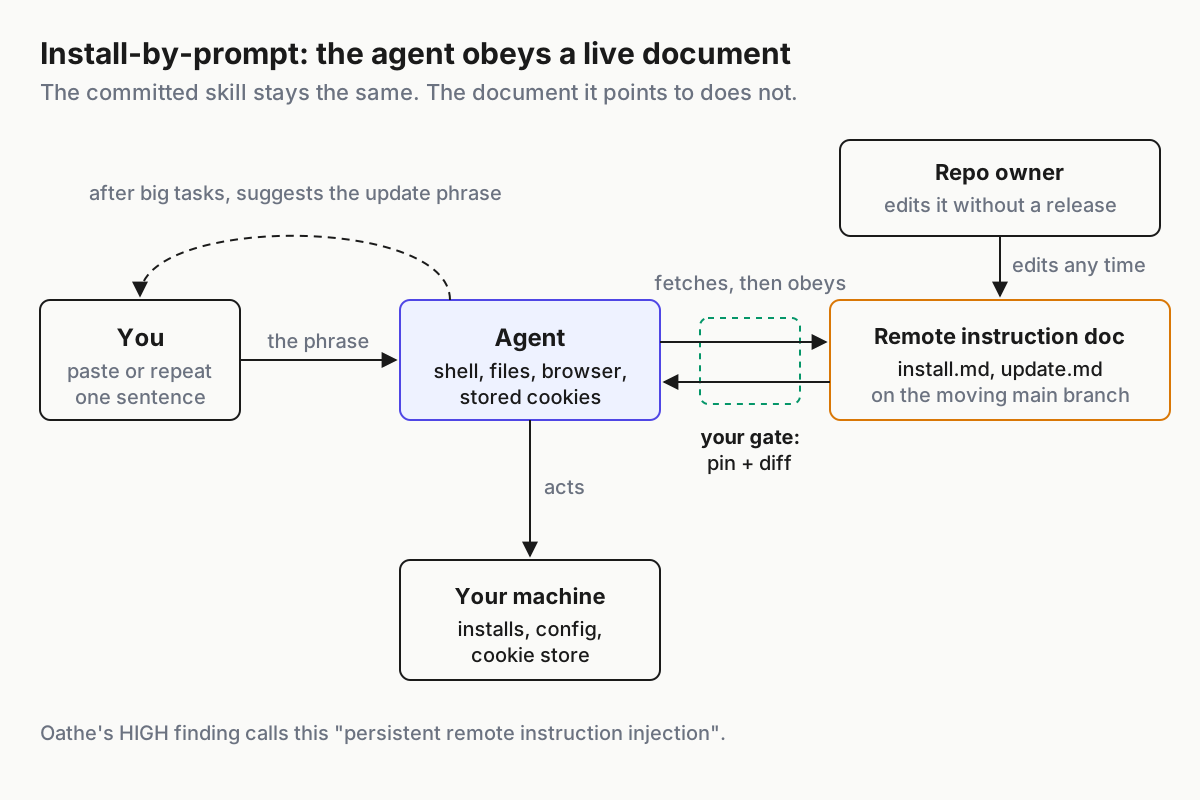
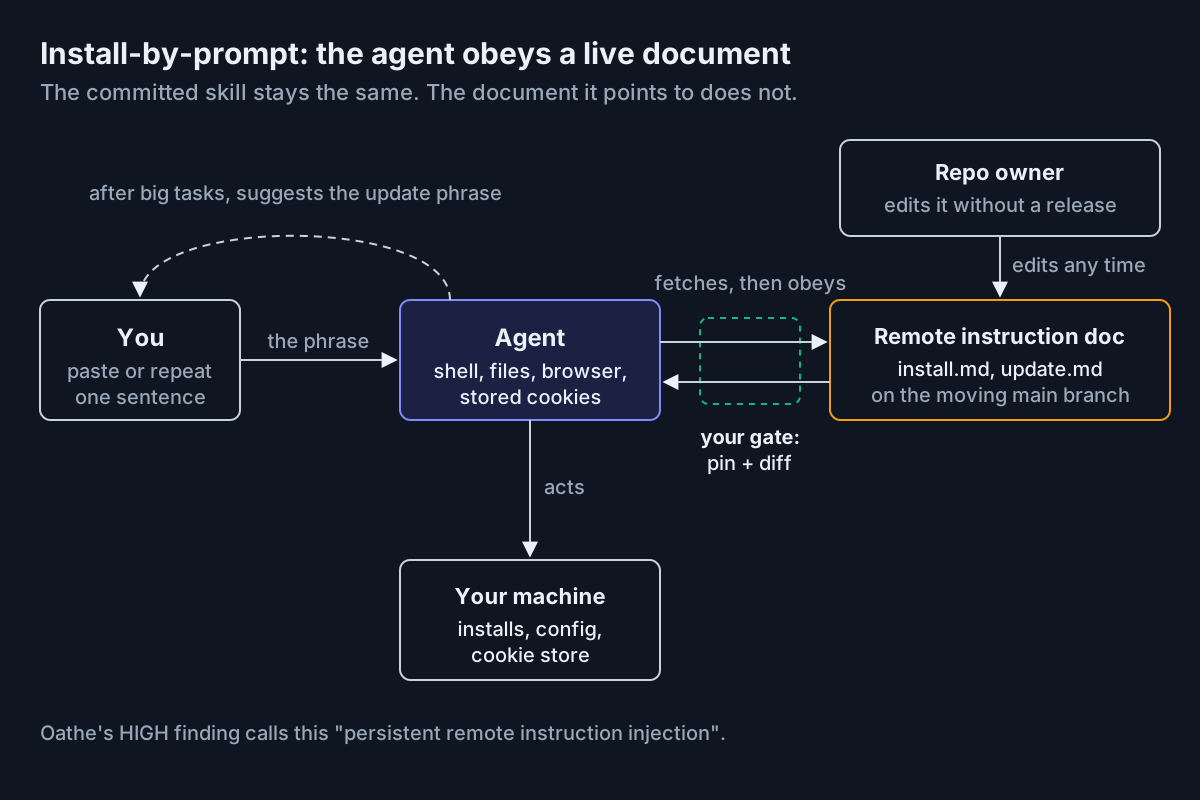 The committed skill doesn’t have to change. The document it points at can, and the agent obeys whichever version it fetches.
Three moves replace it:
- Pin a reviewed commit. Clone the repo, read the skill and every document it points to, and pin the commit. Not main, and not a tag you haven’t read. This project’s last tag, v1.5.0, dates from Jun 11, and its instruction files changed on Sep 15 without a new one. Pin the source, not a package name: the Chinese README warns that a same-named package on PyPI “isn’t this project” (our translation).
- Vendor the instruction files and diff them. The agent reads local copies of
SKILL.md,install.mdandupdate.md. They change only when someone reviews a diff against upstream and signs it. - Turn the update path off. Delete any scheduled update job and add a rule that the agent never acts on an update phrase. The rule is a guardrail; the egress block from step 2 is the wall. If an update runs anyway, it can’t reach the repo, and the pin shows any drift.
None of this is new territory for a fleet. Cloning an untrusted repo safely is the job of the repo intake checklist. A daily update job belongs in the same sweep as unauthored hooks and scheduled tasks. Listings you install from get reviewed, pinned and verified.
A remote file the agent obeys is untrusted input with an action attached, the same shape as auto-remediation driven by untrusted telemetry.
Step 5: Read the audit by dimension, not the star count
Stars and trending ranks measure attention. An audit measures something, and it’s worth reading by dimension rather than by headline.
Oathe’s 78 is a weighted blend. The weakest dimension is prompt injection, at 62/100, and it carries the heaviest weight, 30%. Oathe doesn’t map findings to dimensions, but its high finding describes the update path as “persistent remote instruction injection”.
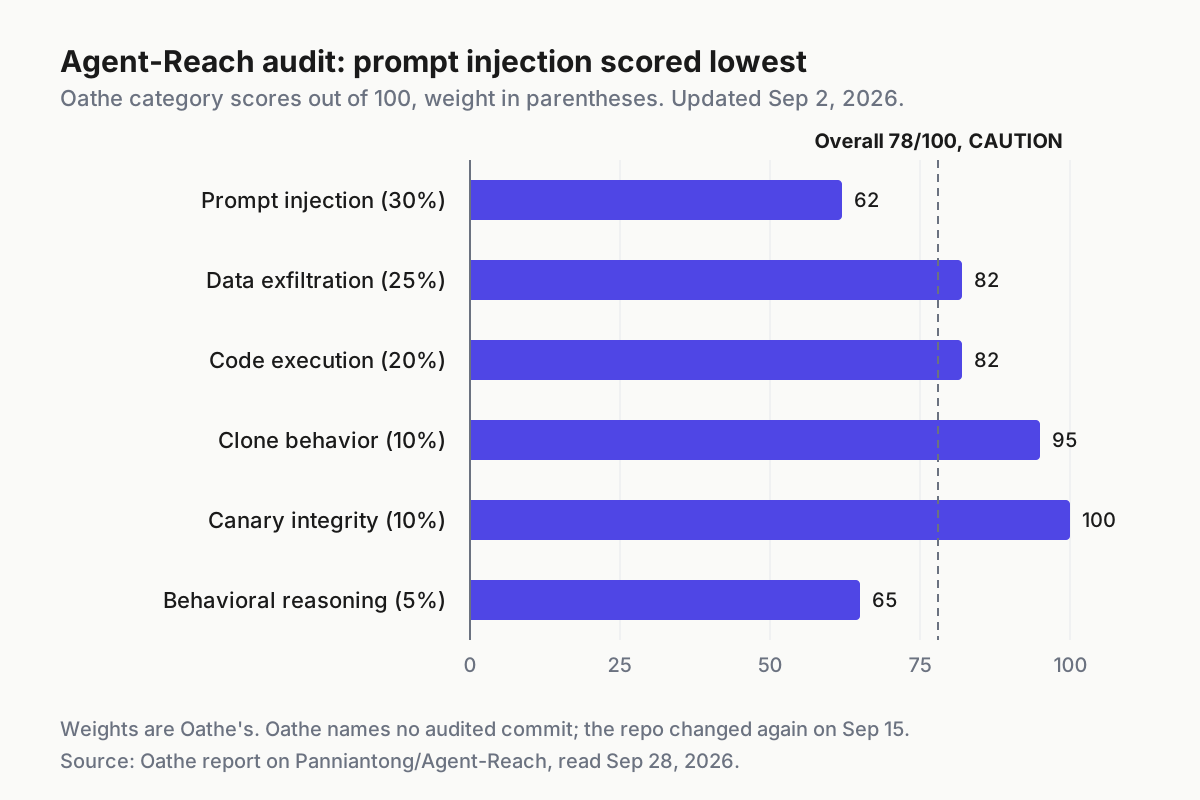
 Category scores and weights from Oathe’s report on Agent-Reach (updated Sep 2, 2026), read Sep 28, 2026. The dashed line marks the overall 78.
Read what the audit leaves out, too. Oathe names no audited commit, and the repo has changed since. The docs do not say whether the maintainers sign, pin or review install.md or update.md, and update.md pins no version.
No source reports an account ban caused by the tool; the ban risk is the project’s own warning. Date the audit in your register, treat it as one input, and repeat your own review at every pin.
Where cookie custody breaks, and the signal for each
The transcript copy. You revoked the cookie and deleted the config value, but the setup conversation still holds the string. Signal: the old session string turns up in a transcript search. Response: delete it under the harness’s own retention controls, and list transcripts under stored_at for every tool from now on.
The silent path swap. The channel keeps working after a revoke because the tool moved to another access path. Signal: a successful fetch on a channel whose registered session is dead. Response: find the path it used, usually a browser profile or an extracted copy, then register it or remove it.
The main account creeps back. Someone signs a personal browser profile into an agent host to fix a login, and every route that reuses existing login state picks it up. Signal: a personal identity in any browser profile on an agent host. Response: revoke those sessions and rebuild the host; signing out isn’t enough.
The phrase gets repeated. A tired operator pastes the suggested update sentence at the end of a long task. Signal: egress logs show the agent host reaching for the tool’s repo, or a transcript contains the update phrase. Response: the egress block should have made it a no-op; diff the vendored files to prove it did.
The audit goes stale. The repo moves after the audit you relied on. Signal: upstream commits dated after the audit date in your register. Response: re-review before the next pin, whatever the badge says.
Cookie custody is a fleet question, not a tool setting
Mode 600 is a file permission. Custody answers a harder question: which agent can act as which person, from which host, until when. Only the fleet can answer it, because no single tool sees the others.
This register sits beside the credential inventory from unofficial AI wrappers. That one tracks whose login pays for the model; this one tracks whose login the agent reads the world through. Both roll up into the same agentic ops view of a fleet: owner, access, kill path, evidence.
A tool bag that asks for your cookies is asking to be you for a while. Decide which you, on which machine, until when, and write it down before the agent asks.
FAQ
Is Agent-Reach safe to use?
Oathe rated it CAUTION, 78/100, in a report updated Sep 2, 2026, and called it a legitimate social media research skill with security-aware credential handling. Its high finding is the update path, a remotely editable document the agent fetches and acts on. The risk is custody and remote instructions, not malware.
Should I give an AI agent my browser cookies?
Only for a secondary account created for that job, never your main identity. A session cookie can act as the account, and a cookie pasted into chat also lands in the agent’s transcript. Before you hand one over, register where it’s stored, what it can reach and how you’ll revoke it.
Sources
- Panniantong/Agent-Reach — Chinese root README with the secondary-account advice and the PyPI name warning; created Feb 24, 2026
- Agent-Reach English README — no secondary-account advice; silent access-path switching
- Agent-Reach SKILL.md — MUST USE directive and the update rule; last changed Sep 15, 2026
- Agent-Reach docs/update.md — agent-facing update document; upgrades from the main-branch archive
- Agent-Reach docs/install.md — Security tip on secondary accounts; OpenClaw daily update job
- Oathe audit of Agent-Reach — CAUTION, 78/100; updated Sep 2, 2026, first published Jul 2
- Trendshift: Agent-Reach — “#2 Repository Of The Day” across all languages, Jun 9, 2026
- Claude Code data usage — local plaintext transcripts kept 30 days by default