The AI Agent Pricing Page Is a Contract: Write Down What Is Never Paywalled
When agent credits run out, what still works? Put a never-paywalled table on your AI agent pricing page, and run the lapse test before you sign for one.

Go deeper. Build your own.
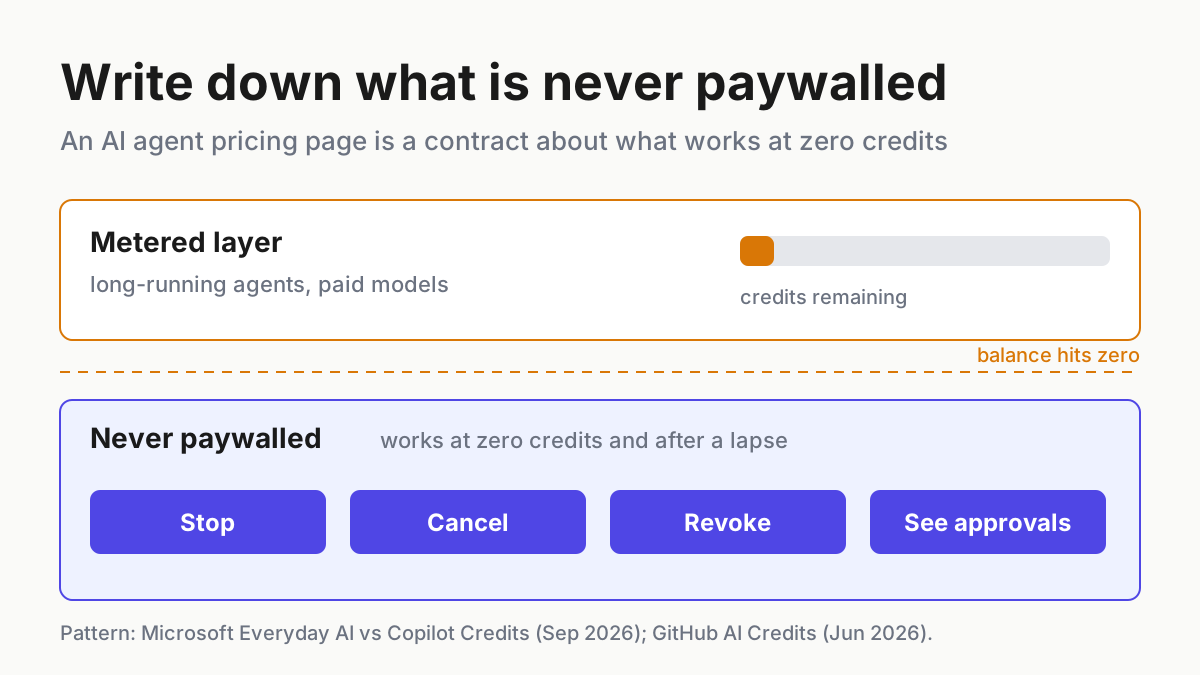
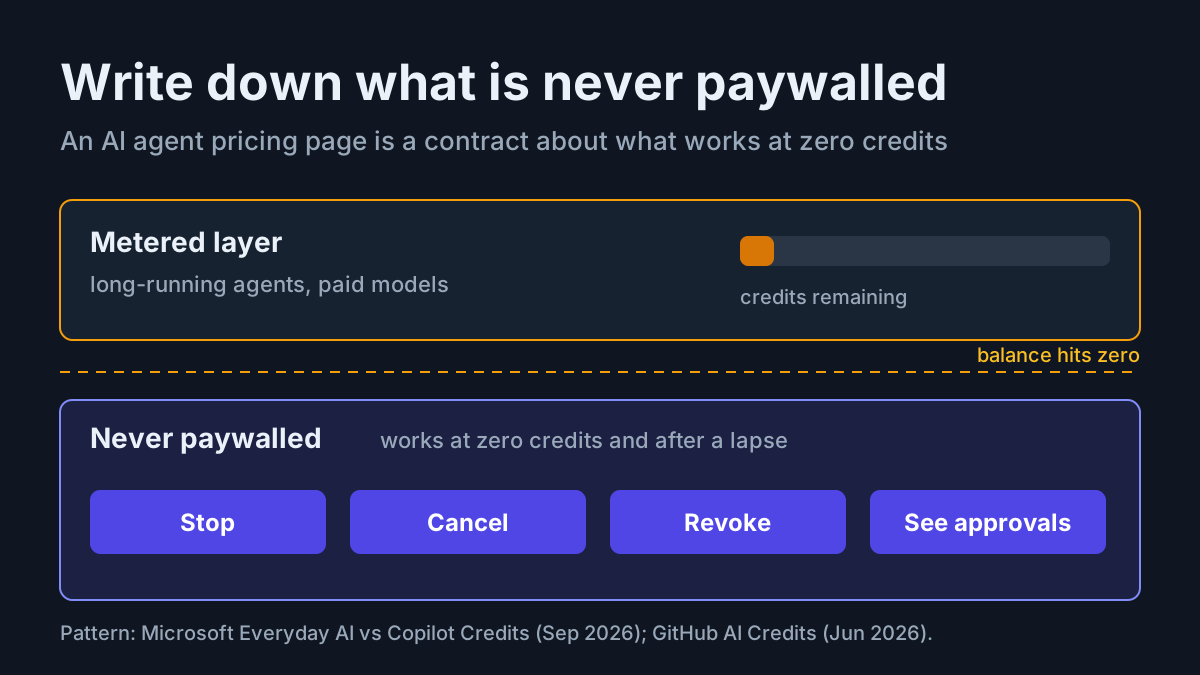
The most important line on an AI agent pricing page is the one that says what still works when the credits run out. Vendors have spent this year rewriting everything around that line. Microsoft split Copilot into a fixed per-user baseline and metered “advanced AI,” months after GitHub moved Copilot onto AI Credits while keeping code completions included on every plan.
The split is defensible. A long-running agent costs far more to serve than autocomplete, and somebody pays for the tokens. But the split moves a safety question onto the pricing page. If the agent runs on credits, and credits can lapse mid-run, the controls that stop the agent cannot live on the same meter.
Publish a never-paywalled table, and test it before you sign. As a seller, the table states which controls stay free forever and survive credit exhaustion. As a buyer, the test is simple: let the credits lapse in a sandbox and confirm that stop, cancel, revoke and approval prompts still work. There are no prices in this piece on purpose. The contract is about what stays free, and that clause doesn’t go stale every quarter.
Microsoft’s Everyday AI and Copilot Credits split, and GitHub’s included baseline
Microsoft’s post “Evolution of the Copilot pricing model” carries a Sep 25, 2026 byline on the Microsoft Copilot Blog, and the page metadata dates it Sep 28. Its description line states the deal plainly: “Everyday AI stays at a fixed price per user while advanced AI runs on Copilot Credits.” (Microsoft Tech Community)
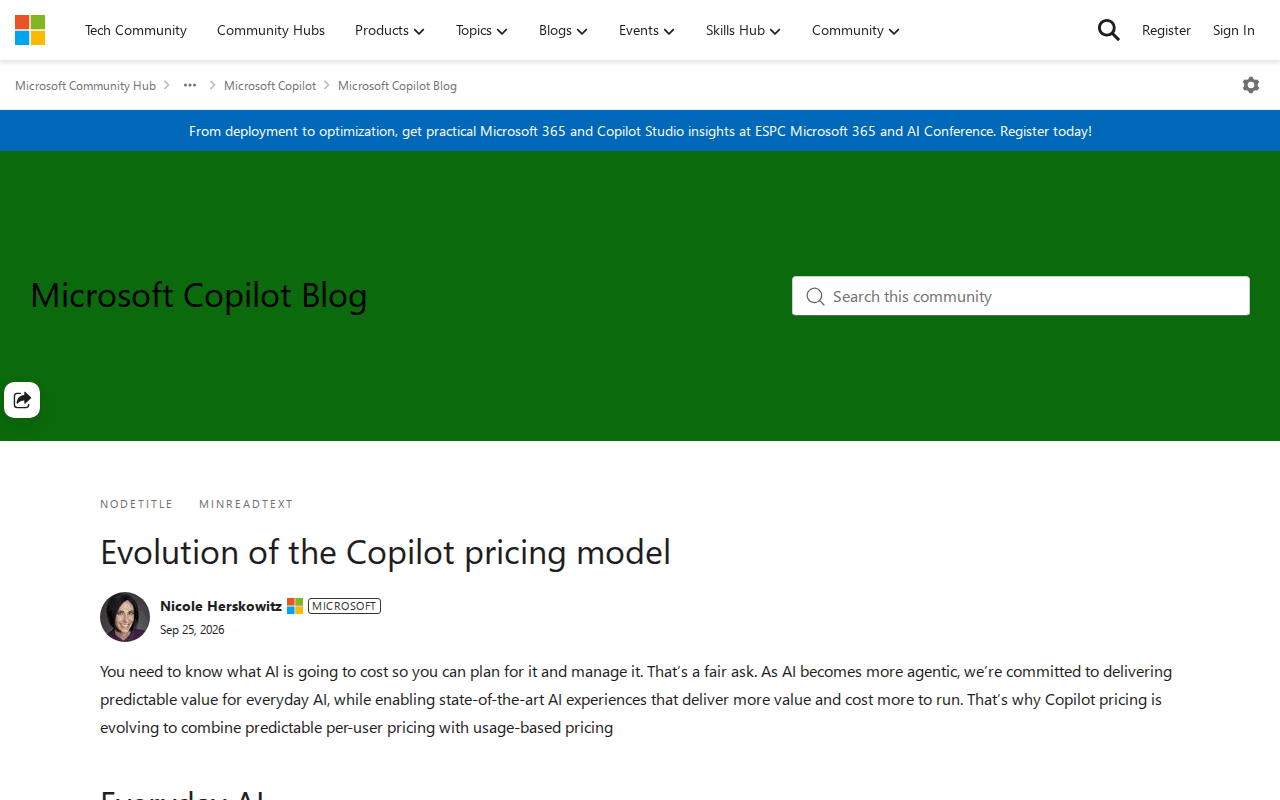 Screenshot: Microsoft Tech Community, “Evolution of the Copilot pricing model” (Sep 25, 2026 byline; page metadata Sep 28), captured Oct 5, 2026.
For the mechanics, the clearest account is analysis rather than Microsoft’s own text. Futurum’s Sep 30 write-up reports that advanced AI covers long-running and unsupervised agents, requires the per-user license, is disabled by default for enterprise tenants until admins enable it through spending policies, and that the everyday tier carries fair-use caps with warnings.
The chat side is moving the same way. WindowsForum reported on Oct 2 that Microsoft 365 Copilot Chat will offer paid models through usage-based billing, targeting general availability in October 2026, with admins allocating credits before users see those models. Its reading of the design is the line every pricing page should borrow: Chat “keeps a subscription-covered tier, including Auto, so running out of UBB credits should affect the paid models rather than all of Chat.” That is secondary reporting; Microsoft has not published per-model prices or the default state.
GitHub made the same cut first. From June 1, 2026, Copilot usage consumes GitHub AI Credits in place of premium request units, priced on tokens “according to the published API rates for each model.” Code completions and Next Edit suggestions stay included on all plans, Copilot Free continues, and admins choose between overage and a hard cap. Promotional allotments ended Aug 31, which CloudZero calls the September cliff, quoting GitHub’s FAQ: “Users with intense agentic usage will likely see an increase in costs.”
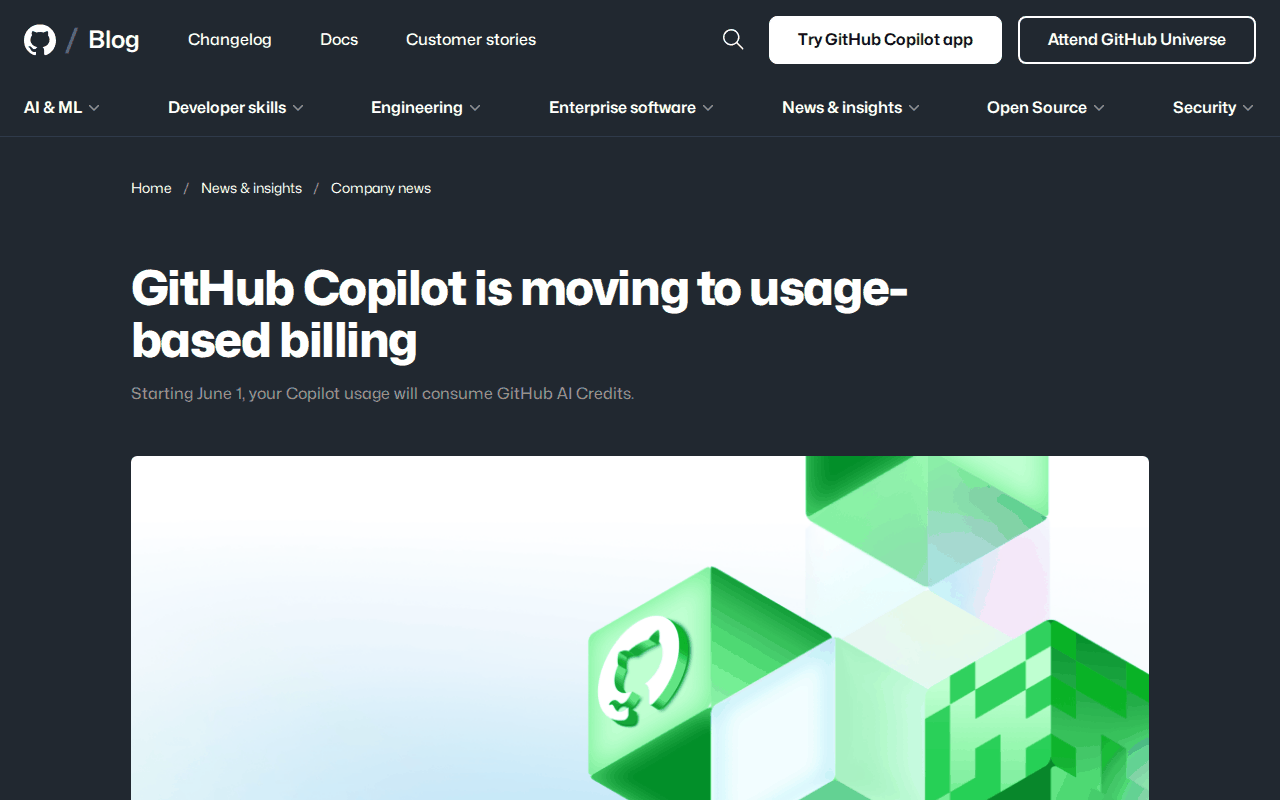 Screenshot: The GitHub Blog, “GitHub Copilot is moving to usage-based billing” (effective June 1, 2026), captured Oct 5, 2026.
The meter mechanics are already covered: the subscription squeeze walks through GitHub’s switch, and credits vs tokens as billing dialects shows how to translate one into the other. This piece is about the clause both vendors imply and neither headline states.
Why acting agents turned the pricing page into a safety document
Autocomplete stops when you stop typing. An agent keeps going after you leave: it holds credentials, queues tool calls, waits on approvals and runs on a schedule. When its credits hit zero mid-run, three things can happen.
The work pauses cleanly and the controls stay live. The work pauses and the controls vanish behind an upgrade wall. Or the work pauses, nobody can see what was pending, and it all resumes the moment someone tops up.
Only the first is acceptable, and only the pricing page can promise it before you buy. GitHub’s hard-cap option is exactly the kind of switch that needs a written answer: when the cap trips during an agent run, what can you still see and stop? A cap that freezes spend but also freezes the stop button has moved a safety control onto a meter.
Pricing changes are also where trust breaks fastest. When Cursor moved its Pro plan to usage credits in 2025, Michael Truell, CEO of Cursor’s maker Anysphere, wrote, “We recognize that we didn’t handle this pricing rollout well and we’re sorry” (TechCrunch, Jul 7, 2025). A published never-paywalled table is the cheapest insurance against needing that sentence.
The never-paywalled table: a runbook for the AI agent pricing page
The steps below serve both sides of the page. Steps 1 to 5 are for whoever owns the pricing page; step 6 is the buyer’s lapse test; step 7 is the clause you paste.
1. Publish the never-paywalled table
Put this table on the pricing page itself, above the plan cards, not in a help-center article three clicks away. Every row is a control that touches safety, and every row must hold in both columns that matter: after credits run out, and after a subscription lapses.
| Control | What the page promises | Credits at zero | Subscription lapsed |
|---|---|---|---|
| Stop or kill a running agent | Always free, from the same place you started it | Works | Works |
| Cancel a queued or scheduled run | Always free | Works | Works |
| Revoke a credential, token or connector grant | Always free | Works | Works |
| See every pending approval | Always visible | Visible | Visible |
| Deny a pending action | Always free | Works | Works |
| Approve a pending action | Free to answer; metered work may wait | Queues with a clear message | Queues with a clear message |
| Read and export your own run history | Always free | Works | Works, for a stated period |
Two rows deserve a note. Approving is the one control that can legitimately wait, because approval restarts metered work, but the prompt itself must stay visible and the wait must say why. And export protects you from a different failure: a lapse that turns your own transcripts into hostage data.
The pattern already exists in public. The upgrade page at automater.ai/upgrade states it in two sentences: “Needs You and approval visibility always remain available without PRO. Stopping, cancelling and revoking stay free too.”
Notice what the clause does. It names the controls, says they don’t depend on an upgrade, and makes no mention of a meter. That shape works for any agent vendor.
2. Say what the free download does today
The next block a buyer reads is the free tier. “Free” on an agent product hides four questions, and the page should answer each in one plain line:
- Where does it run? On the user’s machine, in the vendor’s cloud, or both, and which parts are which.
- Is an account required? If yes, for what: installing, running, or only syncing.
- What leaves the machine? Transcripts, telemetry, nothing. Say it in the free-tier box, not only in the privacy policy.
- Does it expire? A free tier that is really a trial should say “trial” and give the date.
State the free tier as capabilities, not allowances. “Runs locally, no account, reads your existing session files” tells a buyer what they get. “Includes 100 credits a month” tells them what they will run out of, and invites the question this whole piece is about.
3. Name paid capabilities, and meter only what costs you
The paid tier should read as a list of named capabilities a buyer can test in a trial. Meters belong only where your own cost scales with use, which is why Microsoft and GitHub meter the agentic work and leave the baseline flat. A meter on something that costs you nothing at the margin is a tax, and buyers can tell.
If an item is metered, the page owes four facts per meter:
- Unit: credits, tokens, minutes or runs, and how the unit maps to work you can recognize.
- Where it shows: in the product, before a run starts, not only on a billing page.
- What happens at zero: which work pauses, and which controls (the whole table above) keep working.
- Who can raise it: the user, an admin, or only sales, and how fast. If raises go through admins, run them as a budget request queue with a revert date rather than a one-off favour.
4. Show the meter where the work happens
A meter that only appears on an invoice is a surprise waiting to happen. Futurum reports fair-use caps with warnings on Microsoft’s everyday tier. Warnings are the right instinct, and they belong in the session too. Show remaining balance at the point where a user starts a long run, warn at a threshold the user set, and say at zero what pauses and what doesn’t.
The vendors in the news draw the included-versus-credits line in different places. The chart lays out what each has said publicly.
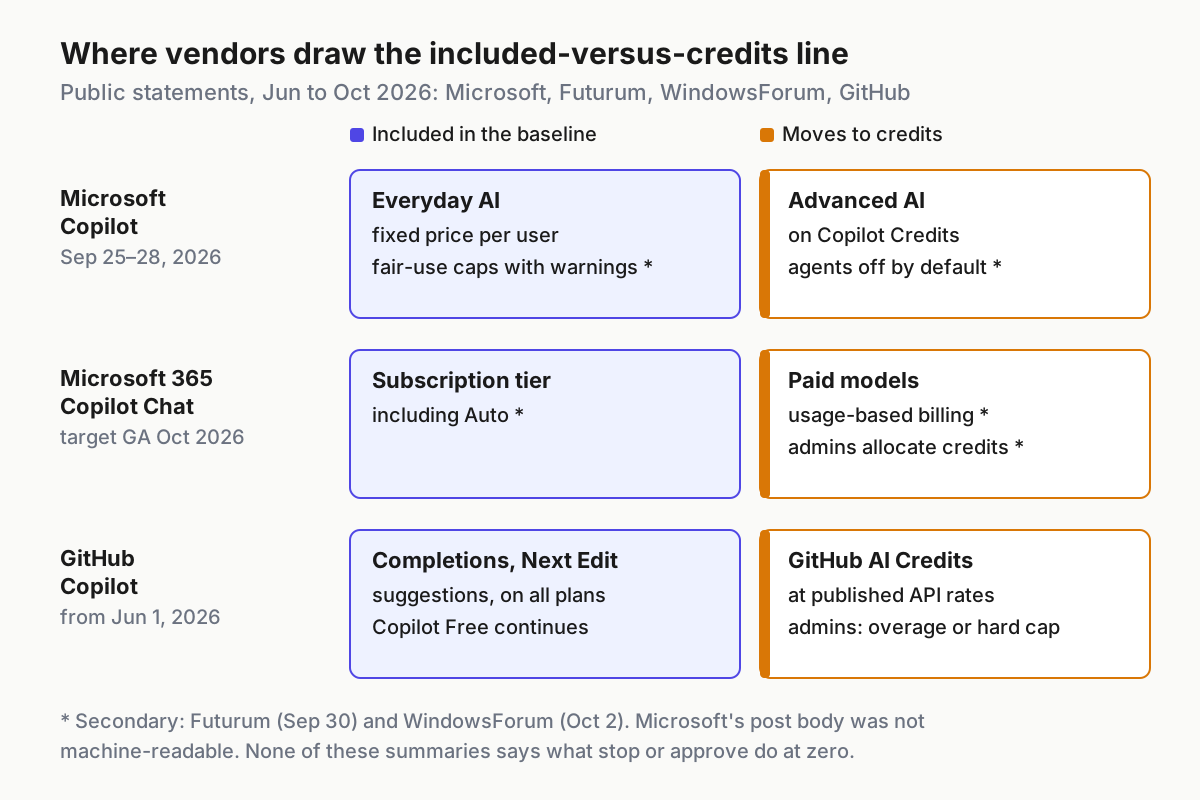
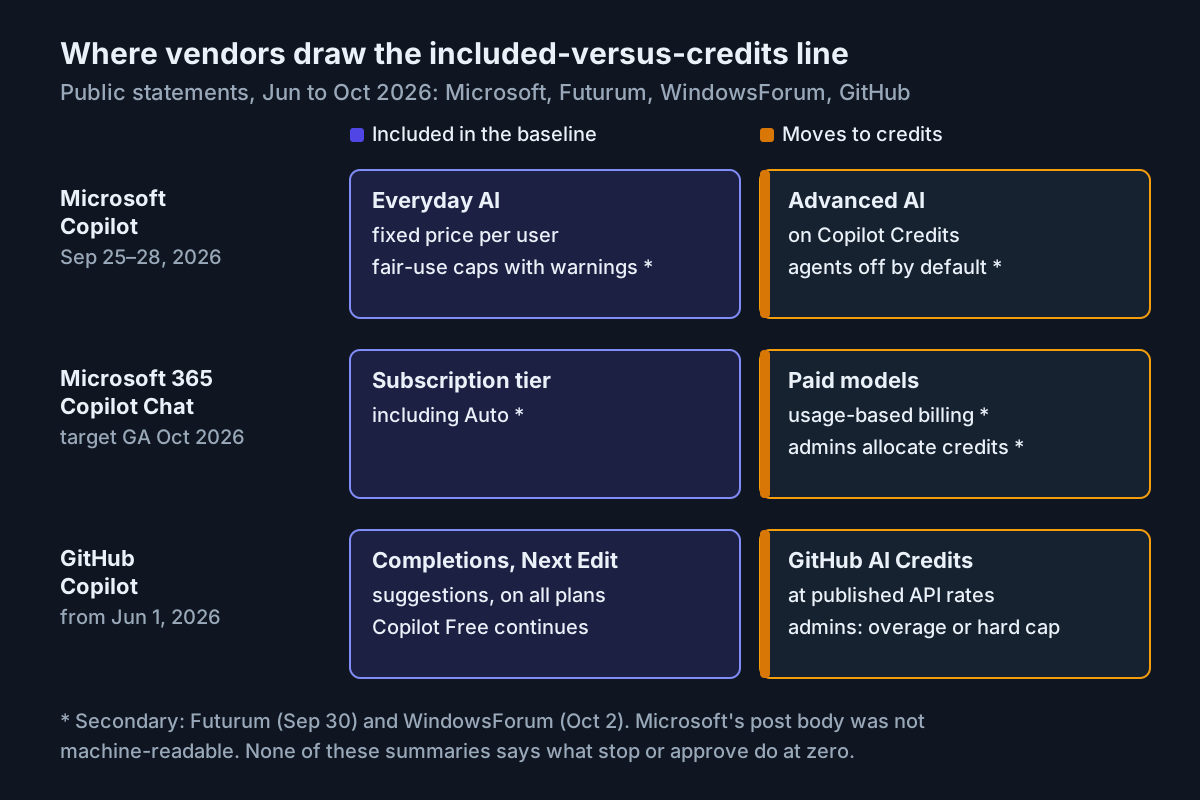 Each vendor keeps a flat baseline and meters the agentic work. Sources: Microsoft Tech Community (Sep 25–28, 2026), Futurum (Sep 30), WindowsForum (Oct 2, secondary), GitHub Blog (effective Jun 1, 2026).
Notice what the chart can’t show: none of these summaries tells you what happens to a stop button or a pending approval at zero credits. That is the column you have to fill in yourself, which is what step 6 is for.
5. Define what zero does to a run already in flight
The table covers controls. It doesn’t say what happens to the agent that was mid-task when the balance hit zero, and that is where pricing pages go quiet. Write the sequence down and publish it next to the table:
- Stop admitting new metered work. New runs, and new model calls inside existing runs, wait.
- Land the current step at a tool boundary. Let an in-flight tool call finish or roll back. Never cut it off halfway through a write.
- Record the state. Which step finished, what is pending and which approvals are open, somewhere the user can read with zero credits.
- Tell the owner. In the product and through the notification channel they already use, with the run’s name and what is waiting.
- Keep the controls live. Everything in the never-paywalled table works in this state.
- Resume only when a person says so. A top-up makes resuming possible. It shouldn’t make it automatic.
The last item is the one buyers forget to ask about and vendors forget to build. An agent that quietly resumes a half-finished job hours later, because someone topped up for an unrelated reason, does work nobody is watching.
6. Run the lapse test before you buy
Run this in a sandbox tenant or trial account, never in production. Budget an afternoon. The aim is to watch every row of the never-paywalled table at the moment the money runs out.
- Set up the state. Start one long-running agent task, leave one action waiting on approval, and schedule one run for later in the day.
- Drain the meter. Let the trial lapse, set the hard cap to its minimum, or burn the credits with a cheap repetitive task, whichever the vendor allows.
- Check each control within five minutes of hitting zero. Stop the running task. Cancel the scheduled run. Revoke the agent’s credential or connector grant. Open the approvals view and confirm the pending action is listed; deny it.
- Top up and watch. Restore credits and confirm nothing you cancelled or denied comes back, and nothing paused restarts without a person saying so.
- Write down what you saw. One row per control, with expected and observed behaviour, a screenshot, and the date.
lapse_test:
  vendor: example-agent-vendor
  plan: trial
  run_on: 2026-10-05
  trigger: hard cap set to minimum
  checks:
    - control: stop running task
      expected: stops within 30s, status visible
      observed: stopped in 12s
      pass: true
    - control: cancel scheduled run
      expected: removed from schedule
      observed: removed
      pass: true
    - control: revoke connector grant
      expected: grant revoked, agent loses access
      observed: revoke page behind upgrade wall
      pass: false
    - control: pending approval visible and deniable
      expected: listed, deny works
      observed: listed, deny works
      pass: true
    - control: no silent resume after top-up
      expected: cancelled and denied items stay gone
      observed: stayed gone
      pass: true
  verdict: fail, revoke sits behind a paywall
(Illustrative results for a hypothetical vendor.) One failed row is a failed test. Take the result to the vendor before signing, and rerun the test after any pricing change, since a repackaging is exactly when these controls move.
If no sandbox is available, ask these in writing before you sign, and keep the answers with the contract:
- Which controls in the product require an active plan or a positive balance?
- At zero credits, what happens to a run that is in the middle of a tool call?
- Are pending approvals visible after a lapse, and for how long?
- After a top-up, does queued or paused work restart on its own?
- Where is the answer published, and will you give notice before it changes?
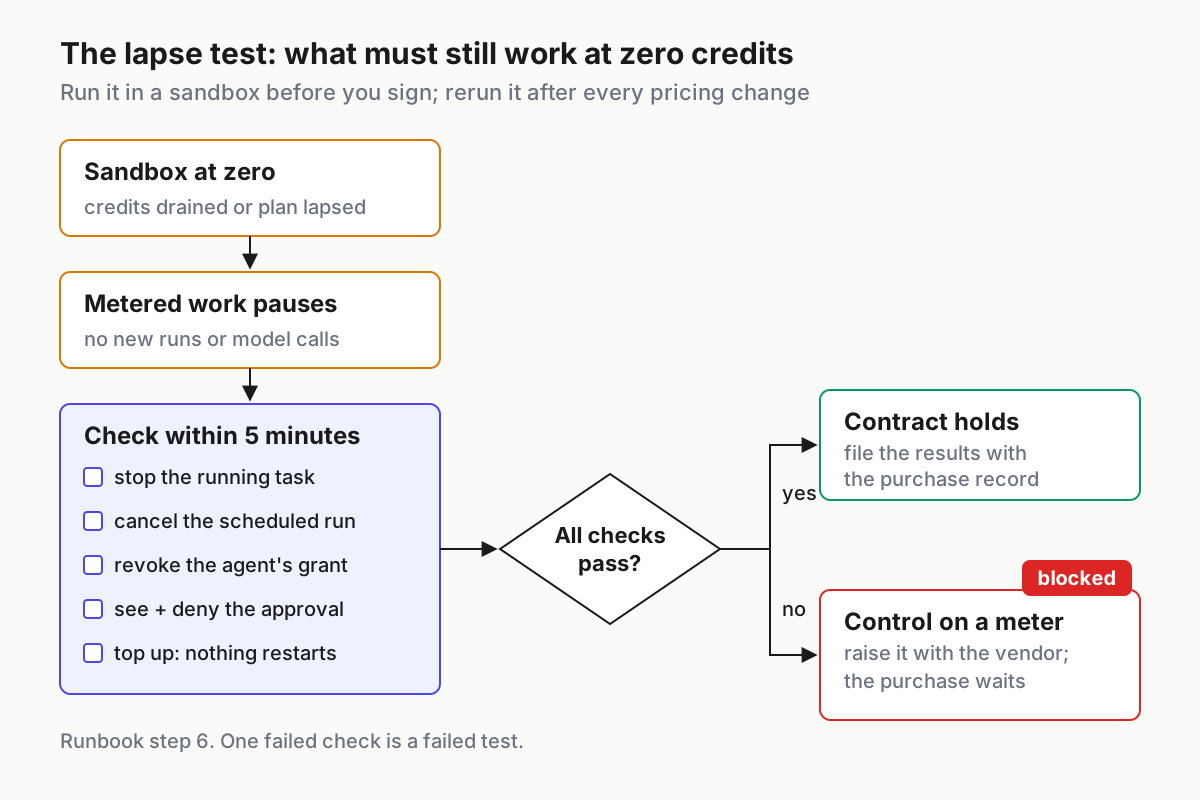
 The lapse test in one flow: if any control fails at zero, a safety feature is on the meter, and the purchase waits.
7. Paste the clause
If you own the page, this is the block to ship. Adapt the nouns; keep the structure.
Never paywalled
These keep working with no paid plan, with zero credits,
and after a subscription lapses:
  - stopping or cancelling any agent run
  - revoking any credential, token or connector grant
  - seeing every pending approval, and denying it
  - reading and exporting your own run history

What the free download does today: <where it runs, account or not, what leaves the machine>
What paid plans add: <named capabilities>
What is metered: <unit>, shown <where>; at zero, <what pauses>
Keep the clause dated and versioned like a policy. When the page changes, the date changes, and buyers who saved the old version can diff it.
Failure modes on an AI agent pricing page, and the signal for each
| Failure | Signal | Fix |
|---|---|---|
| Stop or cancel requires an active plan | Lapse test shows an upgrade wall where the run list should be | Move the control below the paywall; retest |
| Approvals hidden at zero credits | Pending actions disappear from the UI while the agent waits | Keep the approvals view outside every meter |
| Silent resume after top-up | Cancelled or paused work restarts without a person | Require an explicit resume after any lapse |
| Hard cap trips mid-run with no state | Half-applied changes, orphaned branches, no record of where it stopped | Pause at a tool boundary and record state |
| Meter on a baseline feature | Support tickets about caps on things that cost nothing to serve | Turn the meter into a named capability or drop it |
| “Free” with an unstated account requirement | Installs that never reach a first run | Say “account required” in the free-tier box |
| Pricing change without notice | Public apology, churn, a week of screenshots on social media | Publish the change with the clause, dated, before it ships |
The mid-run hard cap is the subtle one. Stopping spend is easy; stopping cleanly is not. The vocabulary in what pause, redirect and abort must mean applies directly: a credit cap is just another interrupt, and it should land at a tool boundary rather than halfway through a write.
The pricing-change row is the expensive one. Cursor’s apology came after the rollout. A dated clause published ahead of a repackaging turns a trust event into a changelog entry.
The never-paywalled line belongs in fleet policy
Once you run more than a handful of agents, the never-paywalled table stops being a pricing question and becomes a policy one. It sits next to permission modes as fleet policy: one says what an agent may do, the other guarantees you can always stop it doing it, whatever the billing state. Write both down, review both when a vendor repackages, and keep the lapse-test results with the purchase record.
The same discipline runs through the rest of the stack. Price the human side of the work with the operating bill, not just the token bill. When several sessions share one plan, the window runs out for all of them at once, which is why parallel sessions need lane habits on a shared usage window. And the pricing page is usually the second page a directory or answer engine reads about you, after the one that decides whether your product is classified as AI.
FAQ
What should an AI agent pricing page include?
A never-paywalled table listing the safety controls that stay free after credits or a subscription run out: stop, cancel, revoke and approval visibility. Then a plain statement of what the free download does, the paid tier’s named capabilities, and for each meter its unit, where it shows and what pauses at zero.
What should an AI agent free tier cover?
At minimum, every control that can stop or limit an agent: stopping and cancelling runs, revoking credentials and seeing pending approvals. Beyond that, the free tier should say where it runs, whether it needs an account, what data leaves the machine, and whether it expires, stated as capabilities rather than allowances.
What happens to AI agents when credits run out?
It depends on the vendor, which is the problem. Metered work should pause cleanly while stop, cancel, revoke and approval visibility keep working. Test it: let credits lapse in a sandbox, check each control within minutes, then top up and confirm nothing cancelled or denied restarts on its own.
Sources
- Microsoft Tech Community: Evolution of the Copilot pricing model (Sep 25, 2026 byline; metadata Sep 28)
- GitHub Blog: GitHub Copilot is moving to usage-based billing (effective Jun 1, 2026)
- Futurum: Microsoft splits the Copilot pricing model into everyday and advanced AI (Sep 30, 2026)
- WindowsForum: Microsoft 365 Copilot Chat paid models, usage billing and admin credit controls (Oct 2, 2026)
- CloudZero: GitHub Copilot Enterprise pricing (updated Sep 4, 2026)
- TechCrunch: Cursor apologizes for unclear pricing changes (Jul 7, 2025)