Windows IT After GitSpawn: An AI Coding Agent Endpoint Policy
After GitSpawn, an AI coding agent endpoint policy for Windows IT: standard-user accounts, AppLocker version floors, git overrides by policy, intake quarantine.

The developer is local admin because the imaging ticket never closed. A vendor’s zip lands in Downloads, the sync client mirrors it to a second laptop, and a coding agent opens in the folder. Git runs the program named in the repository’s own .git/config before any trust prompt appears, and attacker code now holds an administrator token on a corporate machine. Nothing in the model did anything. Nothing on the endpoint stopped it either, because nobody had written a policy for coding agents on the endpoint.
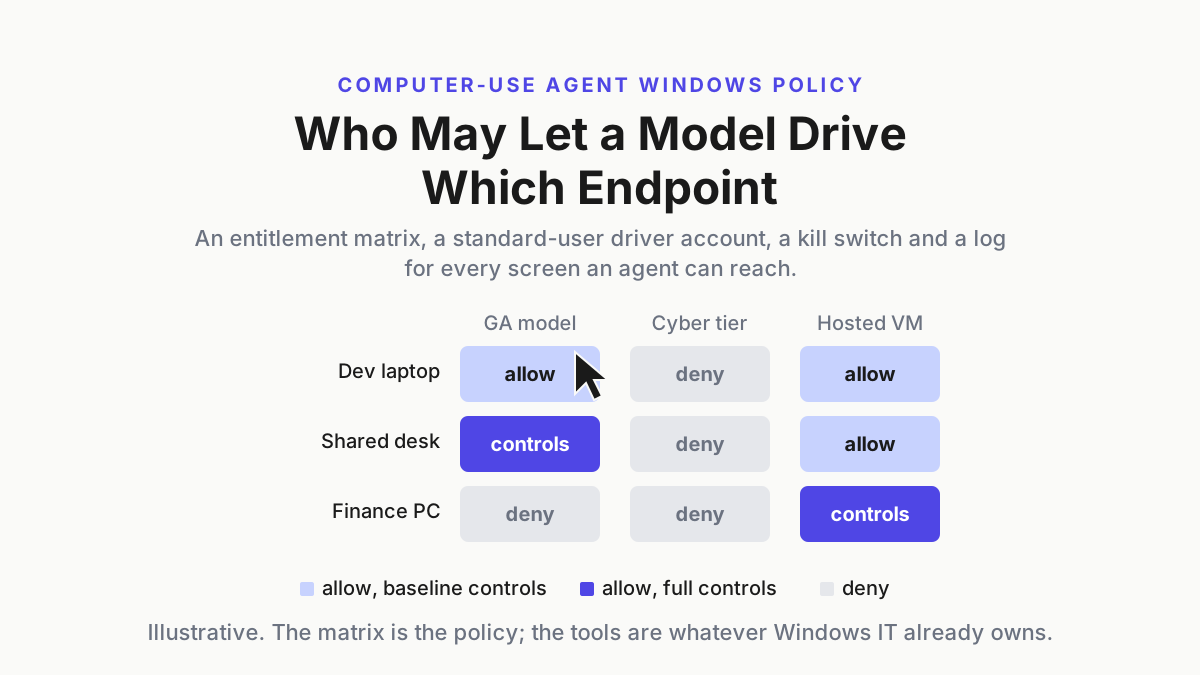
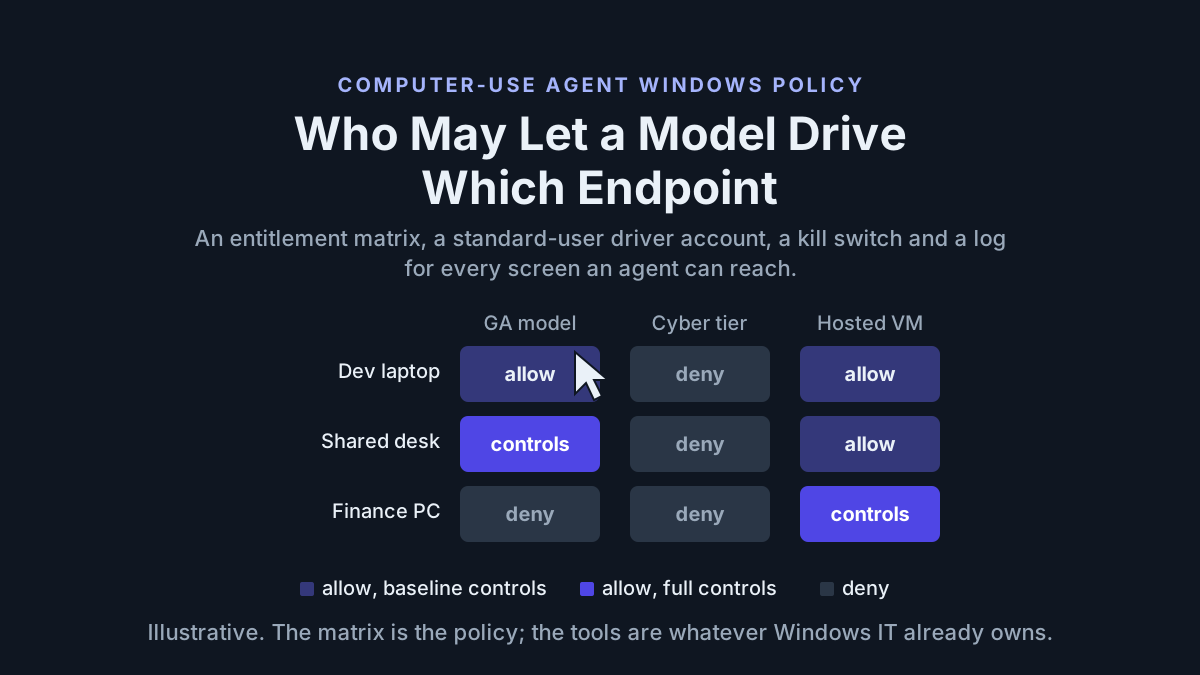
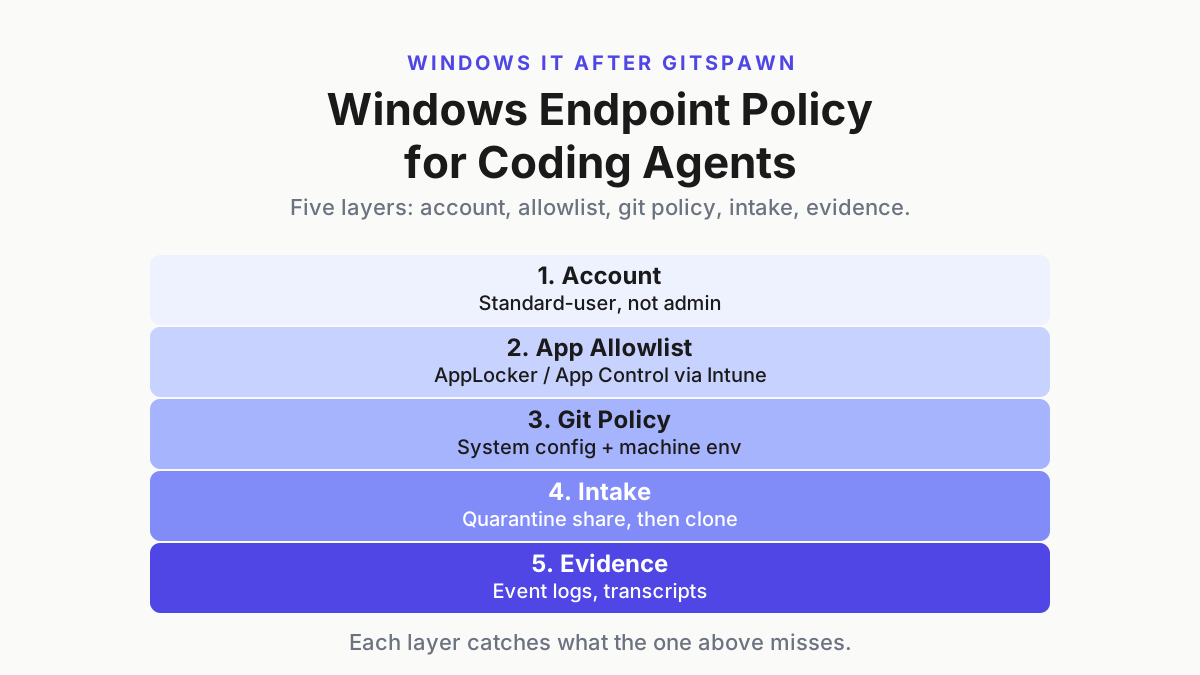
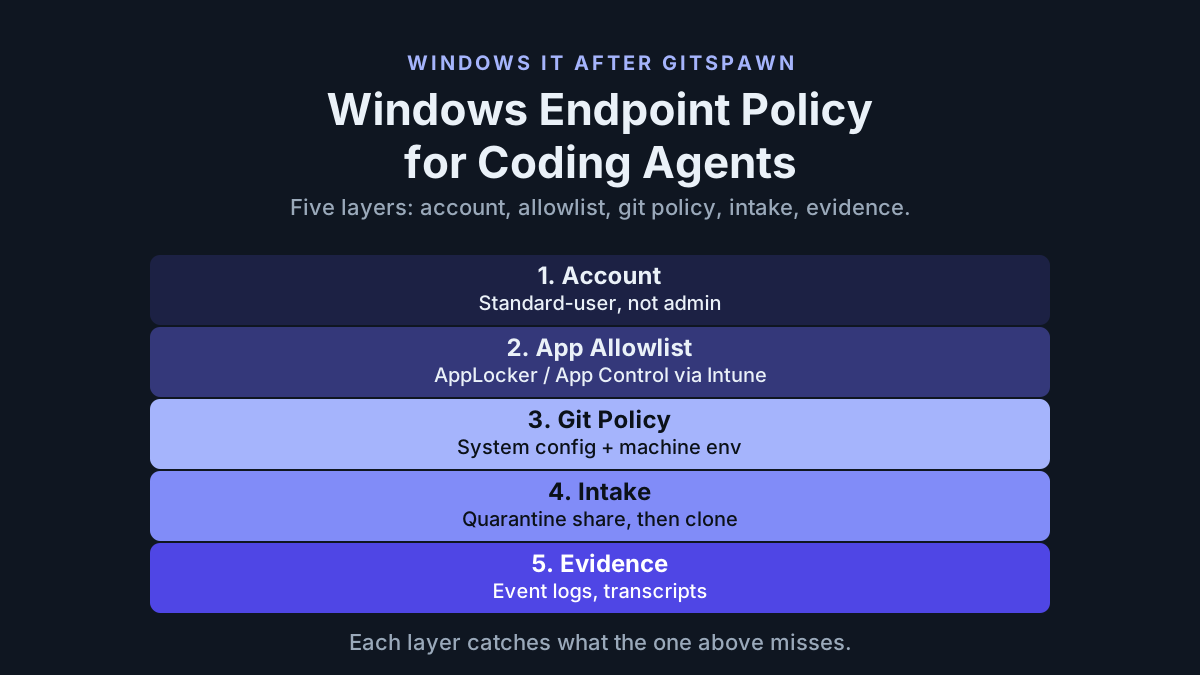
An AI coding agent endpoint policy for a Windows fleet is four lines, each expressible with tools IT already owns: agents run only as standard users; only approved agent versions may launch; git’s program-running settings are overridden at the machine level; repositories that arrive as files pass through an intake share before an agent opens them. A fifth line, evidence, is how you prove the other four to an auditor or to yourself.
This piece extends the desktop-posture checklist in corporate AI on a Windows PC, which asked what an agent writes, what it sends, and how you turn it off. GitSpawn adds a fourth question, what it runs the moment it opens a folder, and as whom. The answers below are Intune configuration profiles, AppLocker or App Control for Business rules, a system gitconfig plus a machine-wide environment override, a standard-user account model, and one quarantine share.
GitSpawn as a Windows admin reads it, Sep 1, 2026
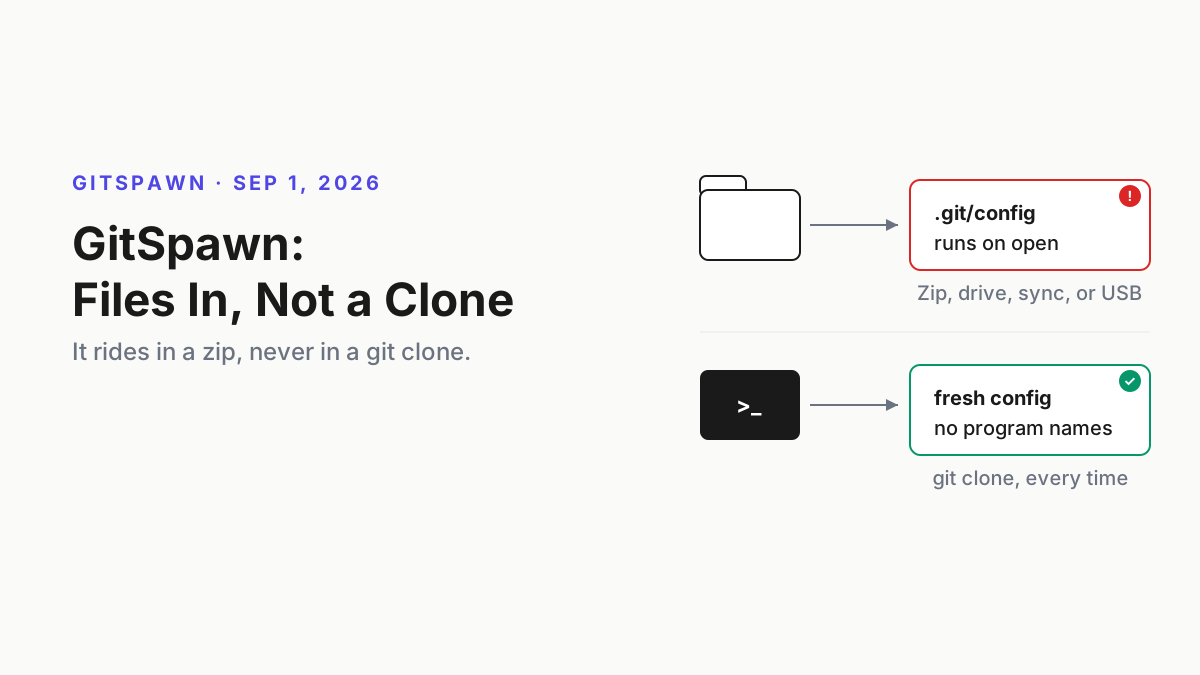
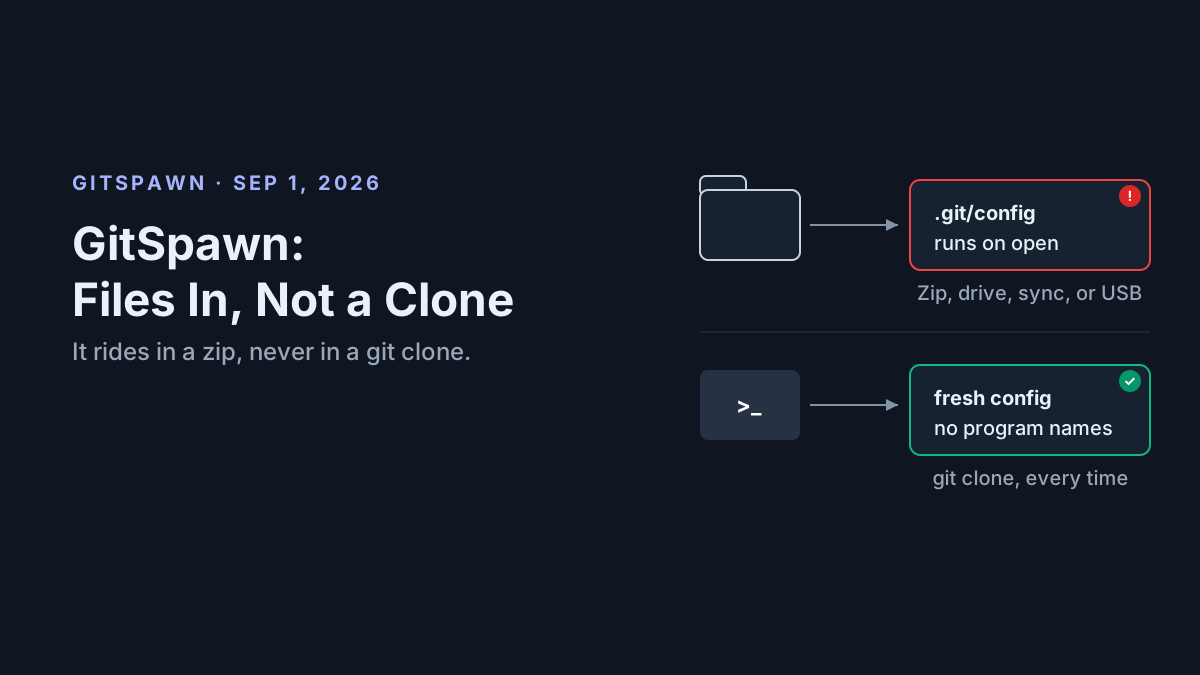
Manifold Security’s Francisco Rosales published GitSpawn on Sep 1, 2026: “Eight findings across seven agents. Four remain unpatched at publication.” Agents run git status and git diff variants the moment they open a folder; those commands refresh the index; core.fsmonitor in the repository’s own .git/config names a helper git runs during that refresh. Delivery matters: “git never carries this. Cloning a hostile URL does nothing, and neither does fetch or pull.” The repository has to arrive as files with .git inside, by zip, shared drive, sync folder, or USB. Manifold’s mitigation, verbatim: “Inspect .git/config before you open the directory with an agent. Any setting that names a program can run it.”
The Hacker News, Sep 2, 2026, reported that fixes had shipped for Goose, Claude Code, and Cursor, while Hermes Agent, Qwen Code, Grok Build, and a second Claude Code path still executed repository-supplied commands when Manifold retested them on September 1. Its account of the Codex variant says the helper ran outside the command sandbox and without approval, with the launching user’s privileges. If that developer account is a local administrator, the attacker inherits that reach.
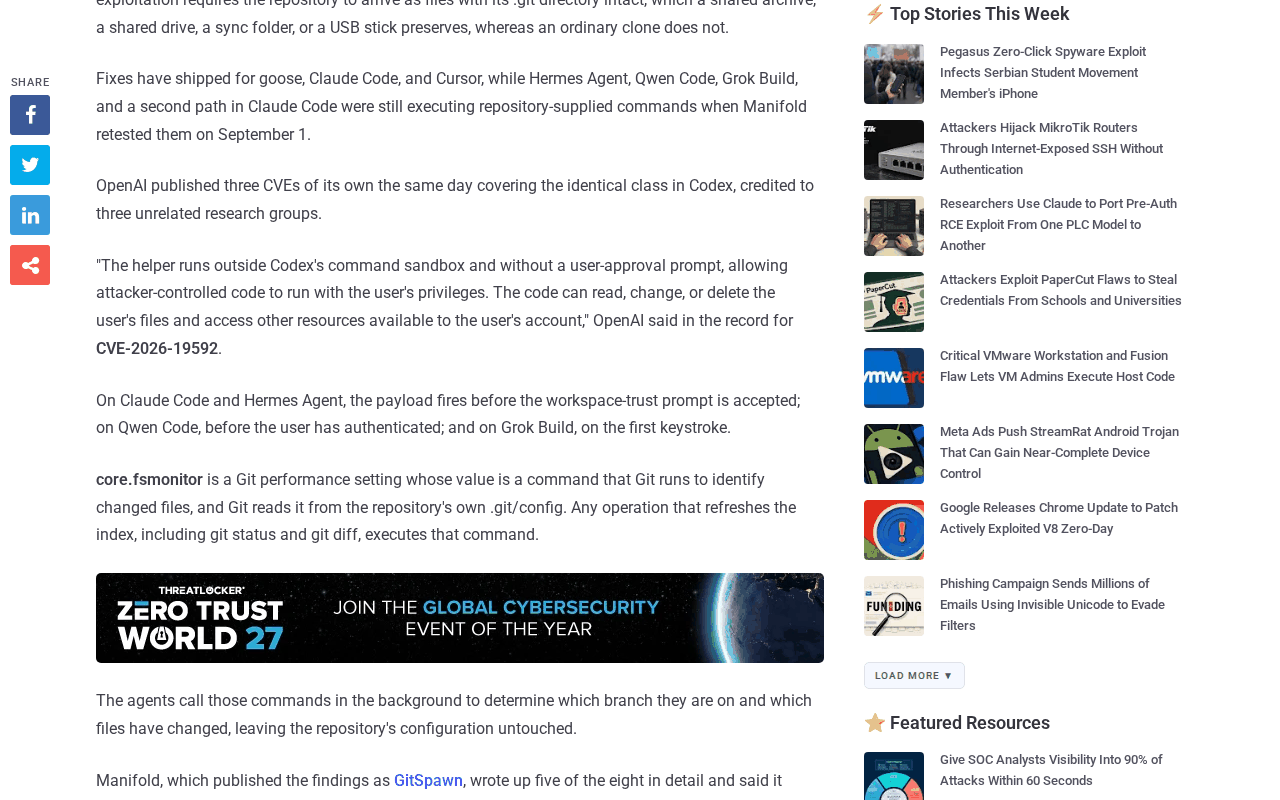 Screenshot: The Hacker News, GitSpawn coverage (Sep 2, 2026), captured Sep 13, 2026.
paddo.dev’s Sep 4 write-up supplies the two numbers for the budget meeting, “Seven agents. No prompt, no sandbox, no model in the loop. Claude Code alone ships 77 million npm downloads a month” (paddo.dev’s figure), under a title that ends “a Bug VS Code Fixed in 2021.” Those npm installs are the Windows problem in miniature: on the estate, most of them are node.exe running a script under a user profile, which is what an allowlist actually sees.
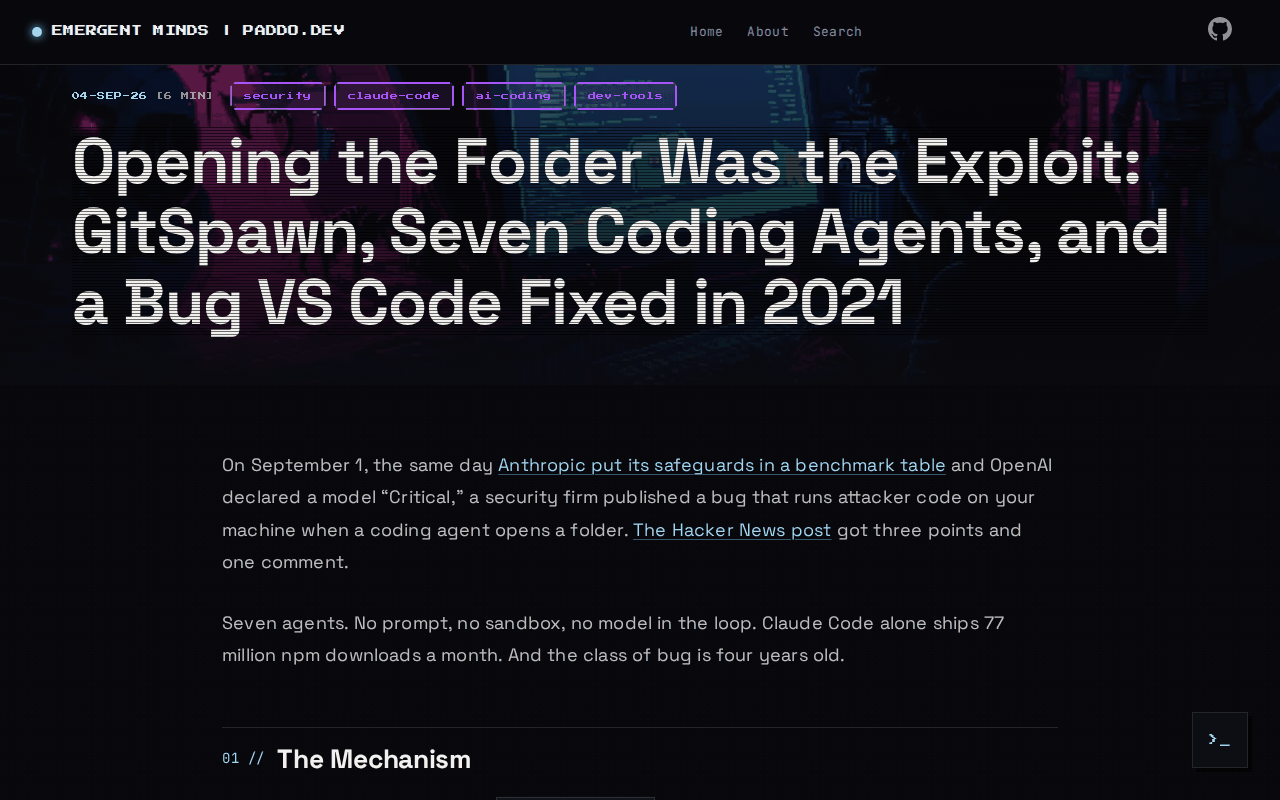 Screenshot: paddo.dev, “Opening the Folder Was the Exploit” (Sep 4, 2026), captured Sep 13, 2026.
What the corporate-AI checklist did not ask
The live checklist covered signed installers, transcript locations, egress, fleet visibility, and a local kill switch. It assumed the agent was a tool a user chose to run against code the user chose to trust. GitSpawn removes both assumptions: the agent runs git on the user’s behalf the instant a folder opens, and the folder came from wherever folders come from. The useful questions are therefore about the endpoint rather than the agent. Which account. Which build. Which git settings. Which folders. Those are the policy lines, and each has a Windows control already licensed.
The AI coding agent endpoint policy on one page
| Line | Policy statement | Windows tool that expresses it |
|---|---|---|
| 1. Account | Agents run under standard-user accounts; admin work uses a separate identity | Intune-managed local Administrators membership; separate admin accounts |
| 2. Allowlist | Only approved agents at or above a version floor may launch | AppLocker or App Control for Business publisher rules, delivered by Intune |
| 3. Git policy | Program-running git settings are overridden machine-wide | System gitconfig plus machine environment variables, by Group Policy Preferences or Intune |
| 4. Intake | Repositories that arrive as files reach agents only as fresh clones | A quarantine share with its own owner, a scan job, an internal remote |
| 5. Evidence | Every line above leaves a record that outlives the laptop | Event forwarding, transcripts under the profile, a version inventory |
Expressing the AI coding agent endpoint policy with Intune, AppLocker, and Group Policy
Budget two weeks: one in audit mode, one in enforce. Feature descriptions below follow Microsoft’s documentation at learn.microsoft.com; every configuration shape is illustrative and needs the exact setting names checked against your tenant before it ships.
Step 1: Take coding agents off admin accounts
The helper git runs inherits the token of whoever launched the agent, which is what “with the user’s privileges” means in the OpenAI record. So the first line costs nothing and removes the most: developers do daily work as standard users, admin work happens under a separate admin identity, and the local admin password is managed and rotated rather than shared. Intune manages local group membership centrally, and time-bound elevation exists for the cases where a developer genuinely needs it (learn.microsoft.com). The audit is one line: a weekly Get-LocalGroupMember -Group Administrators from the endpoint agent, diffed against the list of accounts known to run coding agents, with the result kept as evidence.
Signal: any name that appears both in the Administrators output and in the agent-user list is a ticket, and “needed for Docker” is the usual justification. Give that developer a separate admin identity rather than admin on the account that opens vendor zips. That separation is the desk-level version of the agent-as-service-principal argument.
Step 2: Allowlist agents by publisher and version floor
AppLocker and App Control for Business, formerly called Windows Defender Application Control, support signed-file rules based on publisher attributes and file-version ranges; Microsoft documents deployment through Intune (learn.microsoft.com). Where the launched executable is signed and exposes useful product and version metadata, a floor of “at or above the first patched build” becomes one rule per agent. Start in audit mode, count what would have been blocked for a week, then enforce.
The floors, as Manifold published them on Sep 1, 2026. They change weekly, so the table carries a date and the inventory job carries the truth.
| Agent | Tested version (Manifold) | Status, Sep 1, 2026 | Allowlist floor |
|---|---|---|---|
| Claude Code | fsmonitor path fixed in v2.1.196; a second path open at v2.1.252 | Partial | Current build; intake for file arrivals |
| Goose | v1.44.0 (CVE-2026-72718) | Patched | v1.44.0 |
| Hermes | v0.21.0 (CVE-2026-71963) | Unpatched | Deny until fixed |
| Qwen Code | v0.22.3 | Unpatched | Deny until fixed |
| Grok Build | v1.0.13 | Unpatched | Deny until fixed |
| Codex | patched (Sept 1 update) | Patched | Current build |
| Cursor | patched (Sept 1 update) | Patched | Current build |
Now the honest part. A publisher-and-version rule works only when the launched executable is signed and carries the product and version metadata you intend to match. Validate the signer, product, binary name, and version on the exact approved package before writing the rule. Package-manager shims may instead launch a shared runtime such as node.exe; in that case the agent’s package version is an inventory or package-distribution control rather than an executable publisher rule. Say which control you chose in the policy document.
# policy intent, illustrative; enter verified package attributes in AppLocker or App Control
name: approved-agent-version-floor
match:
  publisher: '<signer subject read from the approved binary>'
  product: '<product name read from the approved binary>'
  binary: '<binary name read from the approved binary>'
allow:
  version_at_or_above: '<current approved floor>'
WSL needs its own control line. Windows executable policy can govern the Windows process that launches WSL, but it does not version-gate a Linux package installed inside a distribution. Treat the distribution as a second host with its own package inventory, its own git, and its own copy of step 3.
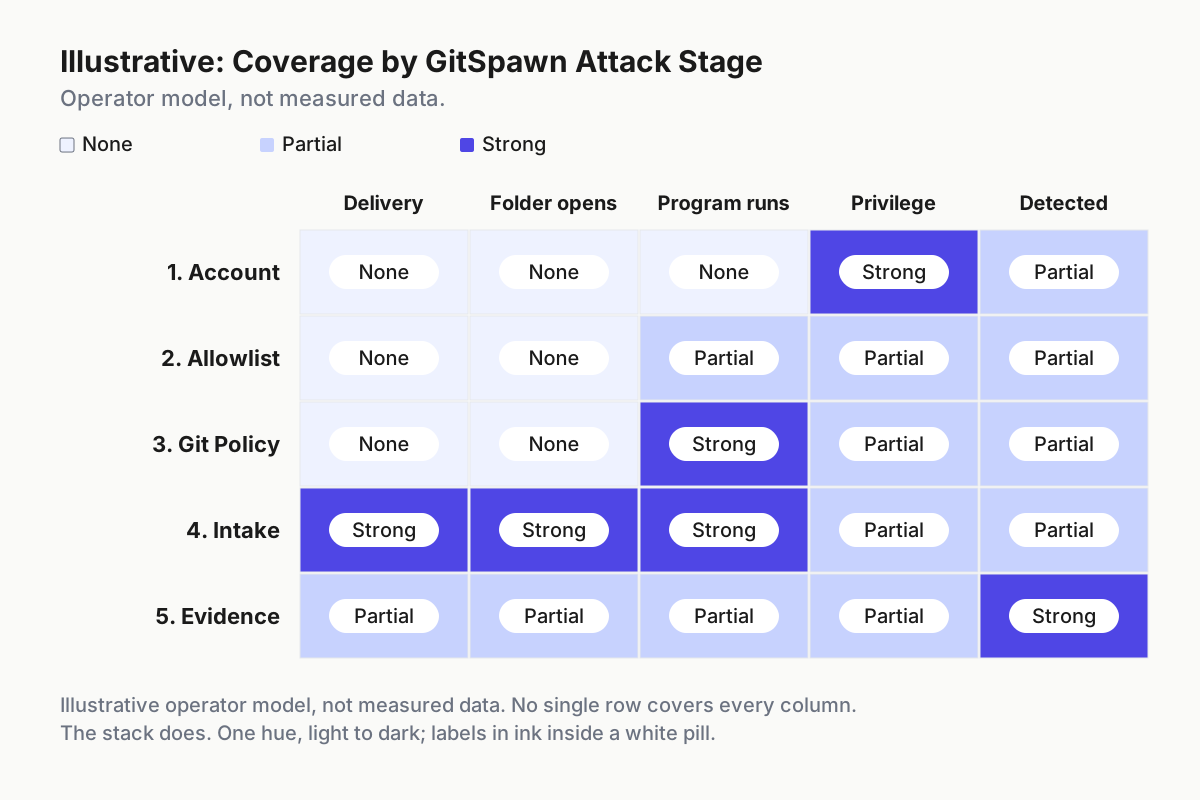
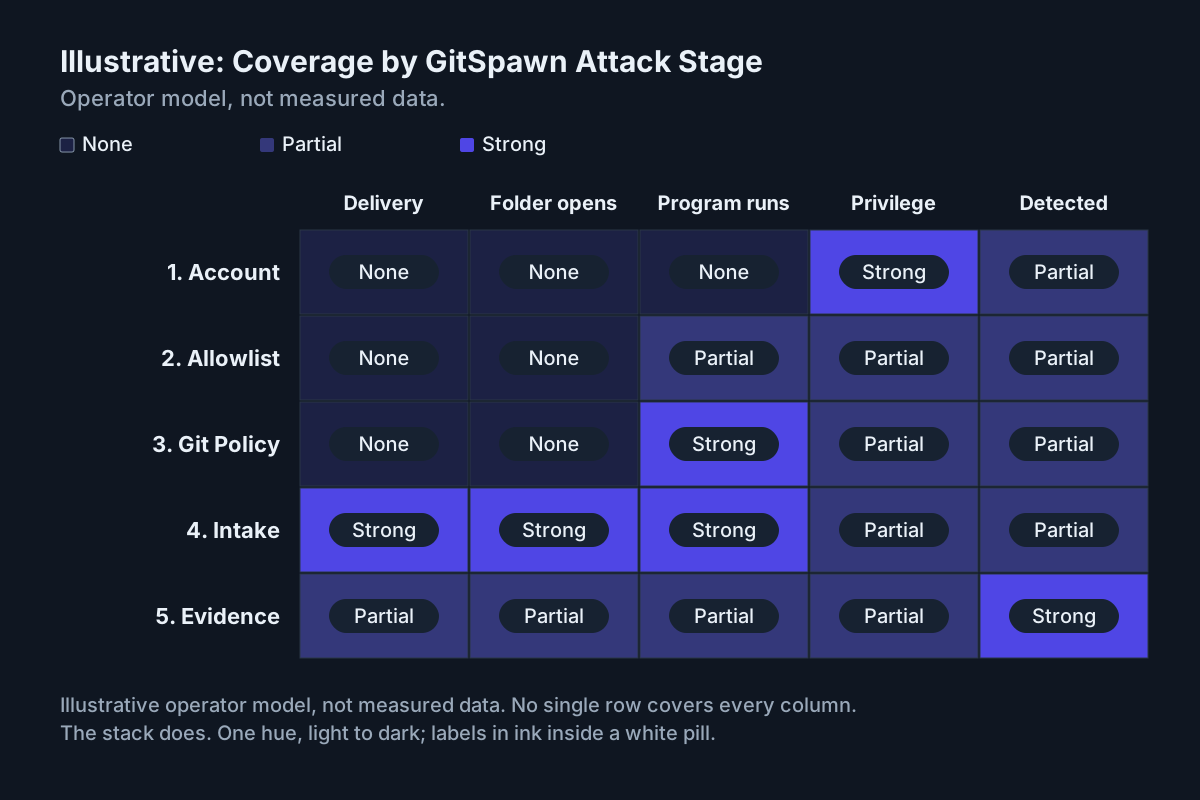 Illustrative operator model rather than measured data. No single row covers every column; the stack does.
Step 3: Push git policy from the system config and the machine environment
Start with git config --system core.fsmonitor false, then record where that Git installation stores the value by running git config --system --show-origin --get core.fsmonitor; do not hard-code an install path. Git reads system, global, repository, and command-scoped configuration in increasing precedence, so a hostile repository can override the system file. The system line is a statement of intent and a defense against accidents. It is not the control.
The stronger override is command-scoped configuration inherited through the environment. Git documents GIT_CONFIG_COUNT, GIT_CONFIG_KEY_0, and GIT_CONFIG_VALUE_0 as the environment form of -c; those values override file-backed configuration, including the repository’s own (git-scm.com). Windows IT can set the variables at machine scope with Group Policy Preferences or an Intune-delivered PowerShell script.
# illustrative machine-scope override; takes effect at next logon
[Environment]::SetEnvironmentVariable('GIT_CONFIG_COUNT', '1', 'Machine')
[Environment]::SetEnvironmentVariable('GIT_CONFIG_KEY_0', 'core.fsmonitor', 'Machine')
[Environment]::SetEnvironmentVariable('GIT_CONFIG_VALUE_0', 'false', 'Machine')
Three caveats, each one a design-review argument. A determined user can replace inherited environment values for child processes, so this stops a hostile repository rather than a hostile developer. The override covers only the keys you enumerate, and Manifold’s eight findings include one that is not core.fsmonitor; step 4 covers the class. Git for Windows treats core.fsmonitor = true as its built-in file-system monitor daemon while another string can name a hook program, so developers on very large repositories who want the daemon back can ask for a documented exception.
One thing to remove rather than add: safe.directory = *. It disables Git’s repository-ownership protection for every path. Search every system and global gitconfig for it, remove it, and add only the specific trusted exceptions the estate needs.
Step 4: Build the intake quarantine as a share rather than a desktop folder
The full intake runbook, with the complete list of program-naming keys, is in the GitSpawn repo intake checklist. The Windows shape is a file share rather than a desktop folder: \\files\repo-intake with inbox, scanned, and rejected, owned by a dedicated service identity, where standard users can write to inbox and nothing else. The intake job reads the config with Get-Content, never with git, pushes clean repositories to an internal remote, and developers clone from there. Nothing that arrived as files is ever opened where it landed.
# illustrative intake scan; the pattern is deliberately broad
$cfg = Join-Path $repo '.git\config'
$bad = 'fsmonitor|hooksPath|sshCommand|gitProxy|pager|editor|textconv|external|smudge|clean|process|driver|helper|program|include'
if ((Get-Content $cfg -Raw) -match $bad) { throw "STOP: program-naming setting in $cfg" }
Two Windows-specific additions. Schedule a scan for .git\config under every user’s Downloads and sync root, because the sync client that mirrors a folder to a second laptop mirrors its .git with it; every hit is an intake ticket. Use the agent’s own managed settings where the vendor provides them: Claude Code, for example, gives managed settings precedence over user and project settings (Claude Code permissions). That does not stop Git’s orientation calls, but it is where fleet-wide permission defaults live, in the dialect described in one permission dialect across coordinators and CLIs.
Step 5: Keep the evidence
AppLocker records allow, audit, and block outcomes in its event logs; forward them to the collector you already run, and the audit-to-enforce decision becomes a count rather than a feeling. Where a vendor’s local transcript records the working directory, retain that field to answer “did an agent touch that zip” after the fact. Add the intake log and a weekly diff of the version inventory, and each policy line has a receipt. That is the fleet replay argument applied to an endpoint estate.
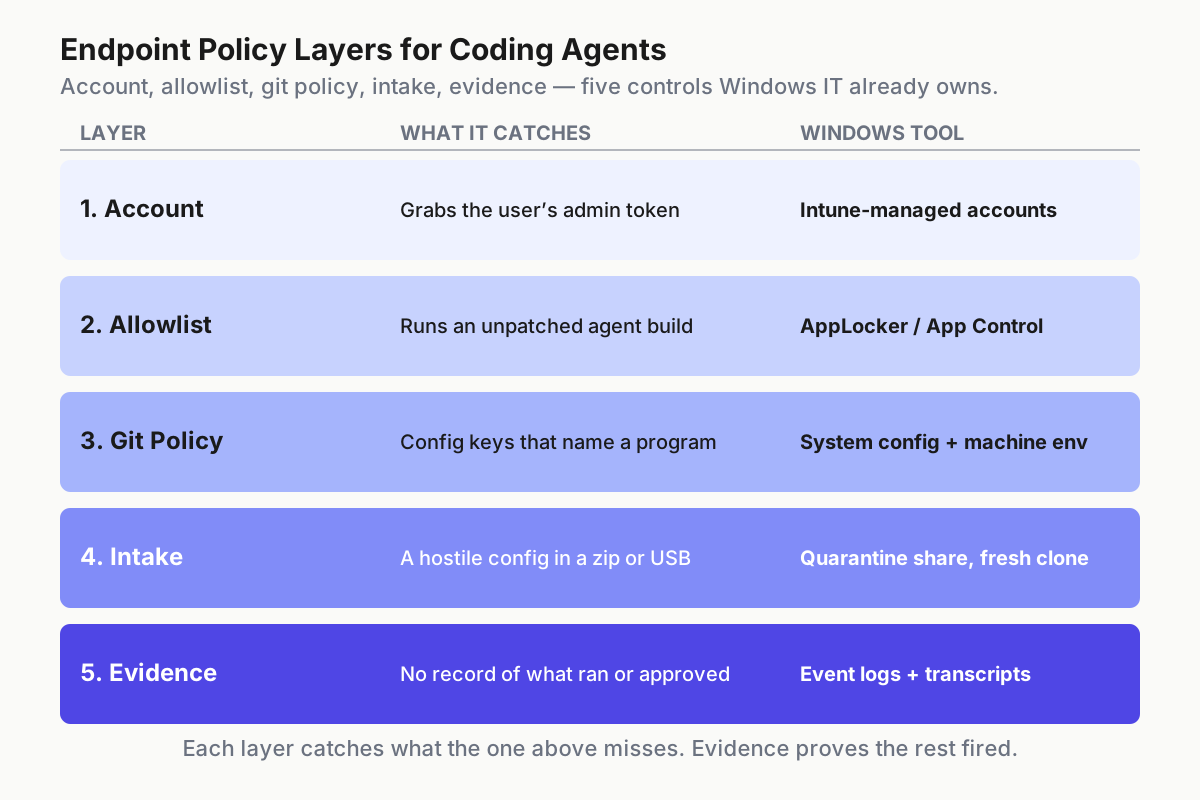
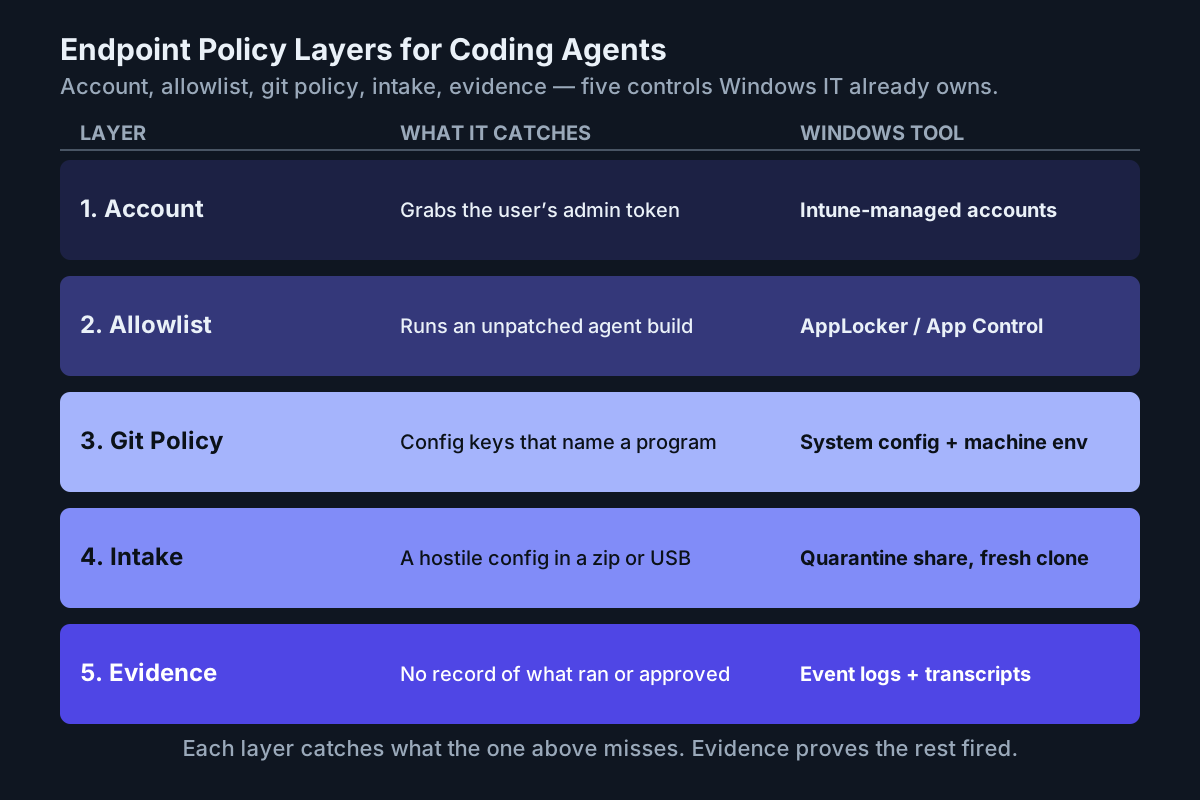 Each layer catches what the one above misses. The evidence layer is how you know which one fired.
Where the endpoint policy fails, and the signal for each
- Audit mode forever. Nobody flips enforce. Signal: audit events climbing week over week, blocked events at zero.
- The self-updating agent. An npm agent updates itself past the tested build, or a reinstall drops it below the floor. Signal: the version job disagrees with the floor table.
- Local admin creep. A developer is back in Administrators. Signal: the weekly group diff; the ticket says “needed for Docker.”
safe.directory = *returns. Someone silenced the error again. Signal: the system gitconfig hash changed.- The override is not inherited. An IDE launched at logon before the policy applied, so its integrated terminal has the old environment. Signal: in a fresh standard-user session,
git config --show-origin --get core.fsmonitordoes not resolve tofalsefrom the intended command-scoped source. Test the setting without executing a program from a repository. - The WSL host. An agent runs inside a distribution untouched by any of this, under the same user. Signal: the WSL inventory lists an agent binary, and its git has no override.
Endpoint policy is the operating layer IT already owns
None of this touched a model, a prompt, or a vendor console, because none of the exploit did. The layer that failed is the one around the agent: which account ran it, which build, what git could execute, where the folder came from, and whether anyone could prove it later. That is operating infrastructure for agents, and on a Windows estate the operating layer is already Intune, Group Policy, the event log, and the account model. Write the restricted-mode fleet policy into the same documents, and hand the threat model for acting agents to whoever owns the imaging tickets.
FAQ: coding agents and Windows endpoint policy
Can AppLocker block AI coding agents by version?
For a signed executable whose publisher metadata includes a usable file version, yes: a publisher rule can admit the approved floor and block older builds. When a package-manager shim launches a shared runtime such as node.exe, pin the package through your managed source and verify its version with a scheduled inventory job instead.
Should developers run AI coding agents as local admin?
No. GitSpawn’s helper runs with the launching user’s privileges, before any trust prompt, so an admin account turns a hostile zip into an admin shell. Daily work belongs on a standard-user account with a separate, managed admin identity for the rare tasks that need elevation.
Sources
- Manifold Security, GitSpawn: A Single Flaw Lets Untrusted Repos Run Code in Claude Code, Codex, Cursor, and Grok (Sep 1, 2026)
- The Hacker News, Malicious .git Configs Can Make AI Agents Run Attacker Code (Sep 2, 2026)
- paddo.dev, Opening the Folder Was the Exploit (Sep 4, 2026)
- Microsoft Learn, Intune, AppLocker, App Control for Business
- Git, configuration and environment reference
- Anthropic, Claude Code permissions and managed-settings precedence