Talk to Your Agents: Voice-Driven Development Grows Up
Voice-driven development grew up: push-to-talk hotkeys, local GPU speech-to-text, and voice-to-spec pipelines. Where dictation beats typing, plus a setup guide.

Go deeper. Build your own.
Start with the number that reframes the topic: you speak at roughly 150 words a minute and type at maybe 60 on a good day. For decades that gap was irrelevant to programmers, because nobody writes code at speaking speed — code is precision work, and dictating for (int i = 0; is slower than typing it. Then the job changed. Voice-driven development in 2026 is not about dictating code. It is about directing agents, and directing is done in prose — the one thing speech has always been three times faster at.
Watch a good agent operator for an hour and count what they actually type. A 40-word task description. A two-line correction. “Yes.” The code gets written by the harness; the human contribution is intent, constraints, and judgment. Once that is the job, a push-to-talk key and a good local speech-to-text model stop being accessibility tooling and start being throughput tooling.
This playbook covers the whole stack as it stands in August 2026: why voice finally fits, the capture-transcribe-deliver pipeline, the local-GPU-versus-cloud decision, where voice genuinely wins and where it still embarrasses you, a setup guide you can finish in an afternoon, and etiquette for talking to a fleet without triggering something destructive.
Why voice-driven development fits agent work
Voice-driven development is the practice of directing software work by speech — dictating task briefs, review comments, and corrections to AI coding agents — while speech-to-text, increasingly running locally on a GPU, turns the words into text a harness can act on. Precision editing stays on the keyboard; intent moves at speaking speed.
The old dream of voice coding failed on precision. Dictating symbol-by-symbol means pronouncing punctuation, casing, and identifiers, and outside the accessibility community — where tools like Talon made it genuinely work for developers who had no alternative — the cost never beat the keyboard. Every viral demo of someone “coding by voice” before the agent era was either that hard discipline or a parlor trick.
Two things changed. First, the input to programming stopped being code. On the 2026 harness field map, every serious tool takes natural-language direction and produces diffs; the human writes briefs, not braces. A brief has no syntax to mispronounce.
Second, the consumer of your words is now a model, and models are robust to exactly the failures that made dictation fragile. A transcript that renders “worktree” as “work tree” or drops an “um” is a catastrophe for a compiler and a non-event for Claude Code. Speech recognition also simply got better and cheaper to run: OpenAI’s Whisper put a strong open model in everyone’s hands in 2022 (paper), whisper.cpp made it run on consumer hardware, and by 2026 the open models topping the Open ASR Leaderboard transcribe with word error rates around six percent while running many times faster than real time on a desk GPU.
The result is a quiet inversion. Typing is now the slow, lossy channel for the part of the job that grew — explaining what you want — and the fast, exact channel for the part that shrank. Use each for what it is.
The 2026 voice stack: capture, transcribe, deliver
A working voice pipeline has three layers, and confusion between them is why most first attempts feel clumsy.
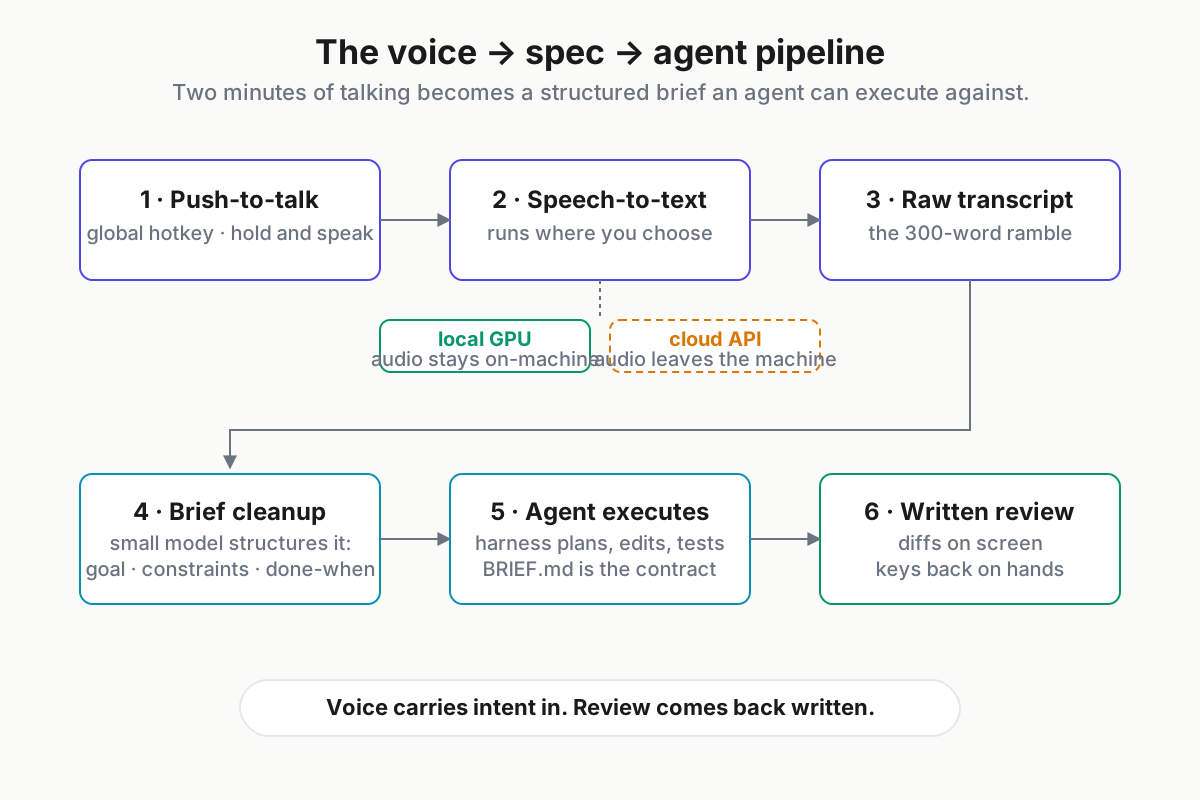
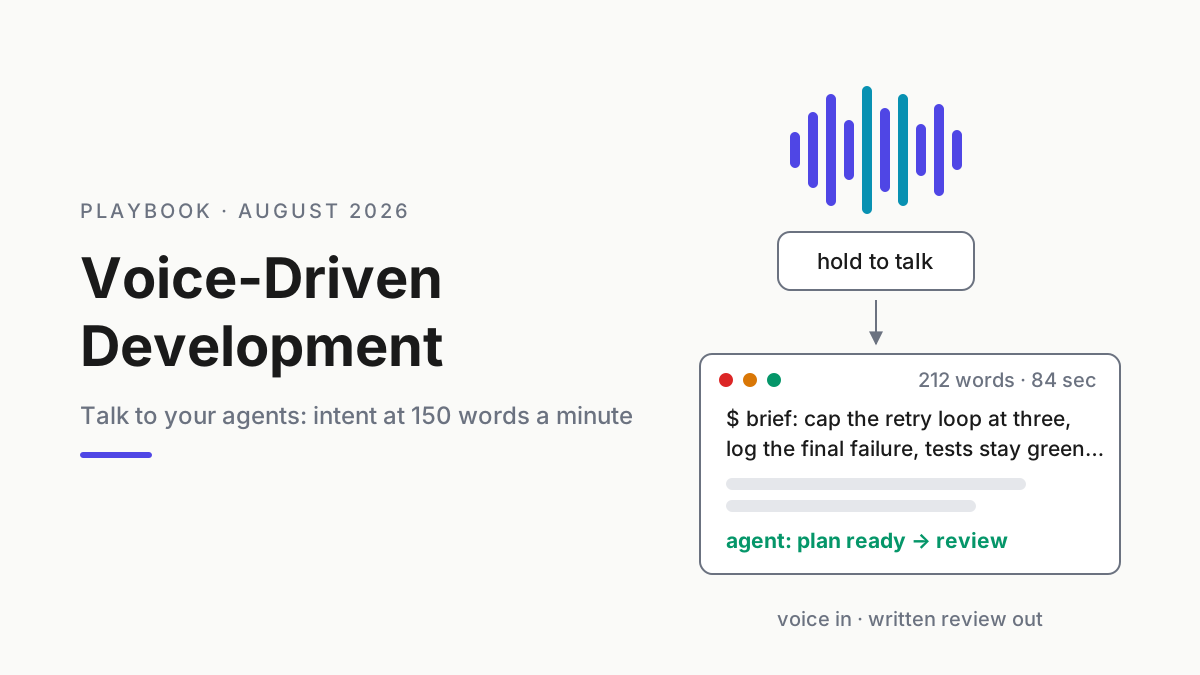
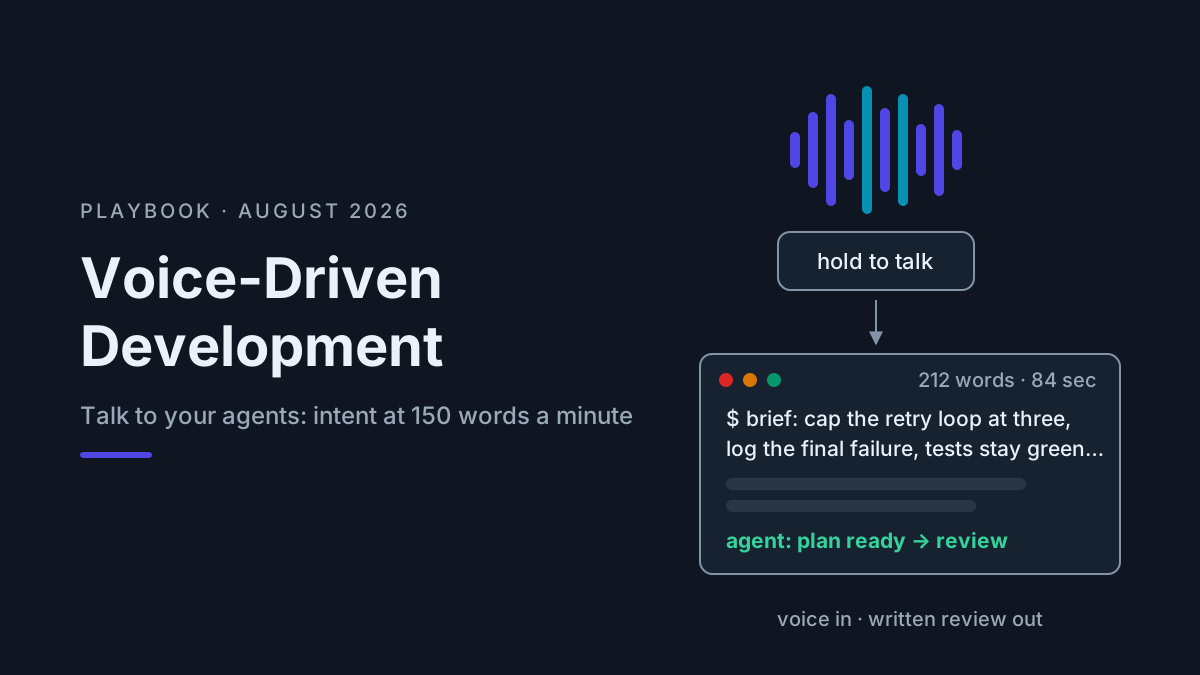
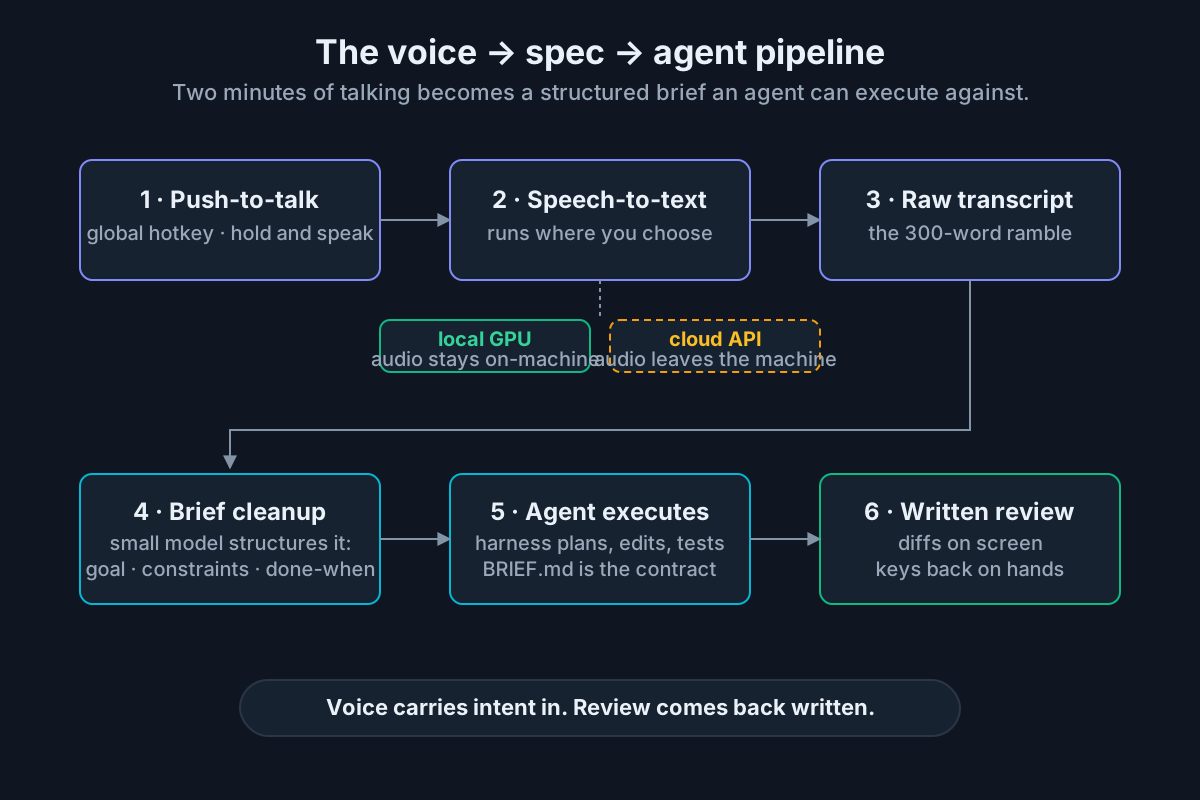 The pipeline: hold a key, talk, and a structured brief lands in front of an agent. Review stays written.
Capture is the unglamorous layer that decides whether you use the system at all. The requirements are strict: a global push-to-talk hotkey that works in whatever app has focus — terminal, editor, browser — because harnesses themselves do not ship voice input; the capture layer sits above them at the OS level. Push-to-talk beats an open mic for developers specifically: your room contains meetings, colleagues, and podcasts, and an always-listening mic in a shell context is a security incident waiting for a wake word.
Transcription is where the local-versus-cloud decision lives — the next section takes it seriously. The short version: a quantized Whisper large-v3-turbo or an NVIDIA Parakeet-class model on a consumer GPU is accurate enough and effectively instant, and your audio never leaves the machine.
Delivery is what happens to the text, and it has two modes. Raw dictation types the transcript into the focused app — good for chat replies and quick steering. The more interesting mode is the voice-to-spec pipeline: the raw ramble gets a cleanup pass — a small local model reformats it into a structured brief with goal, constraints, and acceptance criteria — before any agent sees it. That turns two minutes of thinking out loud into the kind of artifact spec-driven development says agents should be working from anyway. Dictation is how specs get cheap.
Treat the ramble itself as a feature. Spoken briefs run three to five times longer than what the same person types, and the extra length is context — the edge cases you mention because saying them costs nothing, the constraint you’d have skipped at the keyboard. A context dump by mouth is still context engineering; the window doesn’t care which muscle produced the tokens, and the agent’s clarifying-question count drops when the brief stops being terse.
Local GPU speech-to-text vs cloud: the real trade-offs
Every dictation product in 2026 offers some mix of local and cloud transcription, and the right answer for developers is unusually clear-cut. Here is the honest comparison.
| Factor | Local GPU STT | Cloud STT |
|---|---|---|
| Latency | Sub-second for a 30-second brief on an RTX-class card; no network in the loop | Upload plus round trip; fine on office fiber, painful on hotel Wi-Fi |
| Privacy | Audio never leaves the machine | Your spoken architecture notes, incident details, and the secret you said without thinking transit a third party, subject to its retention terms |
| Accuracy | Open models around 6% WER; English-only models like Parakeet lead on speed, Whisper large-v3 on multilingual | Comparable; strongest on rare accents and noisy audio |
| Cost | Free after hardware you likely own | Cheap per clip — OpenAI lists transcription at $0.006 per audio minute — but metered forever (OpenAI docs) |
| Offline | Works on a plane, in the basement lab, behind the air gap | Does not |
| Jargon adaptation | Full control: seed the decoder with your project’s vocabulary | Varies by provider; less control |
The privacy row deserves the emphasis practitioners give it. Dictated briefs are the most sensitive text you produce all day — unreleased features, security incidents, candid assessments of vendor code — spoken fluently precisely because talking feels informal. Local speech-to-text keeps the informality and deletes the exposure, which is why the local-first stance here is not ideology; it’s threat modeling.
The hardware bar is lower than the local AI workstation conversation might suggest. STT models are small: a quantized large-v3-turbo fits in a few gigabytes of VRAM, Parakeet’s 0.6B parameters are a rounding error next to a coding model, and whisper.cpp runs both CUDA and Apple-silicon Metal paths. Any machine that can drive a modern game can transcribe faster than you can talk. No GPU at all still works — smaller models on CPU with a beat of lag, which is where cloud or hybrid “auto” modes earn their keep as fallbacks rather than defaults.
So the 2026 verdict: local by default, cloud by exception. The exceptions are real — battery-constrained laptops, hard accents plus niche jargon, long meeting recordings you batch-process — and a stack with local/cloud/auto modes covers all of it without renegotiating your privacy posture per utterance.
Where voice wins
Voice earns its place in five workflows, in descending order of payoff.
Context dumps and kickoff briefs. The start of every agent task is the highest-leverage moment for words, and the moment typing shortchanges most. Two minutes of push-to-talk produces the 300-word brief — history, constraints, dead ends already tried, what done looks like — that a typed prompt compresses to 40 words. Richer briefs mean fewer clarification round trips and fewer wrong-direction tokens.
Review narration. Reading an agent’s diff with your hands off the keyboard, dictating as you go: “Second file, the retry loop — cap it at three attempts and log on the final failure. The test rename is fine.” Your eyes never leave the diff; the comments land in the session. Review is the half of agent work that was already reading-plus-judgment, and speech annotates judgment without breaking gaze.
Away-from-desk check-ins. The cowork surfaces — Claude Code on the web, Codex cloud, mobile companions — made long-running agents reachable from a phone, and a phone is a terrible place to type a hundred words and a fine place to say them. Dictating “looks good, but hold the migration until I’m back” from the hallway is a real workflow now, not a demo.
RSI relief and accessibility. The community that pioneered voice coding out of necessity proved the ceiling is high. Agent-era voice lowers the floor: since the bulk of input is now prose, developers managing RSI can shift most of a workday’s input off their hands without the years-long climb symbol-level dictation demanded.
Thinking out loud, kept. A dictated design ramble, transcribed and cleaned, is a design note that exists — versus the whiteboard monologue that evaporated. Some operators run the pipeline purely for this: talk through the approach, let the cleanup pass structure it, then hand the result to both the agent and the repo’s docs folder.
Where voice fails
Honesty about the failure modes is what separates a usable setup from an abandoned one.
Precise edits. “Change getUserById to take an options object” dictates fine — because the agent does the editing. But directly dictating an identifier, a regex, or a one-line fix remains slower and angrier than typing it. If your hands are on the keyboard and the change is under a sentence of intent, type it.
Symbols, casing, and homophones. Transcription still mangles snake_case versus “snake case,” renders “cache” as “cash,” and guesses wrong on project names it has never heard. Seeding the model with your jargon (next section) fixes most of it; the rest you catch because briefs get read before they run.
Secrets, out loud. Never speak a credential. It lands in a transcript file, and depending on your mode it may transit a cloud API. Voice is for intent; secrets go through a manager, not your mouth — and not into typed prompts either, while we’re at it.
Shared air. Open-plan offices impose a tax on any voice workflow: social friction for you, noise for the room, and the occasional colleague’s sentence transcribed mid-brief into your instruction. Push-to-talk limits the blast radius; some contexts still mean headphones-and-keyboard, and that’s fine — voice is a lane, not a lifestyle.
Correction spirals. When a transcript comes out wrong, fixing it by voice is misery. The rule that keeps the whole system pleasant: voice for intent, keyboard for precision, screen for review. The moment an utterance needs surgery, stop talking and type.
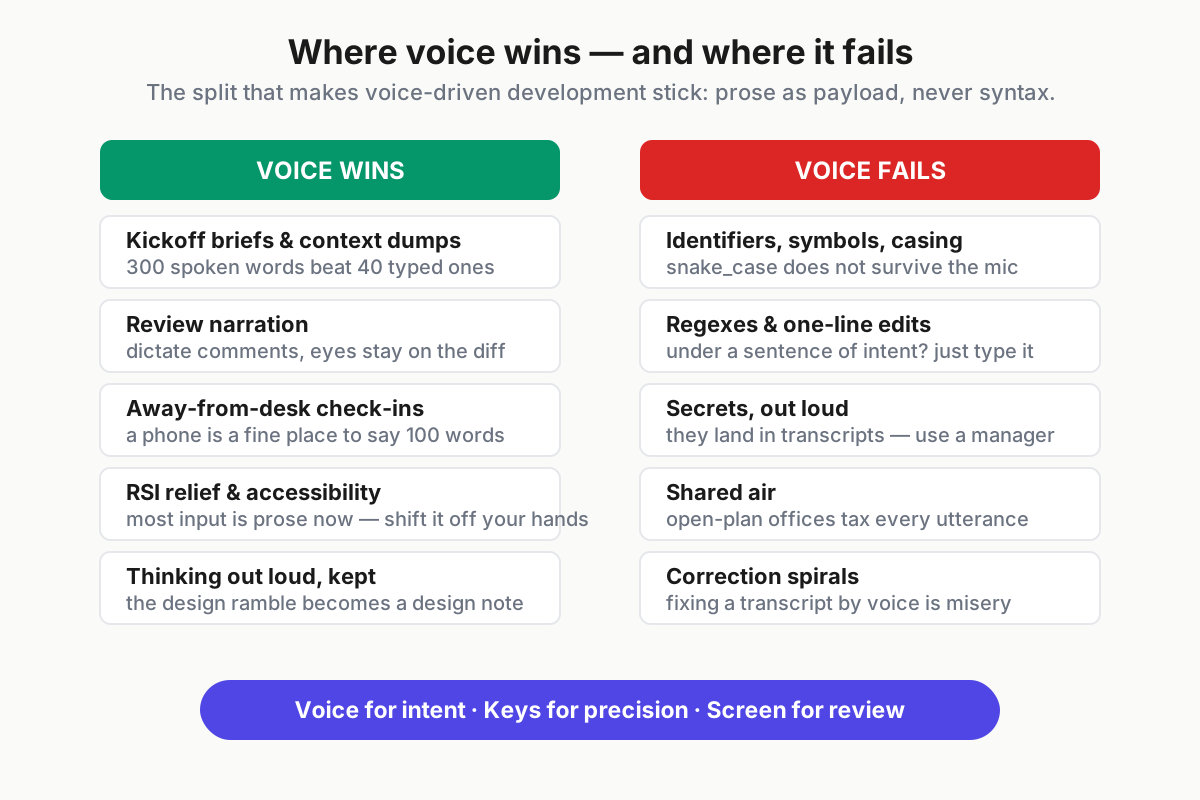
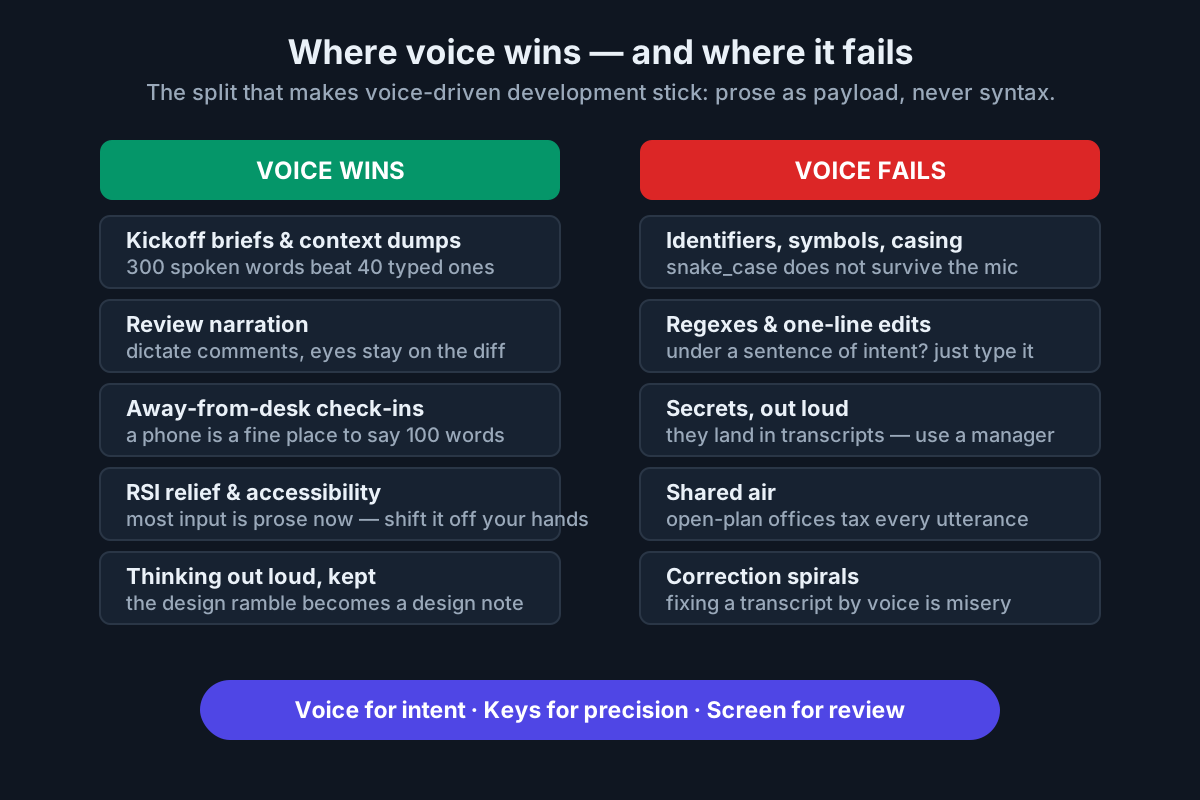 The split that makes voice stick: use it where prose is the payload, never where syntax is.
Setup guide: voice-driven development in an afternoon
Five steps, ordered so each is useful even if you stop there.
Step 1 — install the capture layer. You need exactly three properties: a global hotkey, push-to-talk behavior, and dictation into whatever app holds focus. If a tool can’t dictate into your terminal, it will never touch your agent workflow; test that first.
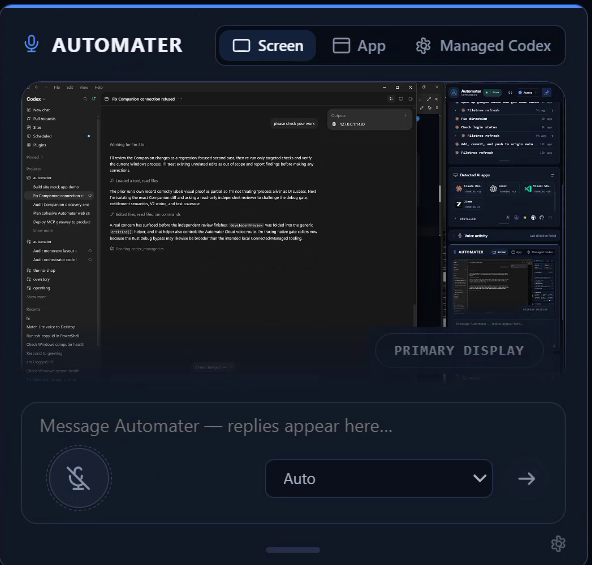
Product note: This layer is what Automater Lite Voice ships: press the global hotkey (Ctrl+Alt+Space), talk, and the transcript types itself into whatever app has focus — terminal, editor, browser. Speech-to-text runs locally on your GPU, so briefs stay on your machine. Automater Lite is a free download for Windows, macOS and Linux at automater.ai/downloads.
Step 2 — pick the transcription mode. A discrete GPU or Apple silicon: run local with Whisper large-v3-turbo or a Parakeet-class model and forget the cloud exists. CPU-only laptop: try a small quantized model first; fall back to cloud or auto mode if the lag annoys you. Multilingual household or team: Whisper’s large models remain the multilingual default; Parakeet-class leaders are English-only.
Step 3 — seed your vocabulary. Whisper-family models accept a decoder prompt; loading it with your project’s proper nouns is the single highest-impact accuracy fix — far more than upgrading models. Keep a per-project jargon line and pass it on every transcription.
Step 4 — wire the duct-tape pipeline once, to understand it. Even if a dictation app does this for you, running the pipeline by hand teaches you where quality is won:
# 1. capture ~30 seconds of push-to-talk audio (16 kHz mono WAV)
arecord -f S16_LE -r 16000 -c 1 -d 30 /tmp/take.wav

# 2. transcribe locally, seeding the decoder with project jargon
whisper-cli -m models/ggml-large-v3-turbo.bin -f /tmp/take.wav -nt \
  --prompt "MCP, worktree, Tauri, pnpm, AGENTS.md, Fable, whisper.cpp" \
  -otxt -of /tmp/take

# 3. structure the ramble into a brief the agent can execute against
ollama run qwen3-coder-next "Rewrite this dictation as a task brief: goal, \
constraints, done-when. Keep every constraint stated. $(cat /tmp/take.txt)" \
  > BRIEF.md

# 4. hand it to the harness
claude "Read BRIEF.md and propose a plan before touching anything."
Step 3 of the pipeline is the quiet star. The cleanup model needs no brilliance — it’s reformatting, not reasoning — so a small local model is ideal; Ollama serving a mid-size coder like Qwen3-Coder-Next’s ~18GB class handles it without touching your API budget (model roundup).
Step 5 — run the one-week trial. Dictate every kickoff brief for five working days, typing everything else as usual. Then compare a week of spoken briefs against your old typed prompts on three axes: brief length, agent clarification questions, and how often the first plan was the right one. If the spoken briefs aren’t measurably richer, your setup has a friction problem — usually the hotkey or the lag — not a concept problem.
Fleet etiquette: voice around multiple agents
Voice plus one agent is a convenience. Voice plus a fleet needs rules, because speech is fast, ambient, and easy to misroute — and fleets act on what they hear.
Address before instruction. When you run several sessions, name them, and start every utterance with the target: “Billing — rerun the failing suite.” “Scout — where does retry logic live?” A misrouted spoken instruction is the voice-era version of typing into the wrong terminal, and it’s likelier, because your eyes weren’t on the window. The naming discipline that makes running multiple AI coding agents survivable is the same discipline that makes them addressable.
Confirmations stay typed. Destructive actions — deletes, force-pushes, migrations, anything your harness gates behind a permission prompt — get confirmed by keystroke, never by voice. Transcription errors, ambient speech, and a colleague’s “yes, exactly” from across the room are all reasons an utterance must never be the thing that arms an irreversible action. Configure gates accordingly and treat any tool that auto-approves from a voice channel as misconfigured.
Delegation is a speech act; verification isn’t. Dictating “spin up a reviewer on that diff” fits naturally into subagent orchestration — kickoffs and steering are prose. But reading the resulting diff, checking the test output, merging: written, on screen, with your hands back on the keys. Voice out — agents reading code aloud — remains a gimmick; voice in is the win.
Keep the briefs with the record. A spoken brief is part of the session’s history; whatever archives your transcripts should get the brief text too, or next month’s “why did we build it this way” search comes up empty exactly where the reasoning happened.
Voice-driven development, done this way, is unglamorous in the best sense: a hotkey, a local model, a few habits, and suddenly the richest part of your input runs at 150 words a minute. The agents were always ready to listen. The stack finally deserves to be talked to.
FAQ: voice-driven development
Is voice coding actually practical in 2026?
Yes — with the job redefined. Dictating code symbol-by-symbol remains niche outside accessibility use, but directing AI coding agents by voice is practical daily work: task briefs, review comments, and steering are prose, speech is roughly three times faster than typing, and models tolerate transcription noise gracefully.
Do I need a GPU for local speech-to-text?
No, but it helps. Quantized small models transcribe on CPU with noticeable lag; any modern discrete GPU or Apple-silicon Mac runs large-model speech-to-text effectively instantly, since STT models are tiny next to coding models. Without either, hybrid modes that fall back to cloud transcription keep push-to-talk responsive.
What is the best speech-to-text for programming?
As of August 2026, Whisper large-v3-turbo is the multilingual local default, and English-only leaders like NVIDIA’s Parakeet family top the Open ASR Leaderboard on accuracy and speed. Model choice matters less than vocabulary seeding: feeding your project’s jargon to the decoder fixes most programming-specific errors.
Can you run AI coding agents entirely by voice?
You can brief, steer, and delegate entirely by voice, and on phone-based cowork surfaces people do. Keep two things off the mic: confirmations for destructive actions, which should require a typed keystroke, and review, which stays written — diffs and test output are read, not heard.
How do you dictate code identifiers and symbols?
Mostly, you don’t. State intent — “rename the retry helper to include the queue name” — and let the agent produce exact identifiers. For unavoidable terms, seed the transcription model’s prompt with your project vocabulary, spell a rare name once, and switch to the keyboard when an utterance needs surgery.
Sources
- Whisper — OpenAI (GitHub)
- Robust Speech Recognition via Large-Scale Weak Supervision (arXiv)
- whisper.cpp — ggerganov (GitHub)
- Open ASR Leaderboard (Hugging Face)
- Parakeet TDT 0.6B v2 — NVIDIA (Hugging Face)
- Speech-to-text guide (OpenAI platform docs)
- Ollama (ollama.com)
- Best open-source coding models 2026 (morphllm.com)