Computer Use Agent Windows Policy: Entitlements Before the Mouse Moves
A computer use agent windows policy for corporate endpoints: approved models, standard-user driver accounts, an entitlement matrix, a kill switch and logging.

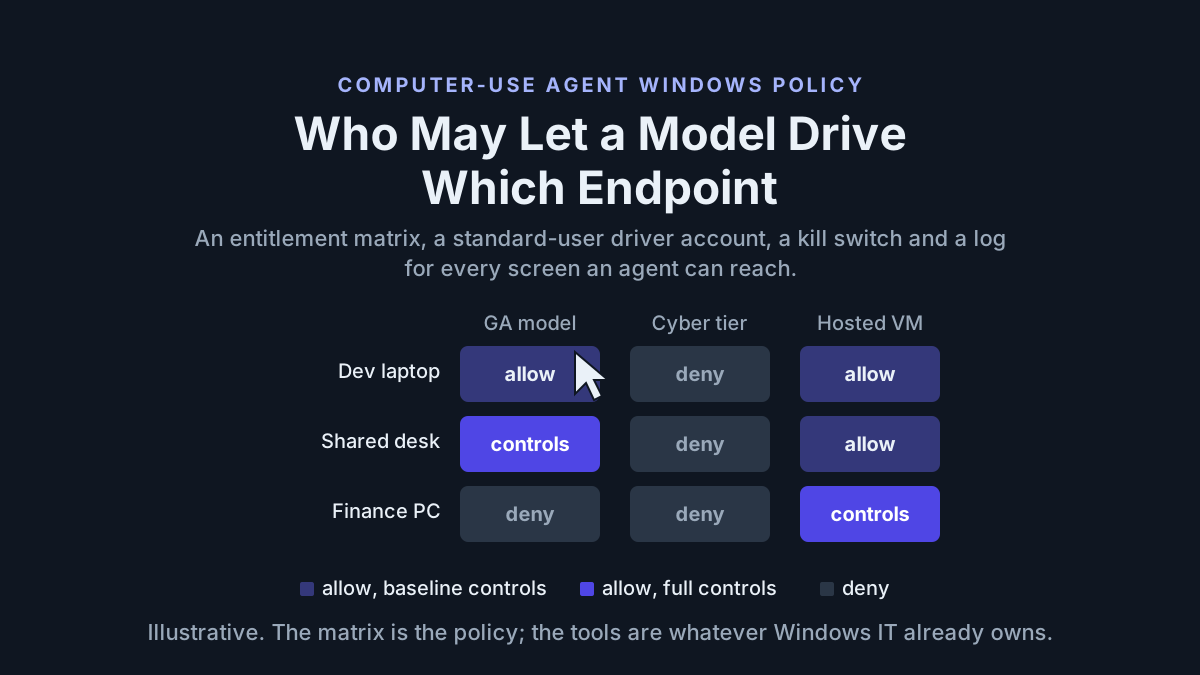
The change ticket is four lines long: enable the new computer-use model for the support team, forty endpoints, by Friday. The workspace toggle takes one click. The part nobody wrote a ticket for is what happens on those forty machines the moment a model can open the same windows the support agent can, under the same login, with the same mapped drives.
A computer use agent windows policy answers one question the coding-agent policy never had to: who may let a model drive which endpoint class, at which model tier, under which controls. This piece writes that answer as an entitlement table, a standard-user driver account, an intake quarantine for the driven session, a kill switch with a drill time, and a logging table, each expressed in the tools Windows IT already owns. Everything named at the feature level; every configuration shape illustrative.
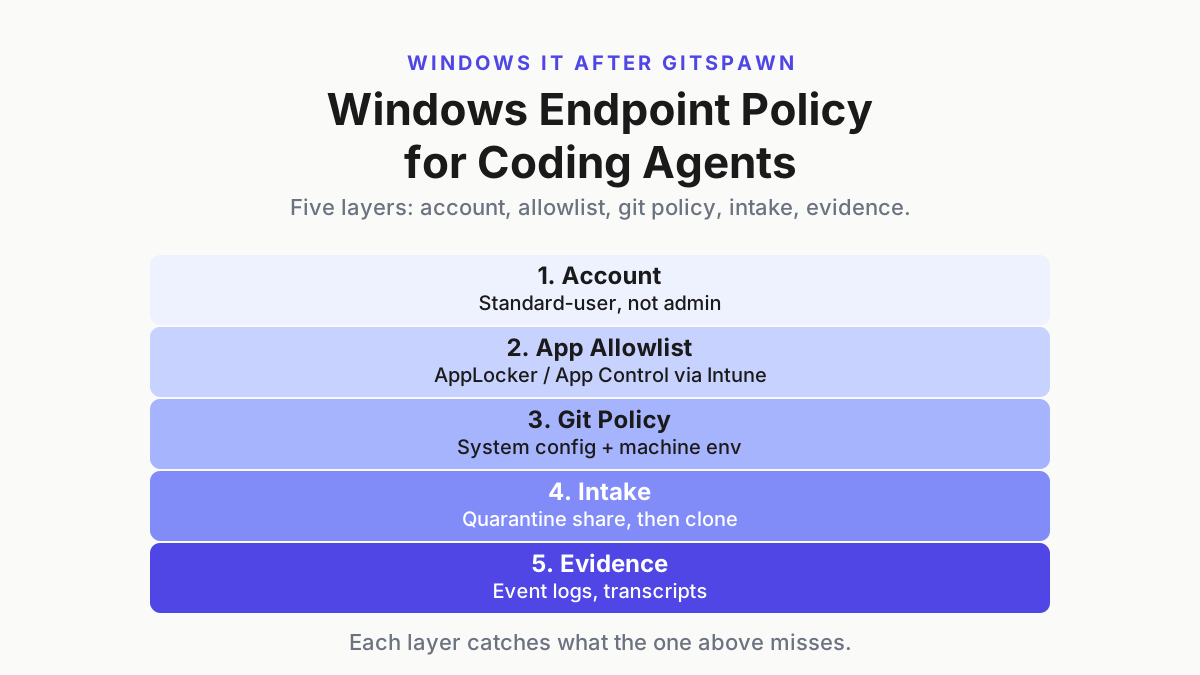
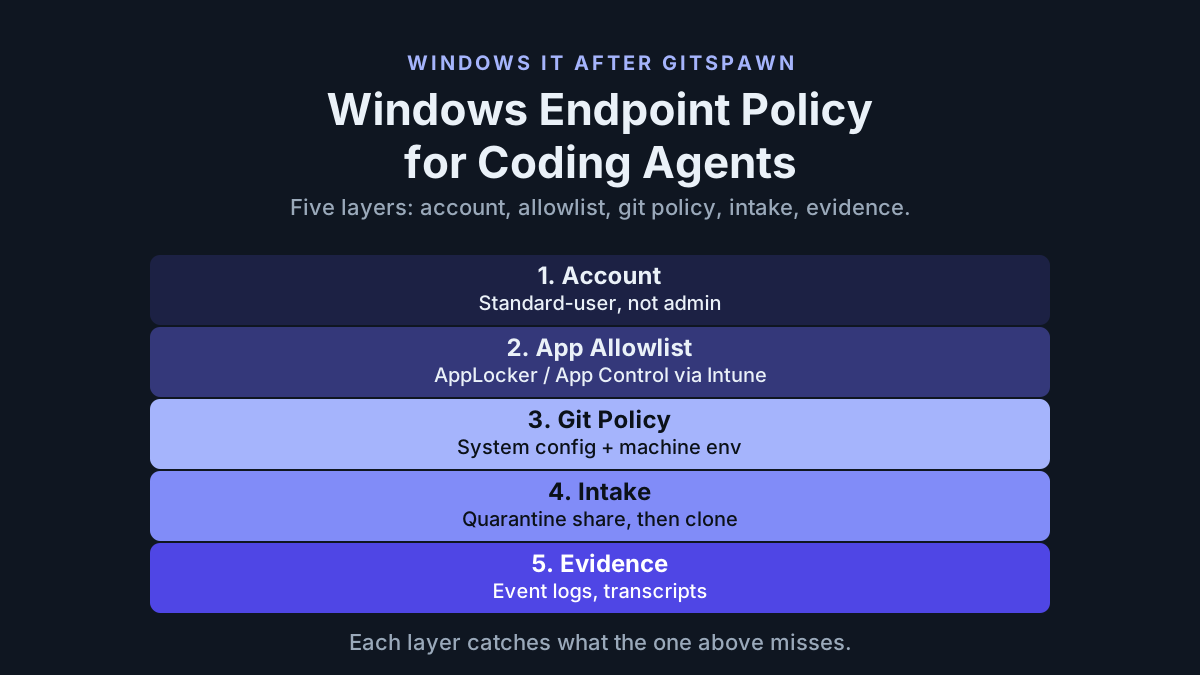
It extends two live pieces without repeating them. The coding-agent endpoint policy after GitSpawn covered what an agent runs when it opens a folder. The corporate AI on a Windows PC checklist covered where sessions live, what leaves disk and who sees the fleet. A screen-driving model adds a surface neither piece covered, the interactive session itself, and that surface has no API scope to fall back on.
Sep 3 and 4, 2026: the computer-use model arrives with an admin toggle
OpenAI launched GPT-6 Astra on September 3, 2026, and the launch page describes the surface an endpoint admin cares about in one sentence: “It can help you autonomously install and test software, and troubleshoot problems you see on screen.” Installing software and reading the screen are the two things an endpoint policy exists to govern. The same page gives the pace: “In latency simulations on OSWorld 2.0, Astra achieves higher computer-use performance in about 47% less time per task than GPT‑5.6 Sol, scoring 72.6% at roughly 40 minutes per task, compared with 65.7% at roughly 75 minutes.”
 Screenshot: OpenAI, “GPT-6 Astra” launch page (Sep 3, 2026), captured Sep 19, 2026.
The enterprise line is the one to pin above the desk: “Enterprise administrators can enable Astra for their workspace; access is off by default at launch.” That is a workspace-level switch. It says nothing about which endpoint the enabled user is sitting at, which is exactly the gap this policy fills. On the model page the API id is gpt-6-astra, and Computer use, Hosted shell, MCP and Skills all appear as supported tools, so whether the screen is in play depends on the harness installed on the endpoint.
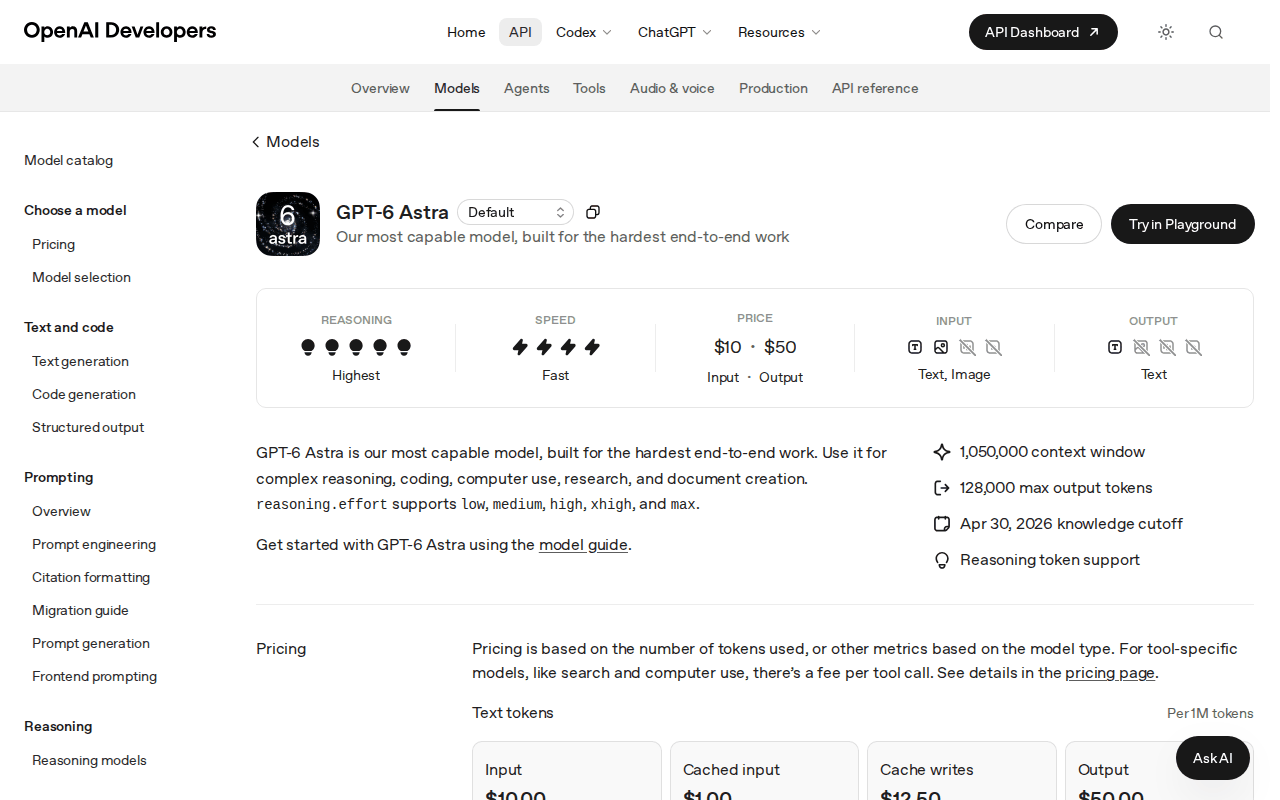 Screenshot: OpenAI Developers, “GPT-6 Astra” model page (undated docs page), captured Sep 19, 2026.
The rollout post a day later sets the population: “GPT-6 Astra is now available to all Pro, Enterprise, and Business Premium users in ChatGPT Work and Codex. It’s also live in the API. It might take a few days to roll out to our Plus and Business users.” Codex is the harness the launch page names for computer use, updated alongside Astra to make it faster. Any endpoint with that harness installed and a user in that population is in scope.
OpenAI is not the only vendor whose model can drive a screen. Anthropic’s Fable 5.1 launch page lists OSWorld 2.0 at 77.9% partial and 41.7% strict for Fable 5.1, with a footnote that the scores are on the August 2026 task release and not directly comparable to earlier results, and states plainly that “our testing found the model can still sometimes bypass approvals and auto-mode classifiers (as we discuss in more detail in our System Card)”. A model that can sometimes bypass the approval layer wrapped around it is the reason the approval layer that matters has to live on the endpoint.
A screen-driving agent is a user, and Windows already knows how to govern users
The coding-agent policy could lean on git and process rules because the risky action was a program launch. A computer-use model’s risky action is a click, and Windows has no click allowlist. What it has is decades of governing which user can see which window, open which share, elevate to what, and be logged doing it. So the policy leans on the account, not the model: the model drives as a user you created for it, on an endpoint class you approved for it, and everything else is the standard estate.
OpenAI’s launch page says that in an internal evaluation Astra never attempted to circumvent a Codex Auto-Review denial. That is a fine property, and it is a property of the model rather than of the desk; the desk is what you administer.
Two consequences. First, the entitlement is per endpoint class, not per person, because the same person on a developer laptop and on a finance workstation is two different risks. Second, the vendor’s safety claims are inputs to the tier, not substitutes for it; agents as privileged users made that case for service accounts and it holds for whoever is logged in.
The computer use agent windows policy in six steps
Budget the same two weeks as the coding-agent policy: one in audit, one in enforce. Feature descriptions below follow Microsoft’s documentation at learn.microsoft.com; every setting name needs checking against your tenant before it ships.
Step 1: Approve models and harness versions, not just the workspace toggle
The workspace switch says which people may use the model. The endpoint allowlist says which builds may drive the screen. Keep both, in one table, with a date.
| Item | Illustrative floor | Where it is enforced |
|---|---|---|
| Model id permitted for screen driving | gpt-6-astra (GA tier); no cyber-gated tier outside the VM pool |
Vendor workspace settings, per workspace |
| Harness build permitted to run computer use | Current signed build at or above the post-Sep 3 computer-use update | AppLocker or App Control for Business publisher rule with a version floor, delivered by Intune |
| Browser profile the driver may use | The driver account’s own profile, no sync | Profile policy on the driver account |
| Endpoint classes in scope | Developer laptop, shared support desktop, dedicated VM pool | The matrix in step 3 |
Audit the toggle weekly. Pull the list of workspaces with the model enabled from the vendor console, match each one to the change ticket that enabled it, and diff the list against the matrix in step 3. The matrix says which endpoint classes each team touches, and if a newly enabled team touches a Deny class, the enablement is wrong even though the vendor console says everything is fine. That diff is a five-minute job, and it catches the one failure the vendor console will never flag for you.
The npm caveat from the coding-agent policy applies unchanged: a harness installed through npm shows up to AppLocker as node.exe, so for those installs the version floor is an inventory control checked by a scheduled --version job rather than an execution control. Say which one you chose.
Step 2: No admin accounts, and no human accounts either
The coding-agent policy took developers off admin. The computer-use policy goes one step further on every endpoint class except the developer’s own laptop: the model drives a dedicated standard user, never the human’s session. Intune manages local group membership centrally (learn.microsoft.com), so the driver account can be created and held out of Administrators by policy rather than by hand.
# illustrative, delivered by Intune as a compliance or remediation script
$u = 'cu-driver'
if (-not (Get-LocalUser -Name $u -ErrorAction SilentlyContinue)) {
  New-LocalUser -Name $u -Description 'computer-use driver; standard user' -NoPassword | Out-Null
}
$admins = Get-LocalGroupMember -Group 'Administrators' | Select-Object -ExpandProperty Name
if ($admins -match "\\$u$") { Remove-LocalGroupMember -Group 'Administrators' -Member $u; 'REMEDIATED' } else { 'COMPLIANT' }
What the driver account holds is the task’s applications and nothing else: no password manager, no mapped drives to finance or HR shares, no cached SSO for systems outside the task, and a browser profile that is cleared between tasks. The host-side version of this rule, with the full ledger of who may drive which machine, is the sibling piece on the GPT-6 Astra host inventory; this article is the Windows expression of it.
Step 3: Write the entitlement table
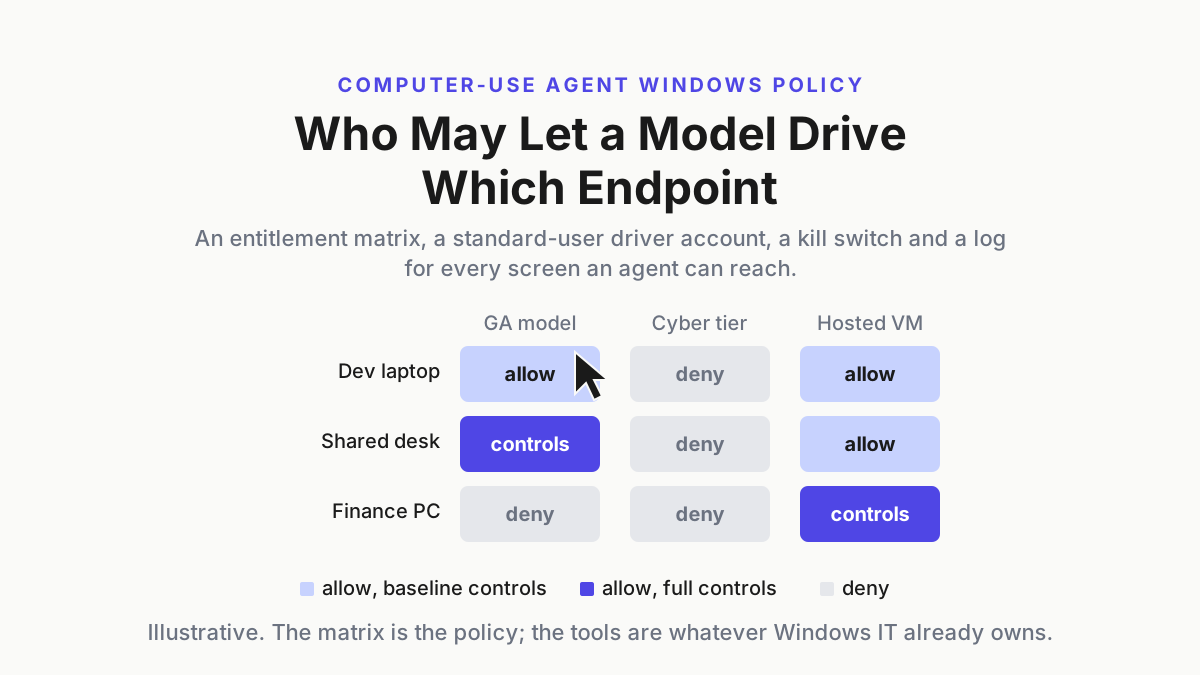
The table is the policy. Rows are endpoint classes, columns are model tiers, cells are the control level required before anyone may run that tier on that class. Three tiers are enough for now: the GA computer-use model, the cyber-gated tier that vendors put behind trusted-access programs, and the vendor-hosted container where the model works on a machine you never see.
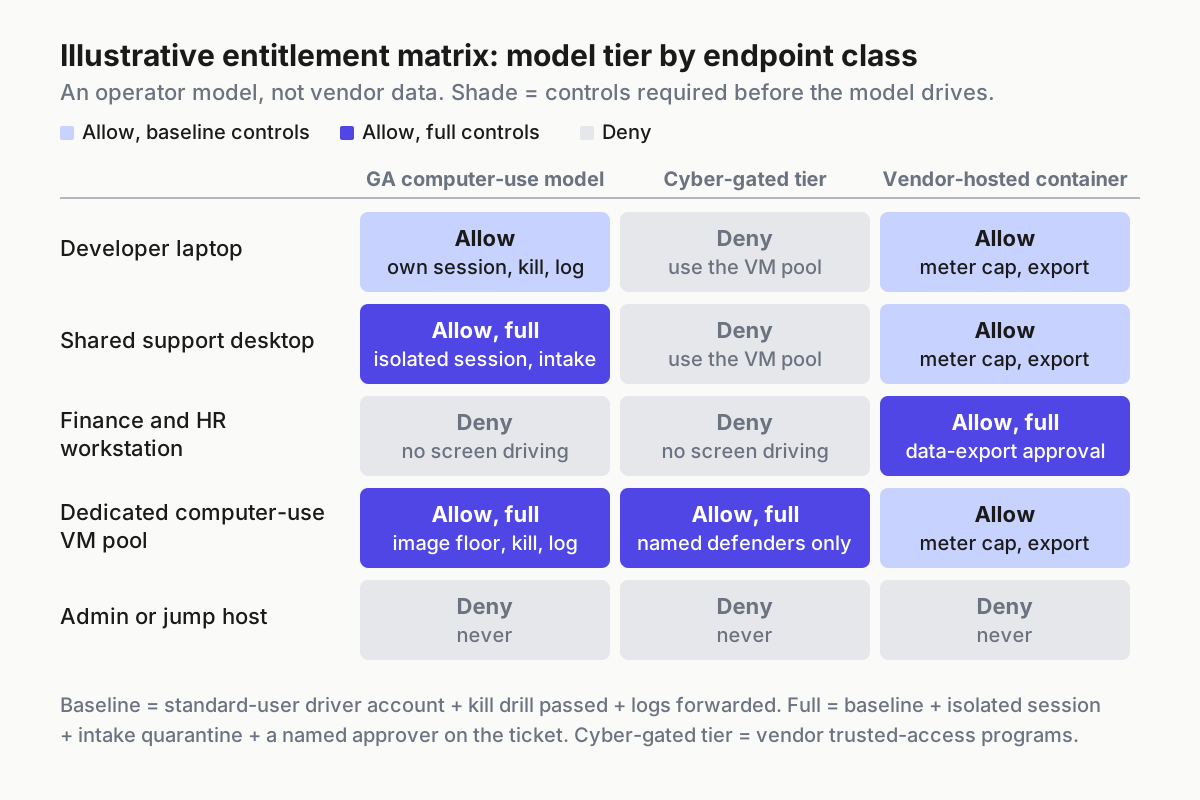
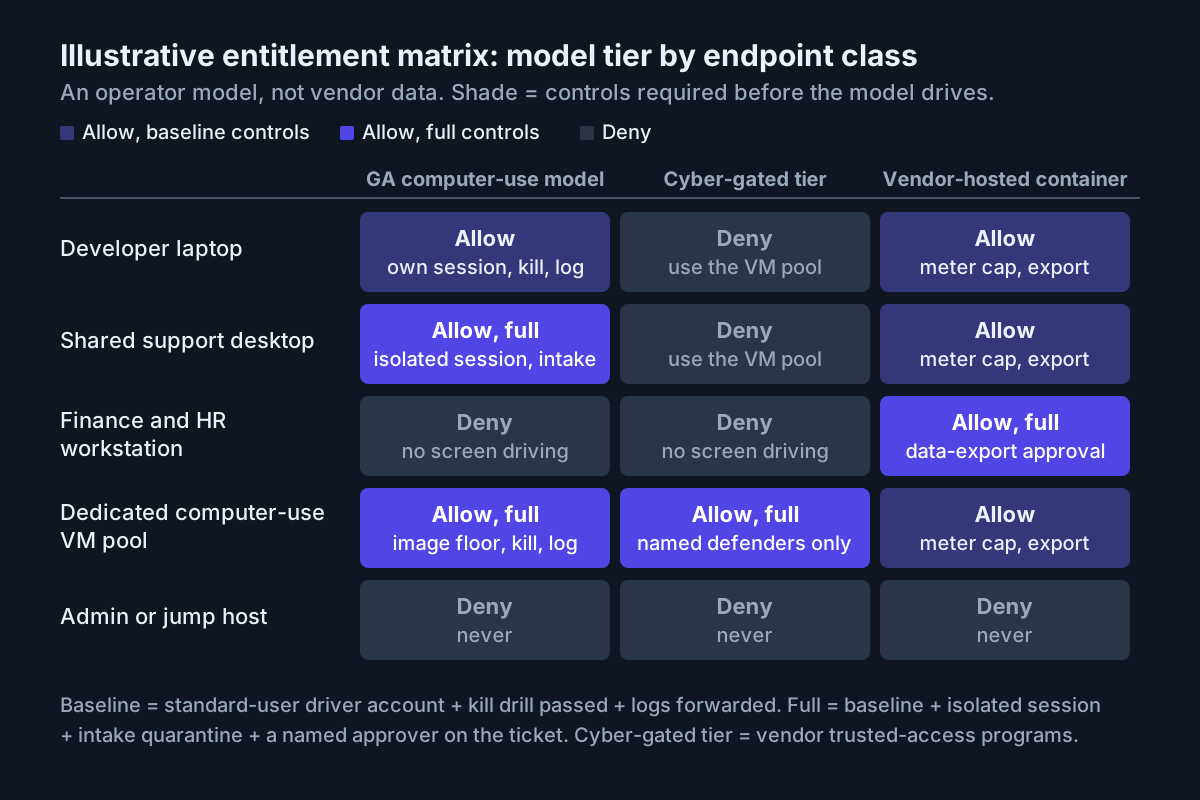 Illustrative operator model rather than vendor data. Baseline is driver account plus kill drill plus logs; full adds an isolated session, intake quarantine and a named approver.
| Endpoint class | GA computer-use model | Cyber-gated tier | Vendor-hosted container |
|---|---|---|---|
| Developer laptop | Allow, baseline: own session permitted, kill drill, logs | Deny; use the VM pool | Allow, baseline: meter cap, export |
| Shared support desktop | Allow, full: driver account, isolated session, intake quarantine, named approver | Deny | Allow, baseline |
| Finance and HR workstation | Deny | Deny | Allow, full: data-export approval per task |
| Dedicated computer-use VM pool | Allow, full: image version floor, kill drill, logs | Allow, full: named defenders only, under the vendor’s trusted-access program | Allow, baseline |
| Admin or jump host | Deny | Deny | Deny |
The cyber-gated column exists because the vendors built it. OpenAI’s system card describes “Trusted Access for Cyber, also known as Daybreak access” as a program for qualified organizations doing authorized defensive work; Anthropic states that “Fable 5.1 is generally available, while Mythos 5.1 is available only through our trusted access programs”. Which named people hold those entitlements, and how they are revoked, is the sibling runbook on cyber capability SKUs as allowlists. The endpoint policy only says where they may sit: the VM pool, and nowhere else.
Revisit the table when a tier moves. OpenAI’s system card says trusted access will expand in phases, and Anthropic says Mythos 5.1 is currently available only to a set of US organizations; when a gated tier loosens, keep its column: it inherits the GA column’s controls as a floor and keeps the VM-pool restriction until someone argues it away in writing.
The approver column is the part people skip. For a full-control cell, the ticket names a human who owns that endpoint class, and that human’s name goes in the log line for every session on it.
Step 4: Quarantine what the driven session can open
The coding-agent intake share stopped a hostile repository from running code at clone time. The computer-use version stops a hostile file from being opened by a model that may click through whatever prompt the file raises. The rule is the same shape: nothing arrives directly on the driven desktop. Files land in an intake share, get scanned, and are copied read-only into the driver account’s task folder; the driver account has no write path back to the share and no path to Downloads at all.
\\files\cu-intake\
  inbox\        standard users write here; driver account has no access
  scanned\      intake job writes here after scan; driver account reads
  task-<id>\    per-task copy, read-only to cu-driver, deleted at task end
Two additions for screen drivers. First, the browser: the driver profile gets an allowlist of the task’s sites, because a model doing “online research” will otherwise follow whatever the page suggests, and the vendor’s own prompt-injection numbers are a reduction, not a removal. Second, the session itself: on the shared-desktop and VM-pool classes, the driver runs in a separate session or VM from any human, so a human cannot alt-tab into a half-finished form and the model cannot alt-tab into a human’s. Windows Sandbox, on the Pro, Enterprise and Education editions, is one feature-level option for a disposable session on a single endpoint, with the catch that closing it deletes everything, so the harness is installed inside it on every launch; a VM pool is the other.
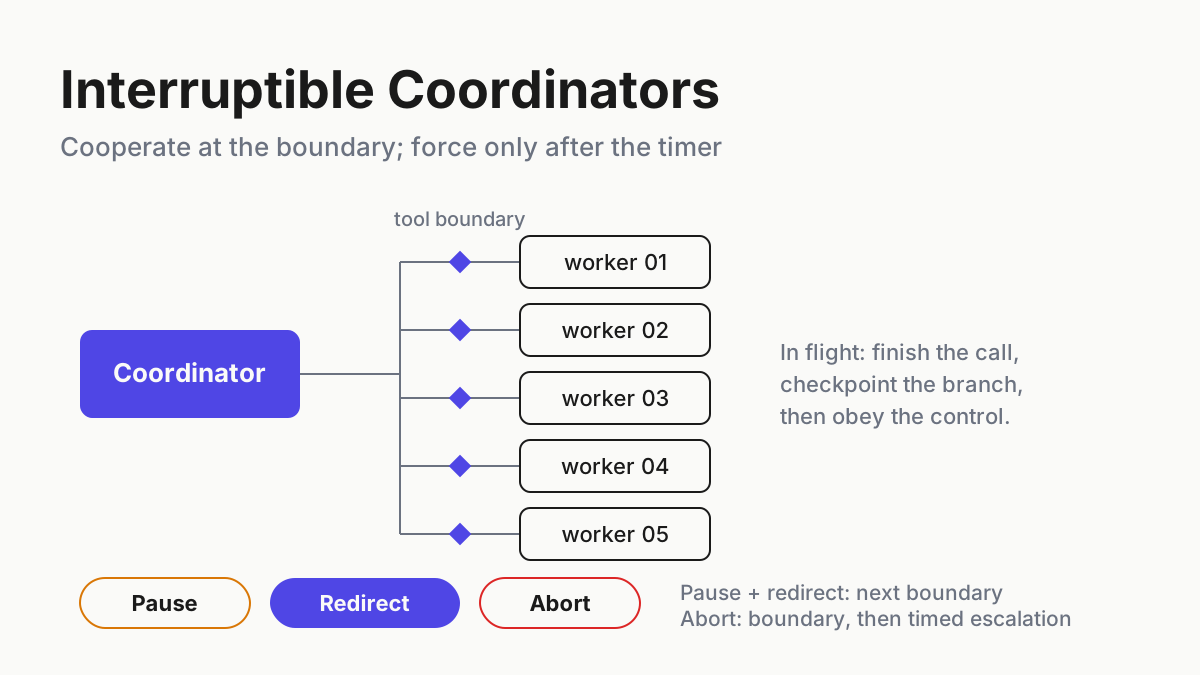
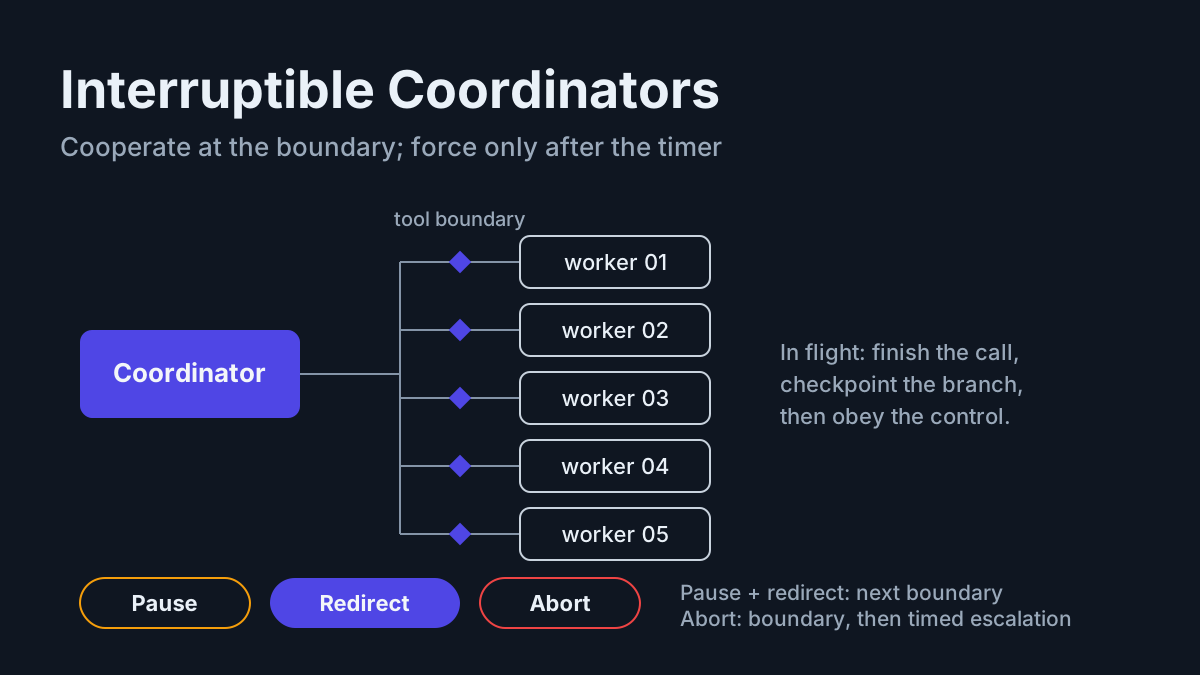
Step 5: Wire the kill switch and time it
On Windows, ending the harness process is the easy third of the job: the driver’s logon session survives it, still signed in, with whatever form the model had open. The endpoint kill has three parts, in order, and each one has a Windows expression IT can push: stop the harness process, lock or log off the driver session, and disable the driver account so no new session starts. The vendor-side revoke, turning the workspace toggle off or rotating the key, is the fourth part and belongs to whoever owns the vendor console.
# illustrative kill script; run by the on-call from the management console
$t0 = Get-Date
Get-Process | Where-Object { $_.ProcessName -match 'codex|claude' } | Stop-Process -Force
quser | Where-Object { $_ -match 'cu-driver' } | ForEach-Object { logoff (($_ -split '\s+')[2]) }
Disable-LocalUser -Name 'cu-driver'
"$env:COMPUTERNAME`t$(Get-Date -Format s)`tkill $([int]((Get-Date)-$t0).TotalSeconds)s" | Out-File \\evidence\cu\kill-drills.log -Append
Drill it monthly per endpoint class and record the seconds. A support desktop that takes fifty seconds to kill is a different risk from a VM that powers off in five, and the entitlement table can carry that number as a condition: no full-control cell without a drill under sixty seconds in the last thirty days. This is the endpoint-side half of the unified permission dialect argument: the model’s own approval prompt is one gate, the OS-level stop is the one you can prove.
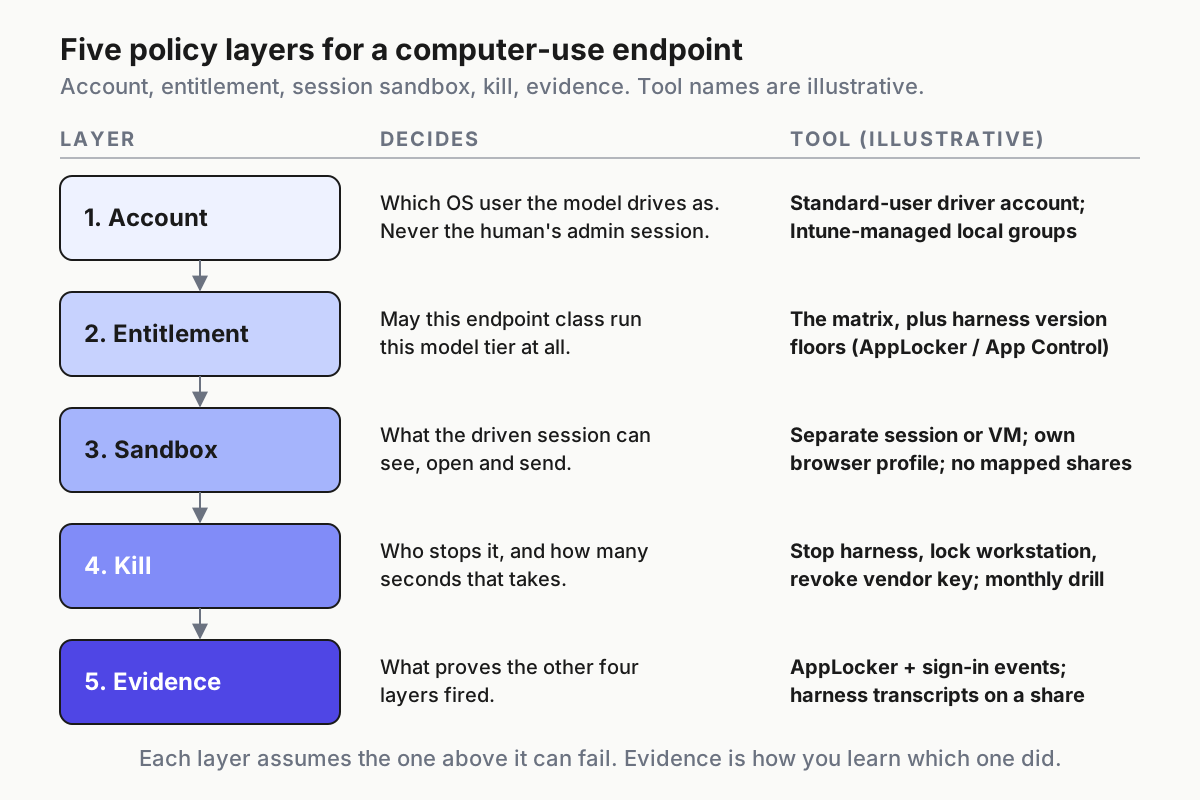
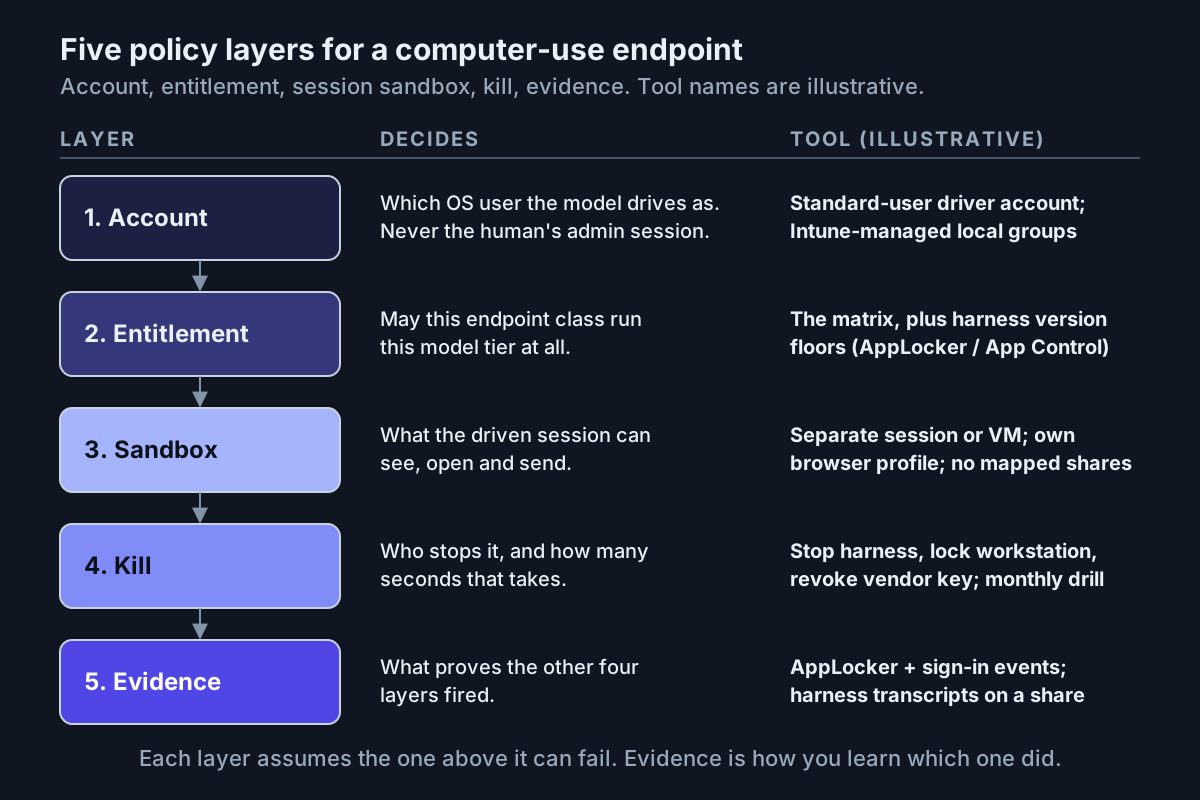 Each layer assumes the one above it can fail. Evidence is how you learn which one did.
Step 6: Log what proves the other five fired
The coding-agent policy logged AppLocker events and transcripts. A screen driver adds the session itself, which means sign-in events for the driver account, the screenshots the model saw, and the approvals a human answered. The token side is a useful cross-check: Anthropic’s pricing page notes that its computer-use toolset “adds about 4,500 input tokens to a request”, so on that API every request in a driven session carries that overhead, and a session’s request count is a rough count of how many screens the model looked at.
| Log | Source | What it proves |
|---|---|---|
| Driver account sign-in and sign-off, per endpoint | Windows security event log, forwarded | Which session ran, when, on which class |
| Harness launch allowed or blocked | AppLocker or App Control events, forwarded | The version floor fired |
| Local group membership diff, weekly | Intune script output | No driver account drifted into Administrators |
| Action log with a screenshot per action | Harness transcript, exported to the evidence share | What the model saw and did, replayable |
| Approvals and the human who answered | Harness transcript plus ticket id | The named approver was real |
| Kill drill seconds, monthly | The drill script’s log | The switch works on this class |
| Intake scan results | The intake job | Nothing reached the driven desktop unscanned |
Keep the exports for your incident window and diff the export count against the sign-in count weekly. A driven session with a sign-in event and no transcript is the finding you are looking for. That is fleet replay applied to a desk.
Where the computer use agent windows policy fails, and the signal for each
- The human’s session becomes the driver. The support lead runs the model in her own login because the driver account was slow to provision. Signal: transcripts carry a human username; the password manager appears in screenshots.
- The toggle outruns the matrix. A workspace admin enables the model for a team whose endpoint class is Deny. Signal: harness launch events on a finance workstation; the weekly diff pairs an enabled workspace with a Deny class.
- The version floor is inventory-only. An npm harness updated itself past the tested build. Signal: the
--versionjob disagrees with the floor table. - The kill stops the brain, not the hand. The process died and the session stayed open. Signal: a kill log line with a stop time and no logoff event.
- The intake share has a side door. Someone mapped Downloads into the driver profile for convenience. Signal: a file opened in a transcript that never appeared in the intake scan log.
- The cyber tier leaks off the VM pool. A named defender’s entitlement follows them to a laptop. Signal: a cyber-tier session sign-in on any class other than the pool.
The endpoint policy is the operating layer IT already owns
None of this needs a new product. It needs the estate’s account model, application control, a share, a script and an event forwarder, arranged around one table that says who may let a model drive which endpoint. That is the same argument as restricted mode as fleet policy: the operator’s controls are the ones that hold when the vendor’s do not, and on a Windows endpoint the operator’s controls are older, duller and better documented than anything shipped this month.
FAQ: computer-use models on corporate Windows endpoints
Should a computer-use AI agent run under a standard user account on Windows?
Yes, and under a dedicated one rather than the human’s. A standard-user driver account with no admin membership, no password manager and no mapped shares limits what a model can reach when it clicks, and its sign-in events give you a per-session log the human’s account never would.
Can Intune and AppLocker restrict which computer-use models run on an endpoint?
They restrict the harness, not the model. AppLocker or App Control for Business can hold the harness build at a version floor and Intune can deliver that rule and the driver account, while the model itself is governed by the vendor’s workspace toggle. The entitlement table joins the two.
What should a Windows endpoint log when an AI agent drives the screen?
Driver-account sign-ins, harness launch events, the weekly admin-group diff, the action log with a screenshot per action, approvals with the approver’s name, kill-drill times and intake scan results. Diff sign-ins against exported transcripts weekly; a session with no transcript is the finding.
Sources
- OpenAI, GPT-6 Astra launch page
- OpenAI Developers, GPT-6 Astra model page
- OpenAI, GPT-6 Astra system card (deploymentsafety.openai.com)
- Anthropic, Introducing Claude Fable 5.1 and Claude Mythos 5.1
- Anthropic, Claude Platform pricing (tool overheads)
- Microsoft Learn (Intune, AppLocker, App Control for Business, standard-user accounts, Windows Sandbox)