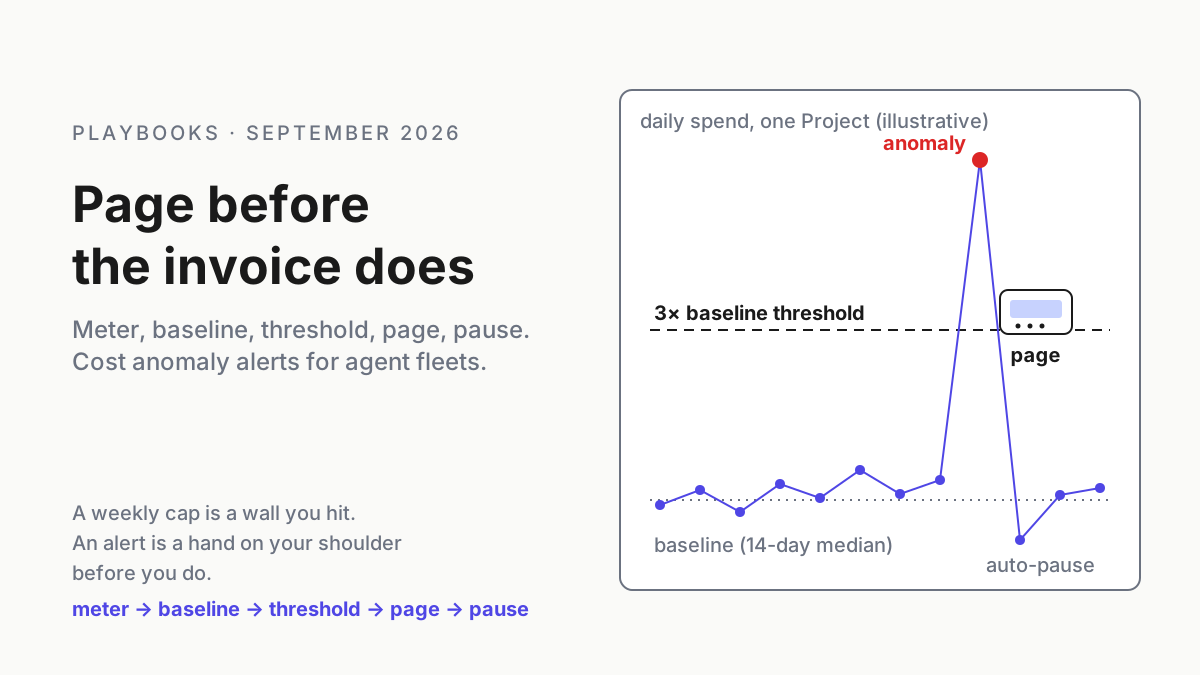
A Reverse Engineering MCP Hit #1 on GitHub: Audit What Your Own Shipped App Reveals
An agent reverse engineering tool topped GitHub Trending. Audit what your shipped app reveals: keys, endpoints, symbols, update signing, plus a release gate.

Go deeper. Build your own.
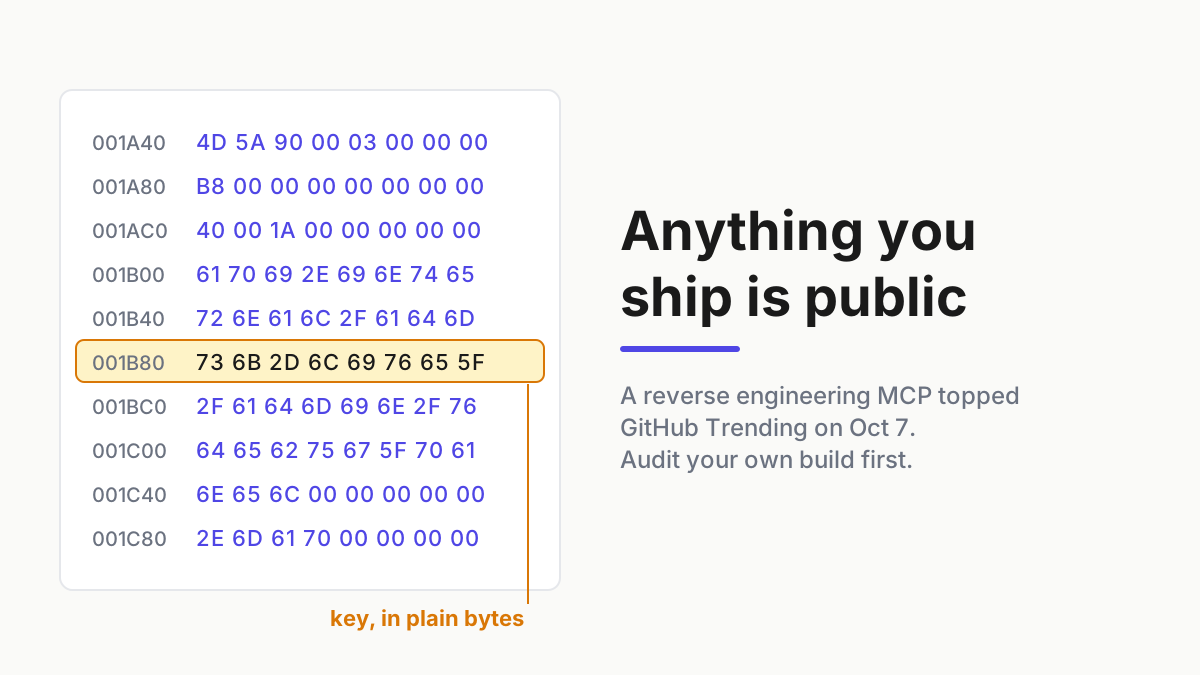
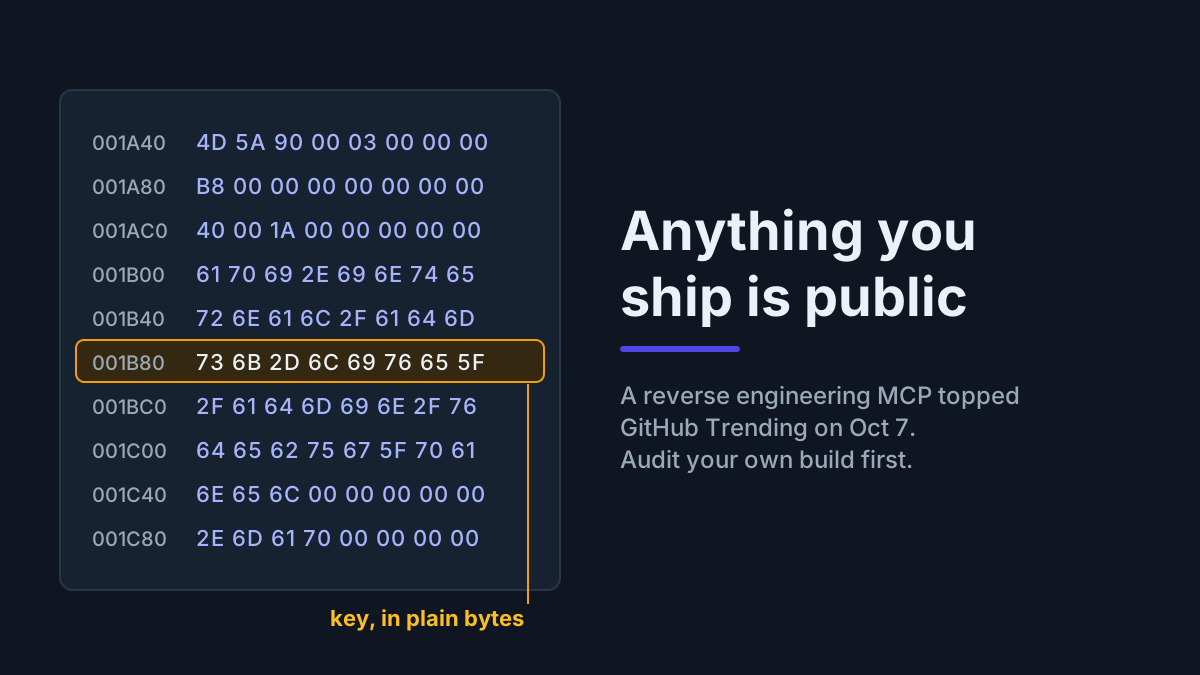
The API key you tucked into your desktop app’s bundle was never secret. It was inconvenient to find, and the inconvenience was the whole defense. On Oct 7 the top repository on GitHub’s daily Trending page was a reverse engineering MCP server and CLI that hands that inconvenient part to a coding agent.
Nothing about this is new in principle. Disassemblers have read shipped binaries for decades, and anyone patient could pull strings out of an installer. What changed is who does the reading and how long it takes: analysis that needed a specialist and an afternoon now needs an agent and a prompt. So the working rule for publishers becomes blunt. Anything inside an artifact you ship is public, and you should audit it as if an agent will read all of it before lunch.
This is a defensive playbook about your own builds. It does not cover running any analysis tool on someone else’s software. By the end you will have a readability register filled for your app, a pre-release gate with pass/fail rules, and a short list of fixes that close real gaps instead of adding friction.
REA topped GitHub Trending on Oct 7
The repository is morluto/rea, branded REA, “Reverse Engineer Anything”, with the description “Reverse engineer anything with agents, from app behavior down to native binaries.” It is MIT-licensed, written in TypeScript, and ships as a CLI plus an MCP server for coding agents.
The GitHub API record gives a creation date of Apr 14, 2026 and read 16,245 stars at about 03:35 UTC on Oct 8 (Oct 7 evening in the US). The daily Trending page, as captured on Oct 7, had it at #1 with 4,655 stars added that day, and Trendshift’s history records it as #2 repository of the day on Oct 4 before the climb. The count moved by thousands a day that week, so treat any number you read as a timestamp, not a fact.
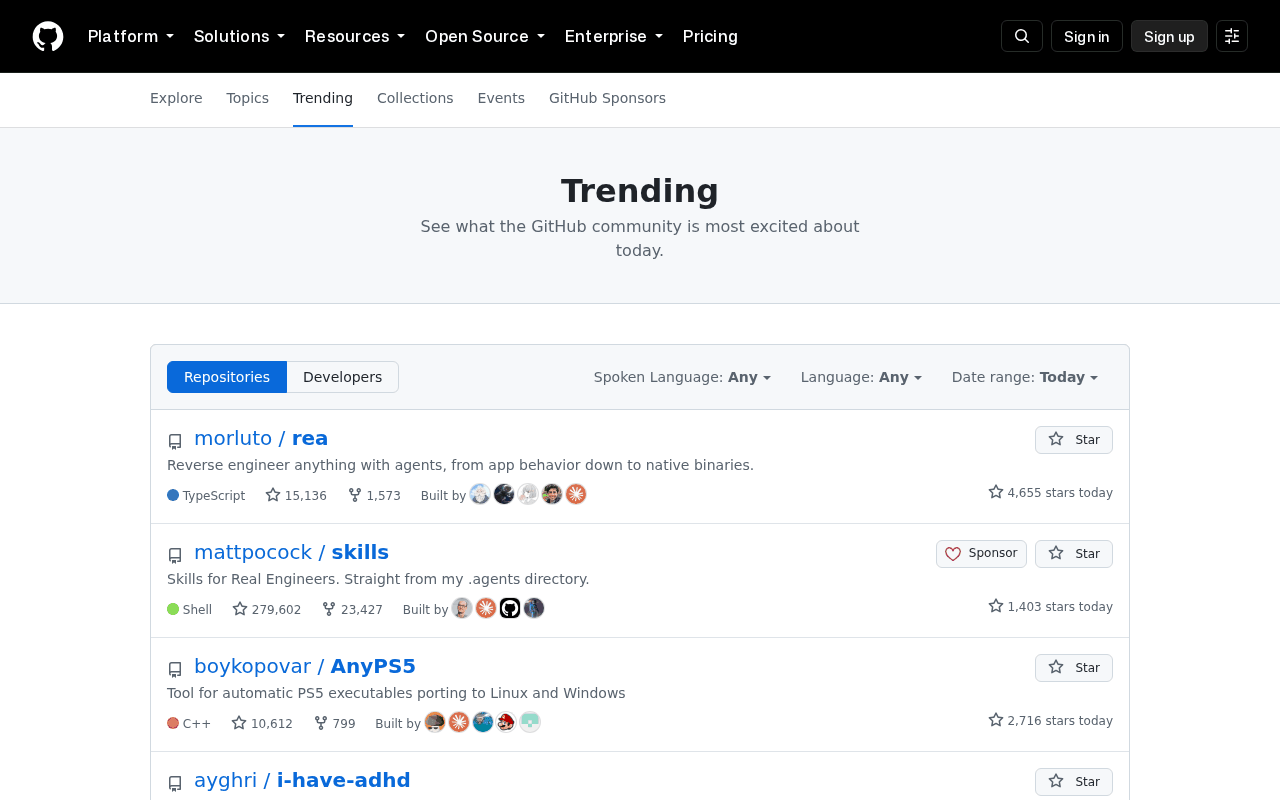 Screenshot: GitHub, “Trending repositories on GitHub today · GitHub” (Oct 7, 2026), captured Oct 7, 2026.
The capture above shows 15,136 stars on Oct 7, a few hours before the API read; both are snapshots of a moving counter.
Per its README, REA lets an agent analyze native executables and libraries, JavaScript and Electron app folders and ASAR archives without running them, .NET assemblies, Android and Apple app bundles, and firmware regions, and it packages results as "evidence bundles."It does not replace a disassembler. It wraps the ones that exist: Hopper as the default native path, Ghidra, and IDA Pro through a separate, existing IDA plugin registration. Binary Ninja appears only as a future evaluation target, and radare2 is not mentioned. The README’s disclaimer is direct about scope.
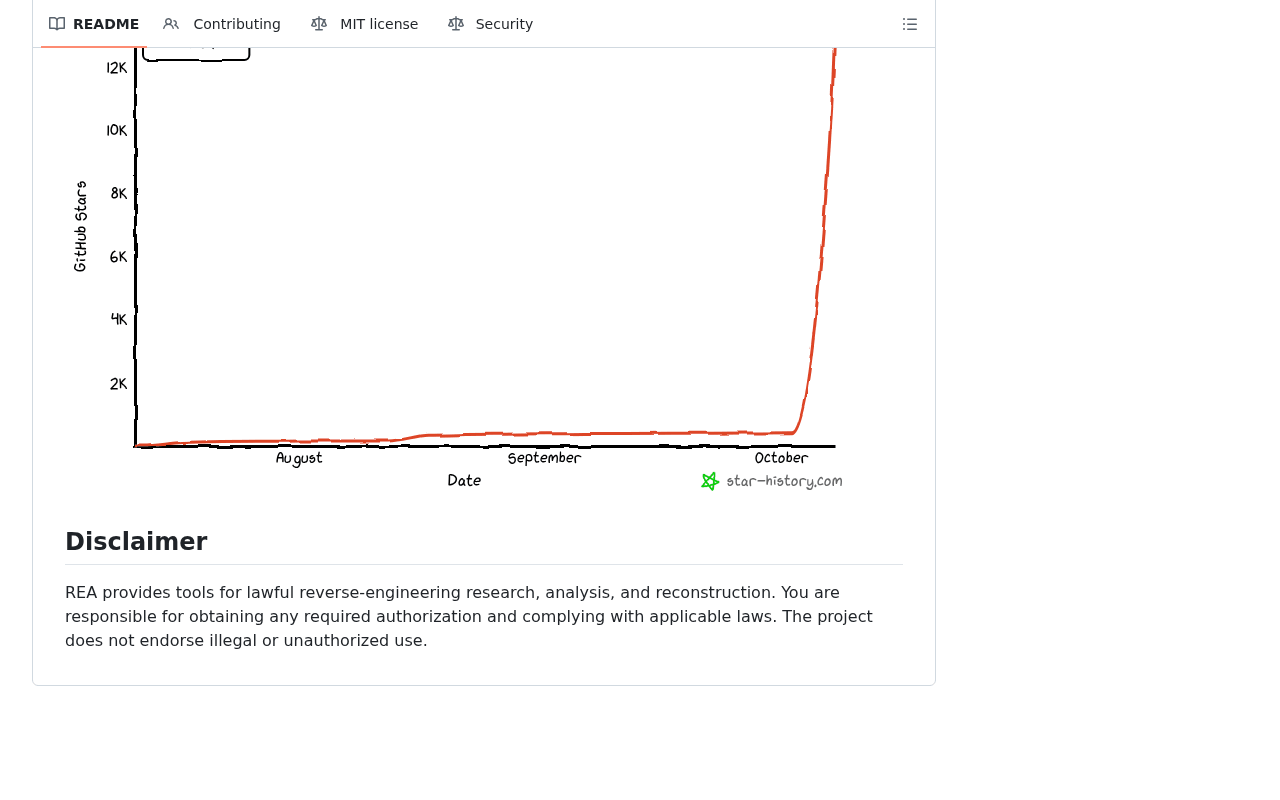 Screenshot: GitHub, “GitHub - morluto/rea: Reverse engineer anything with agents, from app behavior down to native binaries. · GitHub” (undated README), captured Oct 7, 2026.
Two things the sources do not support, so this article does not claim them. First, a tool count: an older package listing said 42 tools and the current README catalog is much larger, and the number changes with releases, so we quote none.
Second, any suggestion that the project is malicious. It is a dual-use analysis tool with a lawful-use notice, built on disassemblers security teams already use. The project homepage walks through a named commercial app as a case study; we do not repeat it, and you should not need it to understand your own exposure.
Why your threat model just lost its “too tedious” assumption
Most release checklists quietly assume that reading a binary is expensive. Nobody writes that down, but it shows up as a minified bundle treated as private, an internal admin route shipped “because nobody will find it”, or a provider key compiled into the client with a comment promising to move it later. An agent that can open the package, list the strings, decompile the hot paths and summarize what it found turns each of those into a five-minute job.
This is a different problem from the ones the catalog already covers. Securing AI agents treats your agents as the attack surface; here an agent is the reader and your shipped artifact is the surface. It is also not about whether an MCP server is safe to run, which is what MCP security hardening covers. And the offensive side of model capability has its own runbook in the Astra cyber threshold piece; this playbook cites it rather than repeating it.
The sibling in this batch draws the line from the other direction. The agent screenshot egress audit is about artifacts your agents publish by accident at runtime. This one is about the artifacts you publish on purpose, every release.
Step 1: Fill the shipped-binary readability register for your own build
List every artifact you ship: installers, the unpacked app bundle, native modules, mobile packages, CLIs, agent plugins, firmware images. For each, work through the seven classes below using only your own release build on your own machine or CI runner. The register is filled here for an illustrative invoicing app built on Electron for Windows and macOS; every count in it is illustrative.
| What an agent can read | Present? (illustrative app) | How you found it (your own build, your own binary) | Risk | Fix | Owner | Re-check cadence |
|---|---|---|---|---|---|---|
| Embedded keys and tokens (example row, filled) | Yes: 3. An LLM provider key, a maps key, an analytics write key | Secrets scan over the unpacked app bundle and native modules from the release build, not the repo | High for the LLM key (billable, unscoped); low for the analytics key (designed to be public) | Move LLM calls behind your backend with per-user auth; rotate the LLM and maps keys; scope the maps key by referrer; document the analytics key as intentionally public | Backend lead | Every release |
| Hardcoded endpoints and feature flags | Yes: 14 endpoints (2 are admin routes), 9 flags, one named for an internal billing debug panel | Strings scan of binaries plus a grep of bundled scripts for URL and flag patterns | High for the admin routes; medium for flags that unlock capability | Authorize every route server-side; evaluate capability flags on the server; remove admin routes from the client | API owner | Every release |
| Strings and error text | Yes: 27 messages naming internal services or echoing query fragments | Printable-strings dump of the binaries and bundle | Medium: a map of your backend for whoever reads it | Generic client messages; details in server logs keyed by a correlation ID | App team | Quarterly |
| Update-channel URLs and signing | Feed URL readable (expected); installers signed; ASAR integrity fuses off | Read the fuse state and updater settings of your own packaged build | High: a tampered bundle loads without complaint | Sign builds and updates, verify signatures in the updater, turn on the integrity fuses | Release engineer | Every release |
| Third-party SDK versions | Yes: 31 packages with readable versions | Compare an SBOM from the built artifact against the lockfile | Medium: a ready list of known-vulnerable versions | Patch cadence; publish an SBOM with a provenance attestation | Security champion | Monthly |
| Debug symbols and source maps | Yes: 4 source maps and 1 unstripped native module | List files in the build output by type | Medium: original names and source structure handed over | Strip symbols; upload source maps privately to your crash reporter | Build owner | Every release |
| Obfuscation status | Minified, not obfuscated | Read the bundler configuration | Low as a control either way | Treat as friction only; no secret may depend on it | App team | Annually |
The bold row is the one to copy first, and every column has a reason.
“How you found it” keeps the audit honest and scoped: it names the command or scan run against your own release, so the next person can repeat it. “Risk” is about what the finding lets a reader do, not how embarrassing it looks. “Re-check cadence” exists because build configuration drifts; a source map that was stripped in March comes back the week someone debugs a production crash.
The same seven classes apply to artifacts that are not Electron apps; only the inspection step changes.
A mobile package carries its resources and config files next to the code. A single-binary CLI often embeds a default config, endpoints included. Agent plugins are the easiest case of all, and the most often skipped: a manifest and a few scripts in plain text, frequently carrying a default endpoint or a shared token, readable without any disassembler. Give each artifact type its own rows rather than assuming the desktop audit covered it.
Step 2: Read the findings as a worked example, with illustrative numbers
The illustrative app’s register produces 91 findings across the seven classes. Most are tracked rather than blocking. Twelve block the release: 5 symbol and source-map findings, 3 embedded keys, 2 admin routes reachable from client code, and 2 update-integrity gaps (the integrity fuses are off, and the macOS updater skips its signature check on one channel).
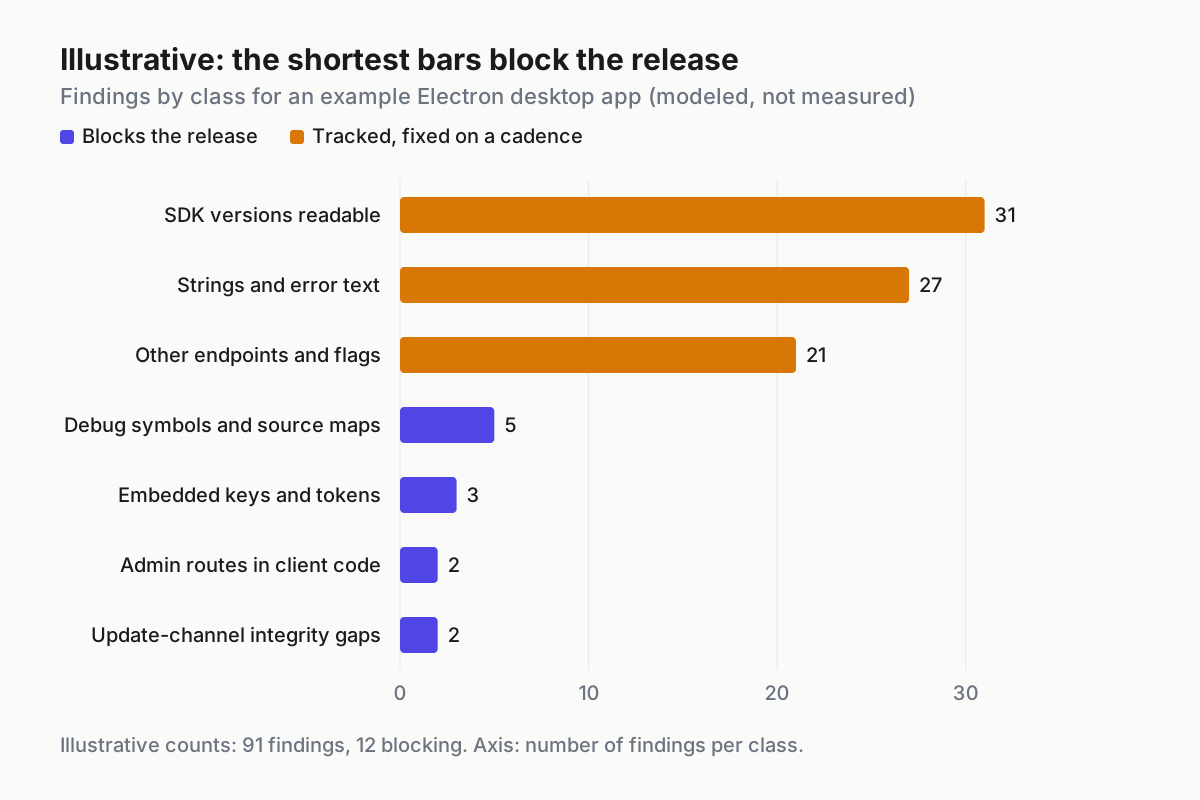
 Illustrative findings for an example desktop app. The longest bars are rarely the ones that block the release.
The chart’s lesson is about ordering. The biggest bars, SDK versions and error strings, are real but slow-burning; you work them down over a quarter. The short bars are the ones a reader can turn into harm the day the build ships: a billable key, an admin route that trusts the client, an update path that accepts a modified bundle. Fix those before the release and schedule the rest.
On keys specifically, assume any provider key in a client is already leaked the moment you ship it. The Hacker News reported in June on university research that found 282 of 444 AI-powered iOS apps exposing paid AI access through keys in the app. The fix is architectural: the client calls your backend with the user’s own session, and your backend holds the provider key. Rotating the key without moving the call just restarts the clock.
Step 3: Install the pre-release gate, with pass/fail rules
The register tells you what is in today’s build. The gate stops the next build from regressing. It runs in CI on your release output after packaging and before signing, and it fails closed. The shape below is illustrative; map each check to the scanner and packaging tools you already use.
gate: pre-release-readability          # illustrative; runs only on your own build output
inputs: dist/  (installers, unpacked bundle, native modules)
checks:
  - id: strings-scan
    run: extract printable strings from every binary and bundled script
    fail_if: any secret shape, internal hostname or admin route prefix
  - id: secrets-scan
    run: secret scanner over the unpacked artifact, not the repository
    fail_if: any finding not on the reviewed allowlist of public-by-design keys
  - id: symbol-strip
    run: list debug symbols and source maps in the artifact
    fail_if: any source map file or unstripped native module
  - id: sbom-attest
    run: generate an SBOM from the built artifact and sign a provenance attestation
    fail_if: SBOM missing or attestation not verifiable
  - id: update-integrity
    run: check installer and update payload signatures; read the Electron fuse state
    fail_if: unsigned payload, updater skips verification, or integrity fuses off
on_fail: block the release, open a ticket with the owner, rotate any exposed secret before re-running
For an Electron app, the first three checks start from commands you can run on your own packaged build. Paths are placeholders, and the commands only ever touch your own build output.
strings -n 8 dist/win-unpacked/YourApp.exe > reports/strings.txt
npx @electron/asar extract dist/win-unpacked/resources/app.asar reports/unpacked
find reports/unpacked dist -name "*.map"
Update integrity deserves its own sentence because it is the check most teams skip. Electron’s ASAR integrity documentation describes two fuses, EnableEmbeddedAsarIntegrityValidation and OnlyLoadAppFromAsar, that make the app refuse a modified bundle; per the same page, support arrived in Electron 16 on macOS and Electron 30 on Windows. Integrity detects tampering. It does not hide anything, and it should never be described in a design review as if it did.
Two ownership details keep the gate from rotting. The allowlist of public-by-design keys has one owner, and every entry carries a reason and a review date; an allowlist anyone can append to becomes the place secrets go to be ignored. And the gate’s failure output goes to the release owner as a ticket, not into a CI log nobody opens. A gate that fails quietly is the same as no gate.
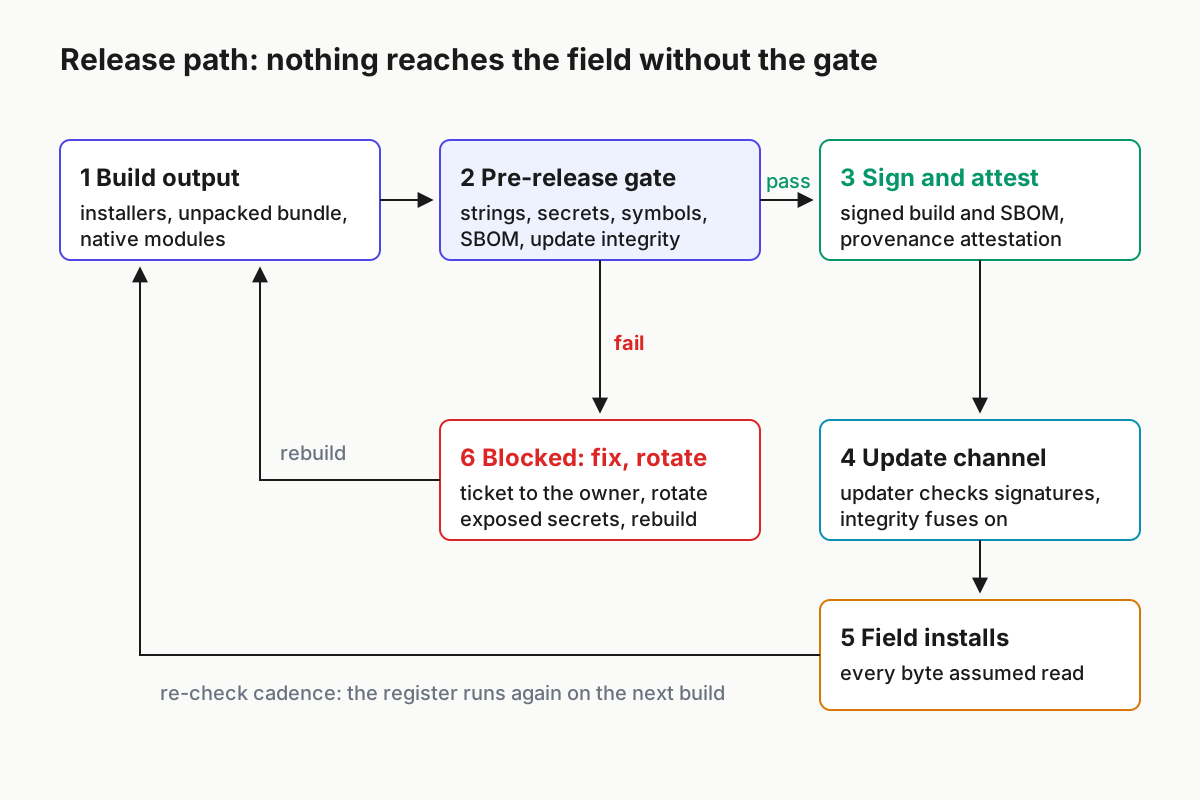
 Six boxes and two loops: a failed gate goes back to the build, and so does every scheduled re-check.
Step 4: Fix by class, and stop counting obfuscation as a control
Each register class has a fix that closes the gap rather than hiding it.
- Keys and tokens. Move the call, then rotate. Keep a short reviewed allowlist of keys that are public by design (publishable analytics keys, client IDs) so the gate stays quiet about them and loud about everything else.
- Endpoints and flags. Assume every route, IPC channel and flag name in client code is public. Authorize each route on the server for the calling user. A flag that grants capability is evaluated on the server; a client-side flag may only change presentation.
- Strings and error text. Return generic messages to the client and log details server-side under a correlation ID the user can quote to support.
- Update channel. Sign builds and updates, verify the signature in the updater on every platform and channel, and turn on the integrity fuses. Publish provenance attestations so a downstream buyer can verify what they installed.
- SDK versions. You cannot hide them, so publish them. An SBOM per release plus a patch cadence turns “an attacker can see our versions” into “we already know our versions and here is the date each one is patched by”.
- Symbols and source maps. Strip from the shipped artifact; upload privately to your crash reporter so you keep readable stack traces without shipping them.
Obfuscation sits outside that list on purpose. OWASP’s mobile application security standard files obfuscation and anti-tamper under resilience, framed as defense in depth that makes an attacker’s job harder, and says they must not be used as a substitute for proper security architecture. Against an agent that does not get bored, raised cost buys less than it used to. Use it if it is cheap for you, and never let a secret depend on it.
Step 5: Govern the same capability inside your own fleet
The analysis capability that reads your app is also available to your own engineers’ agents, and that is a good thing when it points at your own artifacts: it is the fastest way to fill the register above. Register any reverse-engineering MCP server or CLI in your agent tool inventory like any other high-capability tool. Restrict it to approved, owned artifacts (your release builds, vendored binaries you have the right to inspect), require a named purpose, and log each use with the artifact hash.
The log is what makes the permission defensible later. When someone asks why an engineer’s agent decompiled a vendored library last quarter, the answer should be a row: who, which artifact, which purpose, which finding went into the register. Without that row the same activity looks very different in a review.
That inventory rule is the same pattern as gating cyber-capable model access by allowlist, applied to a tool rather than a model SKU. And when you want to test how your own agent integrations hold up under attack, the batch sibling on red-teaming MCP integrations owns that checklist.
Shipped-binary audit failures: what breaks, the signal, the first action
| What breaks | Signal you would see | First action |
|---|---|---|
| The key left the repo but not the build | Secrets scan of the published installer finds it while the repository scan is clean | Rotate now, pull old artifacts from the download host, and point the gate at the artifact |
| Rotation breaks old clients still in the field | Error spike from older app versions right after rotation | Ship the backend-proxied call first, then rotate; force-update the oldest versions |
| Source maps come back after a debugging sprint | The symbol-strip check reports source map files in a build that passed last month | Block the release and pin the bundler setting in the shared config, not a local override |
| An admin route trusts a client-side flag | Server logs show admin route calls from accounts without the admin role | Enforce role checks server-side, then remove the route from the client |
| The updater accepts a modified bundle | Fuse state reads integrity off, or update logs show no verification step | Stop the release train, turn on the fuses, re-sign, and re-verify every channel |
| “It’s obfuscated” appears in a design review about a secret | A review note or ticket that cites obfuscation as the protection | Move the secret server-side; record obfuscation as friction in the register |
| An RE-class tool is pointed at software you do not own | Tool inventory shows a reverse-engineering server with no scope rule or usage log | Restrict it to owned artifacts, require a purpose, and turn on logging |
Release readability belongs in fleet policy, not one team’s checklist
A single app team can run this register once and feel finished. The harder part is that a company ships many artifacts from many pipelines, and the agents building them change config faster than any one reviewer reads it. The gate only holds if it is policy: the same checks in every release pipeline, the same owner column, and a fleet rule about which tools may analyze which artifacts. That is the shape restricted-mode fleet policy describes for agents generally, and it fits here without modification.
The short version for a planning meeting: count the artifacts you ship, count how many pass the gate today, and count the blocking findings in the newest build. Those three numbers tell you whether “assume it will be read” is a slogan or a release rule.
FAQ
How do I protect my app from reverse engineering by AI agents?
You cannot stop a determined reader, so stop depending on secrecy. Keep keys and privileged logic on your server, authorize every route server-side, strip symbols and source maps, sign builds and updates with verification in the updater, and run a pre-release gate that scans the built artifact, not just the repository.
Is an obfuscated API key in a desktop app safe?
No. Obfuscation raises the effort needed to find a key, but an analysis agent can work through it patiently, and the key works the same once found. Treat any provider key in a client as leaked: route calls through your backend with per-user authentication, then rotate the exposed key.
What is a reverse engineering MCP server?
It is an MCP server that gives a coding agent analysis tools, usually by wrapping established disassemblers and decompilers, so the agent can inspect binaries, app bundles and archives. REA, which topped GitHub Trending on Oct 7, 2026, is one example. Publishers should assume their shipped artifacts can be read this way.
Sources
- GitHub: morluto/rea README — description, backends, artifact types, lawful-use disclaimer, MIT licence
- GitHub API: morluto/rea repository record — created Apr 14, 2026; 16,245 stars at about 03:35 UTC Oct 8
- GitHub Trending (daily) — #1 on Oct 7, 2026 with 4,655 stars that day
- Trendshift: morluto/rea history — #2 repository of the day on Oct 4
- Electron docs: ASAR integrity — integrity fuses and platform support
- The Hacker News: 282 iOS apps found leaking LLM API keys, Jun 30, 2026 — keys in shipped AI apps
- OWASP Mobile Application Security — resilience and obfuscation as defense in depth