
Figma Ships Specs, a Markdown Rules Editor for AI Agents, and Takes Code Layers to Public Beta
At its first Config in India, Figma launched Specs, a Markdown editor for design rules that agents can consult as context, moved code layers from private to public beta, and added more than 20 tools to its MCP support, TechCrunch reports.
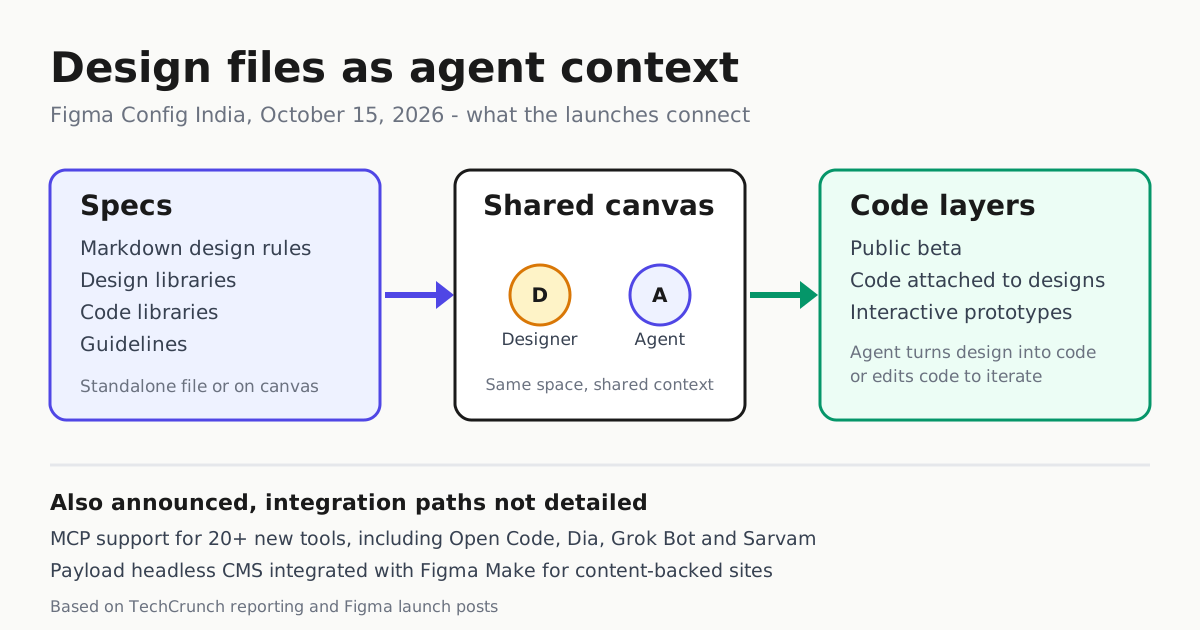
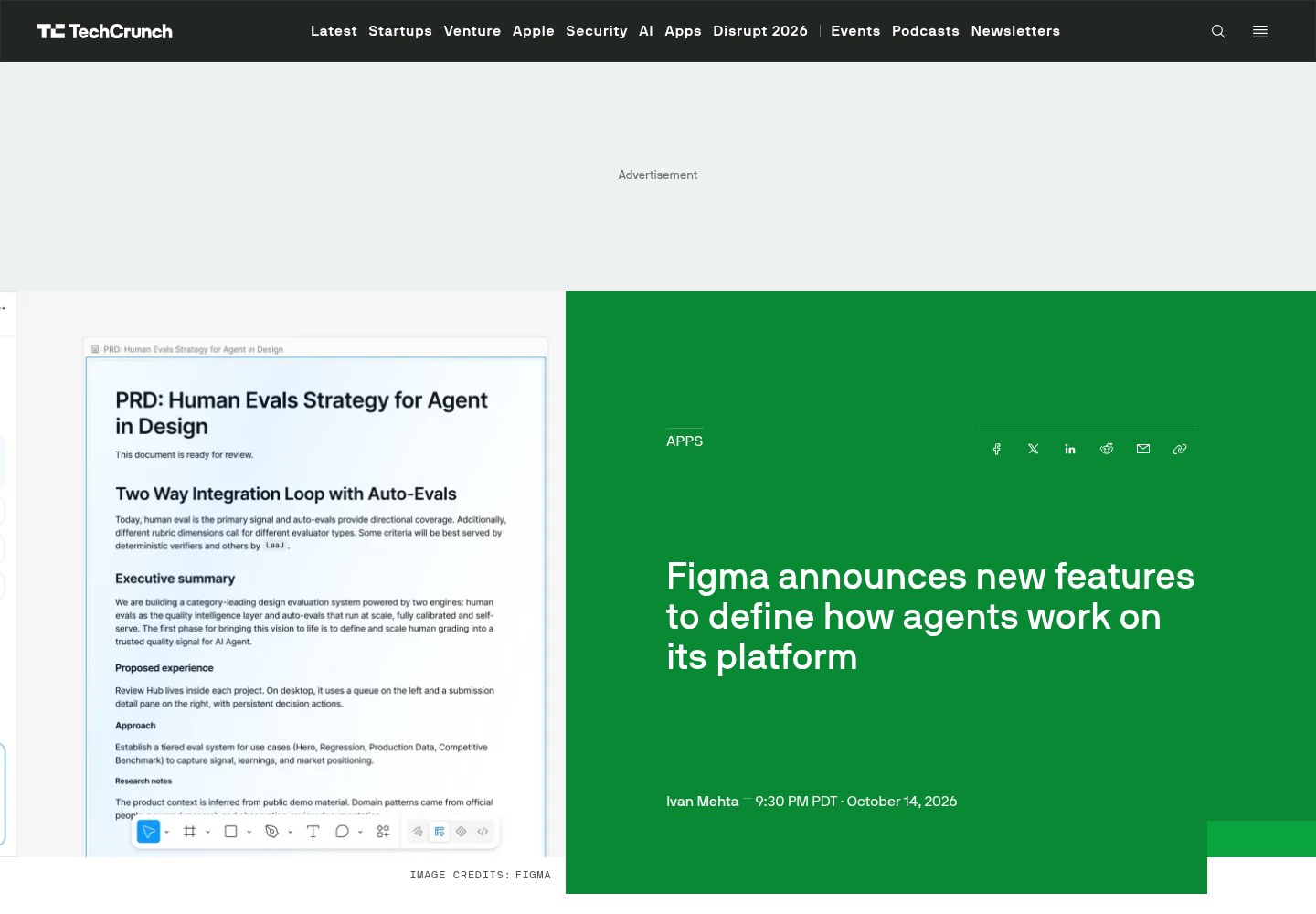
At its first Config event in India, Figma shipped a cluster of features aimed at one idea: the design file should become structured context that AI agents can consult and follow. TechCrunch reports the company launched Figma Specs, a Markdown editor for defining how a company designs; moved code layers from June’s private beta into public beta; and now supports more than 20 additional tools through its MCP integration, including Open Code, Dia, Grok Bot and the Indian AI startup Sarvam (TechCrunch).
Figma’s own blog confirms the launch set: an October 15 “Build by design” post by CEO Dylan Field, plus dedicated posts titled “Design together with code layers on the canvas”, “Introducing Specs: Markdown as a medium” and “Create, ship, and manage data-backed websites with Payload in Figma” (Figma blog). For teams already running coding agents, this is the design-side version of a shift you know from AGENTS.md files and spec-driven development: write the rules once, in a document built to serve as shared context, instead of hoping they survive a prompt.
Specs centralizes the rules
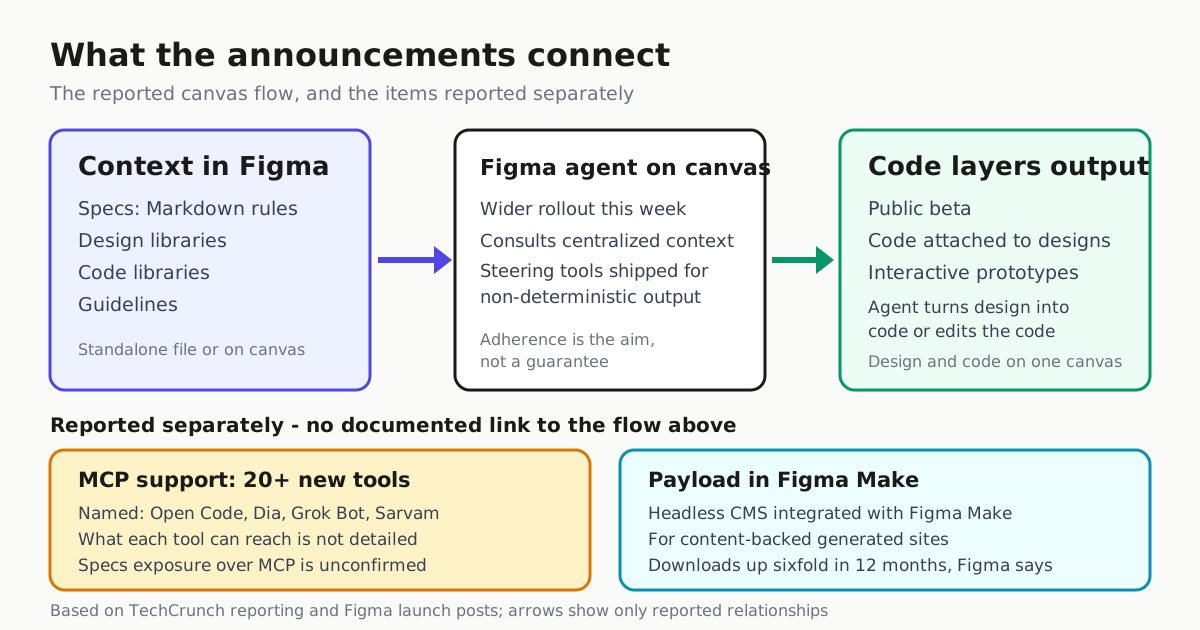
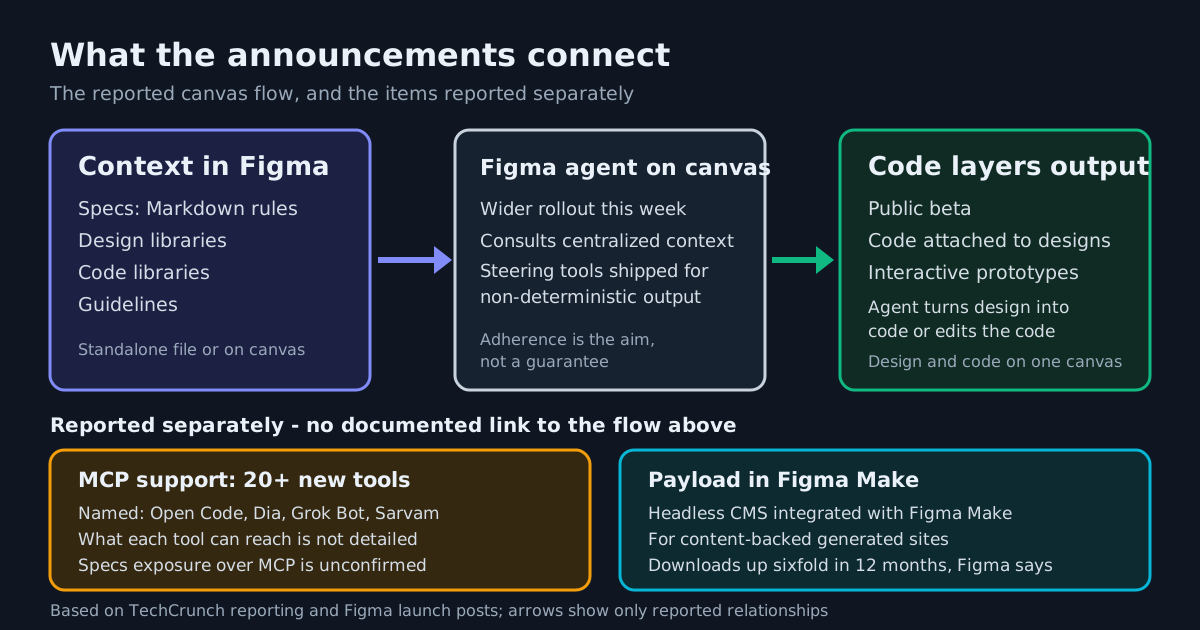
Specs is a Markdown editor that lives either as a standalone file or alongside the work on the canvas, TechCrunch reports. The important part is what a spec can reference: real canvas elements, FigJam diagrams, code layers and designs, plus the design libraries, code libraries and guidelines teams attach to manage context for a design system. Figma’s stated aim is that its own agents and third-party ones consult that centralized context so generated work adheres to a brand’s design rules instead of drifting toward generic output. The announcement describes consultation, not enforcement - adherence is something to verify with your own agents, not assume.
That is the same bet as AGENTS.md run contracts in code repositories, applied at design-system scale: one Markdown rules document that agents can read as context. Whether a given agent actually follows it is the open question, and it is testable - point your team’s agent at a spec and grade its output against the rules before the spec becomes load-bearing.
Code layers reaches public beta
Code layers adds code to designs on the canvas so prototypes are more interactive than static mockups. Figma announced it as a private beta in June; at the India event, TechCrunch reports, it moved to public beta so more users can test it. It also connects to the agent: users can ask Figma’s agent to turn a design into code, or to change part of the code and iterate on the prototype, keeping code and design on the same canvas.
A wider MCP door, with an open question
TechCrunch also reports Figma widened availability of its agent on canvas over the past week, while shipping steering tools precisely because agent output is non-deterministic. For teams running harnesses that speak MCP, the practical item to check is which Figma surfaces a connected tool can actually reach. The coverage names more than 20 newly supported tools but does not spell out whether a Specs document is exposed over MCP, so test what your harness sees before wiring a pipeline around it. That is a different bargain from Workday’s GA MCP server, where the vendor documents exactly which live data agents can query.
Payload joins Figma Make
Figma acquired the open-source headless CMS Payload last year; TechCrunch reports it is now integrated with Figma Make for generating dynamic websites and directly managing content, and that Figma said Payload downloads have grown sixfold in the past 12 months. Figma’s blog carries a dedicated launch post for the integration. The combination points at data-backed sites generated from designs, with content a team can manage afterward.
The 17x argument
Chief design officer Loredana Crisan gave TechCrunch the number that explains the strategy: roughly 17 times more lines of code are produced today than in the past, but only 1.3 times more releases. In her telling, much of that code “is not necessarily built to ship, but really built to discover what the product is. It’s built to design.” If code has become a design medium, Figma’s bet is that it belongs on the canvas, under the same context as the design. The company’s homepage now describes a canvas where “teammates and AI agents work in the same space with shared context” and where “your context, codebase, and agents stay connected.”
Statuses below are as reported by TechCrunch and reflected in Figma’s launch post titles. None of the coverage spells out plan-level availability or beta limits, so confirm entitlements before committing a team.
| Launch | Status | What you can do |
|---|---|---|
| Figma Specs | Launched at Config India | Write design rules in Markdown; reference canvas elements, FigJam diagrams, code layers and attached libraries |
| Code layers | Public beta (private since June) | Attach code to designs; ask the agent to turn a design into code or edit code to iterate |
| Figma agent on canvas | Wider rollout | Steer agent output with the new tools; specs serve as reference context |
| MCP support | 20+ new tools | Check what tools such as Open Code, Dia, Grok Bot and Sarvam can actually reach |
| Payload in Figma Make | Launched | Generate and manage content-backed sites |
What to try first
- Write one real spec - tokens, spacing, component rules - and reference actual canvas elements instead of describing them in prose, so the spec points at real components rather than prose descriptions.
- Point your agent at the spec and grade its next output against the rules. That test, not the announcement, tells you whether Specs is load-bearing for your team.
- Push a single component through code layers in public beta and compare the generated code with your implementation standards before promising more.
The event was also a market signal: TechCrunch reports Config India is Figma’s first event in the country, that India is its biggest user market outside the United States, and that Figma says it works with 40 percent of the top 100 companies listed on the Bombay Stock Exchange.