 Automater
Scattered on disk
Transcripts pile up in vendor dirs nobody opens. Ten formats, zero search.
Automater Lite pulls every AI CLI session on your machine into one searchable local library — and keeps an eye on the whole fleet from your Windows tray.
Windows 10/11 · signed installer · installs offline
The problem
You run five assistants a day. Each one keeps its own diary — in its own format, in its own corner of your disk.
Transcripts pile up in vendor dirs nobody opens. Ten formats, zero search.
Tokens burn across ten separate meters you can't see in one place. Quota surprises included, free of charge.
Agents wrap up in background terminals and wait, politely, forever. You find out at standup.
The library
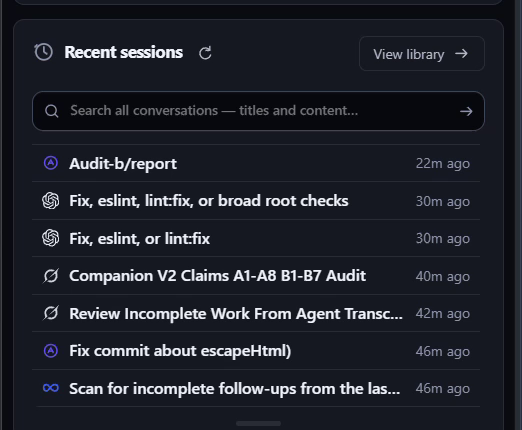
Lite imports and normalizes sessions from Claude Code, Codex, Gemini, Grok, Kimi, Antigravity, Qwen Code, Z.ai GLM, OpenCode, and Copilot into a single library on your machine. Search everything. Resume anything.
Fleet awareness
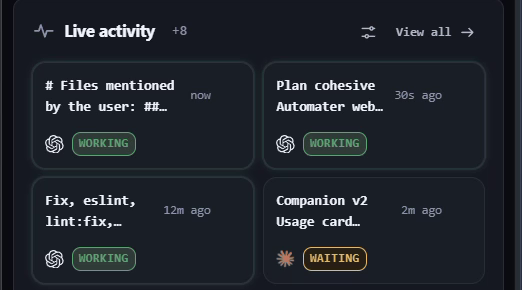
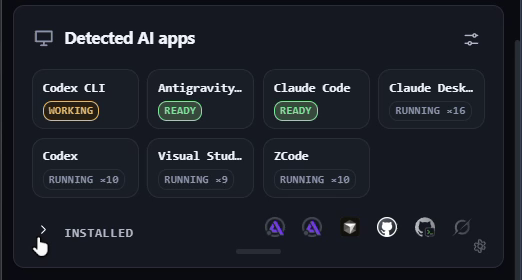
Lite detects the AI apps installed on your machine and watches their sessions live. When an agent blocks on a question or a permission prompt, the panel flags it. While everything's working, it stays out of your way.
Usage & leaderboard
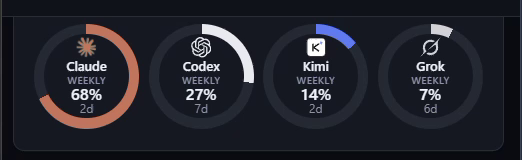
A local collector meters token spend across every CLI and draws it on your Home screen. Publish to leaderboard.automater.ai only if you opt in — under your GitHub identity, with evidence confidence tiers and README badges (SVG/JSON) to embed anywhere.
Voice
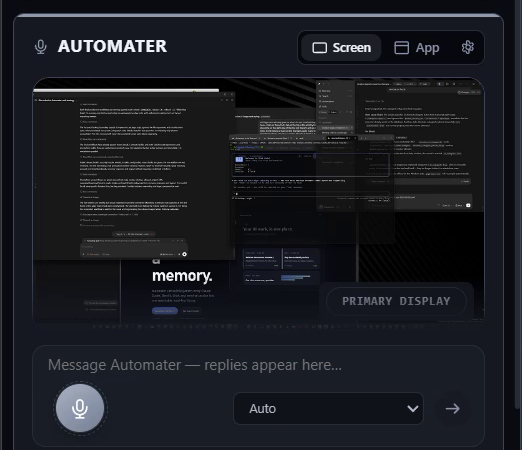
Press the global hotkey, speak, and the transcript pastes into whatever app has focus. Speech-to-text runs on your GPU — sherpa-onnx Parakeet over DirectML or CUDA — with auto, local, and cloud modes. Agents answer back over the TTS relay.
The whole panel
Usage rings, detected apps, live agent activity, the session library, voice, terminal, and the leaderboard — one continuous scroll through the real app, recorded on a working machine.
And then some
Branch, working tree, and graph for the repo under your cursor.
Find and front any window on the system.
Sync one skill library across every CLI.
Update all ten CLIs from one panel.
Agents drive the desktop — permissioned and audited.
Scope exactly what remote agents may touch.
Always at hand. Never in the way.
OAuth and API keys for every provider — quota at a glance.
Providers
…and every CLI that writes a transcript.
Trust
Every binary carries an Authenticode signature; every update is verified before install.
Azure Trusted Signing · minisign updatesThe session archive lives on your disk and never leaves it. There is no cloud copy.
your machine · your transcriptsWebView2 is embedded in the installer. No runtime downloads, no mid-install surprises.
WebView2 embedded · zero fetchesThe leaderboard publishes nothing until you say so. Same for anything else that leaves the machine.
leaderboard · telemetry · both opt-inWhen you're ready to orchestrate agents instead of just watching them, the full Agentic Development Environment is one click away.
Windows 10/11 x64 · auto-updates on the stable channel
FAQ
Yes. Lite is the free companion app. The full Automater Desktop ADE is a separate product — Lite works with it, but never requires it.
Today, yes — Windows 10/11 x64, built on Tauri 2. macOS and Linux builds are planned; grab a waitlist spot from the download section above.
On your machine. Lite reads sessions from your CLIs’ own directories and stores the normalized archive locally — it never leaves your disk. Vault redaction lets you scrub sensitive spans, and nothing is uploaded unless you explicitly opt in to the leaderboard.
A local collector meters token usage across your CLIs and renders it in the Usage card — no account needed. If you opt in, Lite publishes your totals to leaderboard.automater.ai under your GitHub identity, with evidence confidence tiers and README badges (SVG/JSON) you can embed.
No. The archive, voice layer, widgets, and usage meters are fully standalone. If you do run Automater Desktop, Lite becomes its tray-side companion — including chatting with the platform from the Automater chat card.
Auto-updates ship on the stable channel. Every binary is signed via Azure Trusted Signing, and update payloads are additionally minisign-verified before they install. WebView2 is embedded, so even the first install runs fully offline.